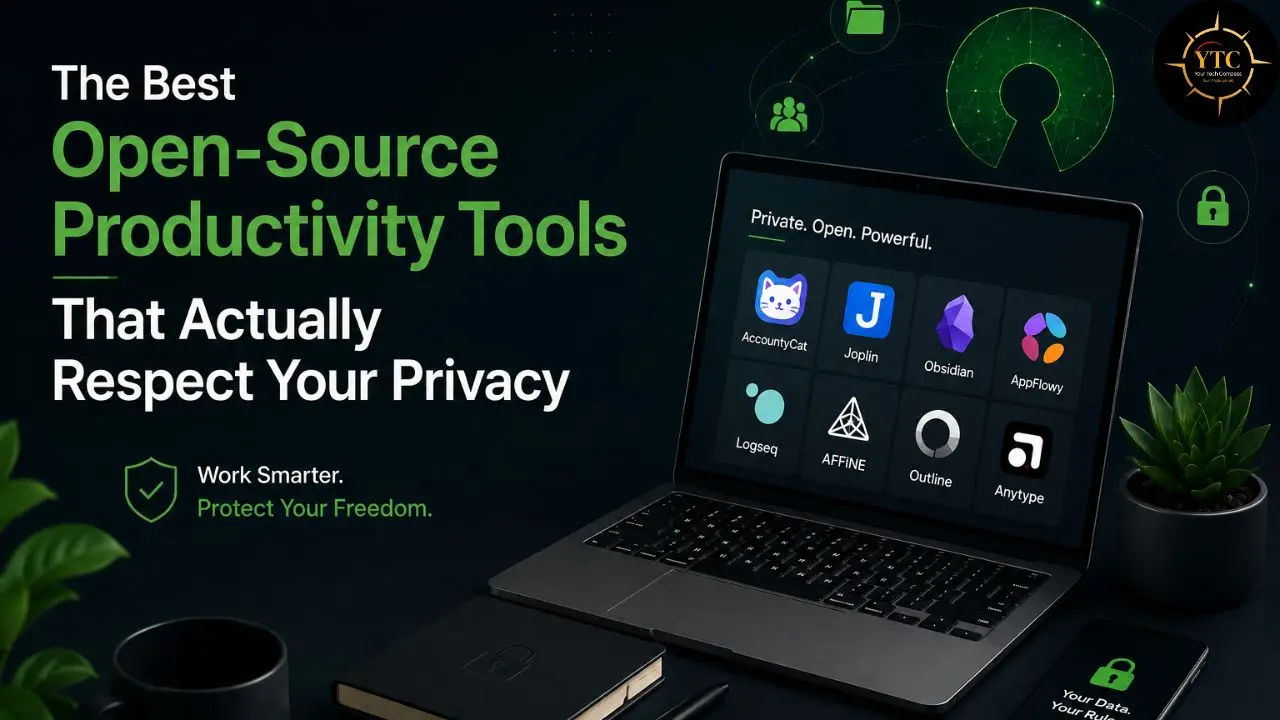
Every productivity tool you pay for has one thing in common: your data lives on someone else’s server, under someone else’s terms, subject to someone else’s pricing decisions. Notion AI is $20 per user per month on the Business plan. ClickUp adds $9 per user per month for Brain on top of the base subscription. And both of those prices can change the moment the company decides a new funding round requires better margins. Open-source productivity tools solve all three problems at once: no subscription lock-in, code you can actually audit, and the freedom to keep your data exactly where you want it. That’s not a philosophical stance; it’s a practical decision that saves real money and eliminates a whole category of risk that most people don’t think about until it affects them.
This guide features the very best open-source productivity tools available right now: tools that are actively maintained, genuinely functional for real daily workflows, and worth recommending to anyone who values privacy without sacrificing usability. I want to be upfront about one important framing decision: most open-source productivity tools handle what you produce (your notes, documents, and tasks). One tool on this list handles something that the others can’t: whether you stay focused long enough to produce anything at all. That’s AccountyCat, and it deserves its own prominent treatment alongside the knowledge management and workspace tools that make up the rest of this list. You need both. Knowing things and creating content only matter if you can stay on the task long enough to finish it.
Why Open-Source Productivity Tools Are Worth Taking Seriously
Before getting into the tools themselves, it’s worth clarifying what “open-source” actually means in practice, because it’s more than a philosophical preference regarding software licensing.
The Cost Argument Is the Most Immediate
Notion AI at $20/user/month, ClickUp Brain at $12 + $9/user/month, and Confluence at $10.50/user/month add up quickly across a team. AppFlowy is free forever. Logseq is free forever. Joplin is free for self-hosted use. The cost delta over three years for a five-person team easily reaches $3,000–$5,000, money that could fund actual product development or simply stay in your pocket.
The Privacy Argument Is the More Important One
When a proprietary tool stores your notes, tasks, and documents on its servers, you are dependent on its security practices, the jurisdiction in which its servers operate, and on whatever its privacy policy says today and what it might say after its next acquisition. Open-source, self-hostable tools give you complete control over data residency.
Your notes are on your drive. Your documents are in your folder. No third party makes decisions about them.
The Auditability Argument Is the Most Verifiable
Open-source means anyone can read the code. You don’t have to trust a privacy policy or a marketing claim; you can verify exactly what the software does with your data, line by line. For tools that request serious permissions like Screen Recording, auditability is the difference between a trust claim and a trust proof.
The Honest Trade-Off Is Setup Complexity
Self-hosted tools require server configuration that cloud tools don’t. Cloud-hosted open-source options (AppFlowy Cloud, Joplin Cloud) reduce that friction but reintroduce some degree of third-party hosting. The right path depends on your technical comfort level, and for most individual users and small teams, the cloud-hosted tiers of the tools on this list provide a workable middle ground.
For a broader look at how these tools fit into a complete productivity stack, our guide to the best productivity apps that save time is worth reading alongside this one.
📊 Open-Source Productivity Tools: Full Comparison

Tool | Primary Use Case | License | Platforms | Offline | Self-Host | Free? | Best For |
AI focus + context-aware nudging | ✅ MIT | macOS only | ✅ Yes | N/A | ✅ Local mode free | Mac users needing smart focus management | |
Notion-style workspace | ✅ AGPL-3.0 | All platforms | ✅ Yes | ✅ Yes | ✅ Yes | Teams wanting Notion without cloud lock-in | |
Personal knowledge management | Free (proprietary) | All platforms | ✅ Yes | N/A | ✅ Personal use | Writers, researchers, PKM power users | |
Outliner + knowledge graph | ✅ AGPL-3.0 | All platforms | ✅ Yes | ✅ Yes | ✅ Yes | Power users wanting a fully open-source PKM | |
Secure encrypted notes | ✅ AGPL-3.0 | All platforms | ✅ Yes | ✅ Yes | ✅ Yes | Sensitive content, journalists, legal | |
Docs + databases + whiteboard | ✅ MIT | All platforms | ✅ Yes | ✅ Yes | ✅ Limited | Product teams needing visual + written | |
Team wiki/knowledge base | BSL 1.1* | Web only | ❌ No | ✅ Yes | ✅ Self-hosted | Small teams self-hosting internal docs | |
Block-based encrypted workspace | Source-available* | All platforms | ✅ Yes | Partial | ✅ Yes | Individuals migrating from Notion |
*BSL 1.1 and Anytype’s license are source-available but not OSI-certified open source; an important distinction for commercial deployments.
The 8 Best Open-Source Productivity Tools
A note before we begin: every YTC score is earned, never negotiated. If you want to understand exactly how we evaluate tools, our Review Methodology lays it all out.
1. AccountyCat: Best Open-Source AI Focus Companion for Mac
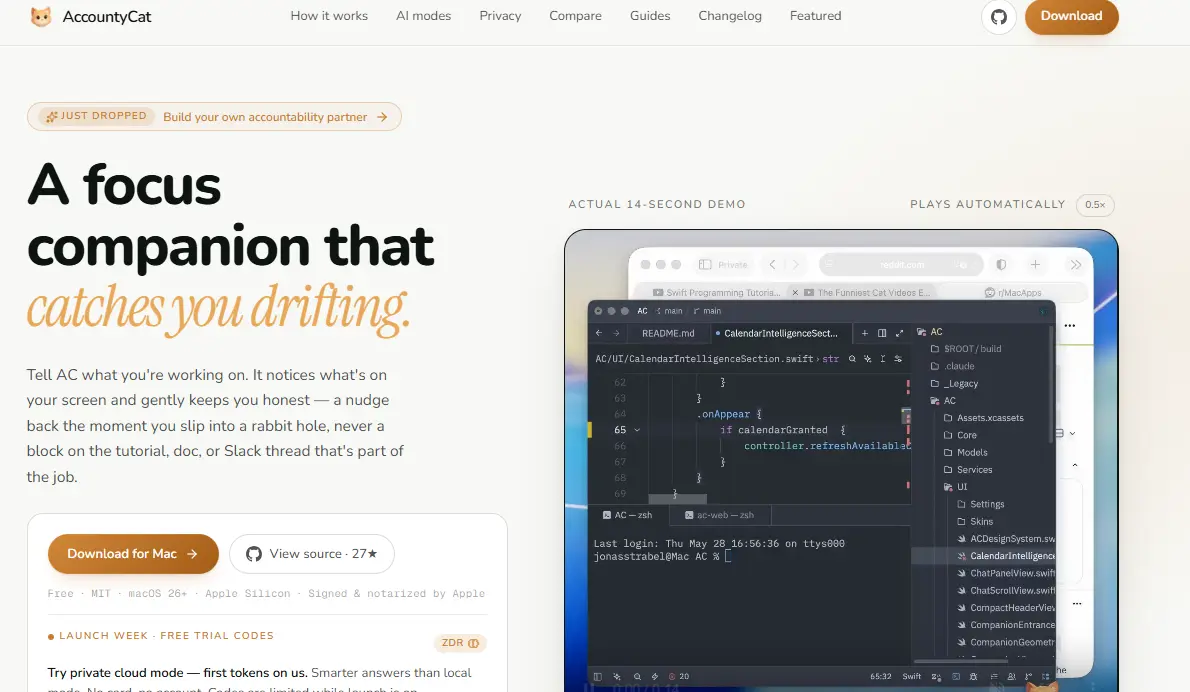
Here’s a problem that every other tool on this list ignores: you can have the most beautiful knowledge base, the most perfectly organized task list, and the most elegantly structured workspace imaginable, and still spend three hours on YouTube when you were supposed to be writing. None of the other tools on this list solves that. AccountyCat does.
AccountyCat is a macOS menu bar focus app (MIT-licensed, fully open-source on GitHub) that uses AI to monitor your screen context and catch you drifting before a five-minute distraction becomes a two-hour detour. You tell it what you’re working on. It watches what you’re actually doing. And when those two things don’t match, it nudges you back.
What genuinely separates AccountyCat from every other focus tool, including paid blockers like Cold Turkey or Freedom, is the core architectural insight it’s built on: a block list cannot tell work from procrastination. Reddit might be where you lose an hour or where you find the exact answer to the problem you’ve been stuck on.
Same URL, completely opposite intent. Block it, and you lose the answer. Allow it, and you lose the hour. Most blockers end up switched off entirely for exactly this reason.
AccountyCat takes a different approach; it reads what you’re actually doing on screen and makes a judgment call based on the task you set. Looking up a Bash command on Reddit during a scripting session? That’s work, carry on. Scrolling X for 14 minutes during a deep work block? That’s drift, and you’ll hear about it.
The v1.0.4 Update, shipped recently, adds one of the most genuinely useful customization features I’ve seen in any focus tool: fully custom accountability characters. This means you can now prompt the AI to call you out in whatever voice actually gets your attention.
Want Steve Jobs-level directness? Configure it. Want a drill sergeant who doesn’t accept excuses? That’s available. Want your mum to check in gently but firmly? You can build that too.
The three default companions, Mochi (warm and encouraging), Misty (quiet and thoughtful), and Onyx (sharp and no-nonsense), already cover a wide range of personalities. Custom characters take that from three presets to a genuinely unlimited range, which is significant because the accountability voice that works for one person can completely fail for another.
Key Specs
- Platform: macOS 26+, Apple Silicon only (signed and notarized by Apple)
- License: MIT (fully open source, auditable on GitHub)
- Version: v1.0.4 (custom characters added)
- AI Modes: Local (llama.cpp, fully offline) or Private Cloud (OpenRouter, zero-data-retention)
- Local RAM: ~2–3GB (Economy) to ~15–18GB (Smartest tier)
- Cloud cost: ~$0.80–$5.00/month via OpenRouter; no AccountyCat subscription
- Permissions: Screen Recording (screenshots analyzed then immediately discarded), Accessibility (reads active app name only; never logged)
- Telemetry: None (no analytics SDK, no phone-home behavior)
- Source: github.com/strjonas/AccountyCat
- Download: accountycat.com
Why It Stands Out
- Context-aware AI nudging is the only open-source implementation of this capability; no comparable tool exists in this category on any platform.
- Custom accountability characters (v1.0.4) mean the accountability voice that gets you back on track can be precisely calibrated to what actually motivates you.
- Zero permanent data storage. Screenshots are sent to the model, the results are parsed, and then they’re gone. No database, no upload bucket.
- MIT license means you can audit every single line of code that touches the Screen Recording and Accessibility permissions, not just read a privacy policy, but verify it.
- Two genuinely private AI modes: local (llama.cpp, completely offline, free forever) or private cloud (OpenRouter with zero-data-retention providers who are contractually barred from logging or training on your data).
- The nudge philosophy (accountability over restriction) is the right approach for knowledge workers, where blanket blocking creates legitimate workflow friction.
Honest Limitations
- macOS 26 and Apple Silicon only; no Windows, Linux, or Intel Mac support currently.
- The Smartest local tier requires 15–18GB of RAM; only practical on higher-spec M-series machines.
- New product (v1.0.4); the core focus loop is solid and working, but the feature surface will grow.
Best For
Mac users on Apple Silicon, for instance, writers, developers, students, and remote workers, who want an open-source-focused companion that understands screen context rather than just blocking URLs. Pair it with any of the knowledge tools below for a complete open-source productivity stack.
2. Obsidian: Best for Personal Knowledge Management
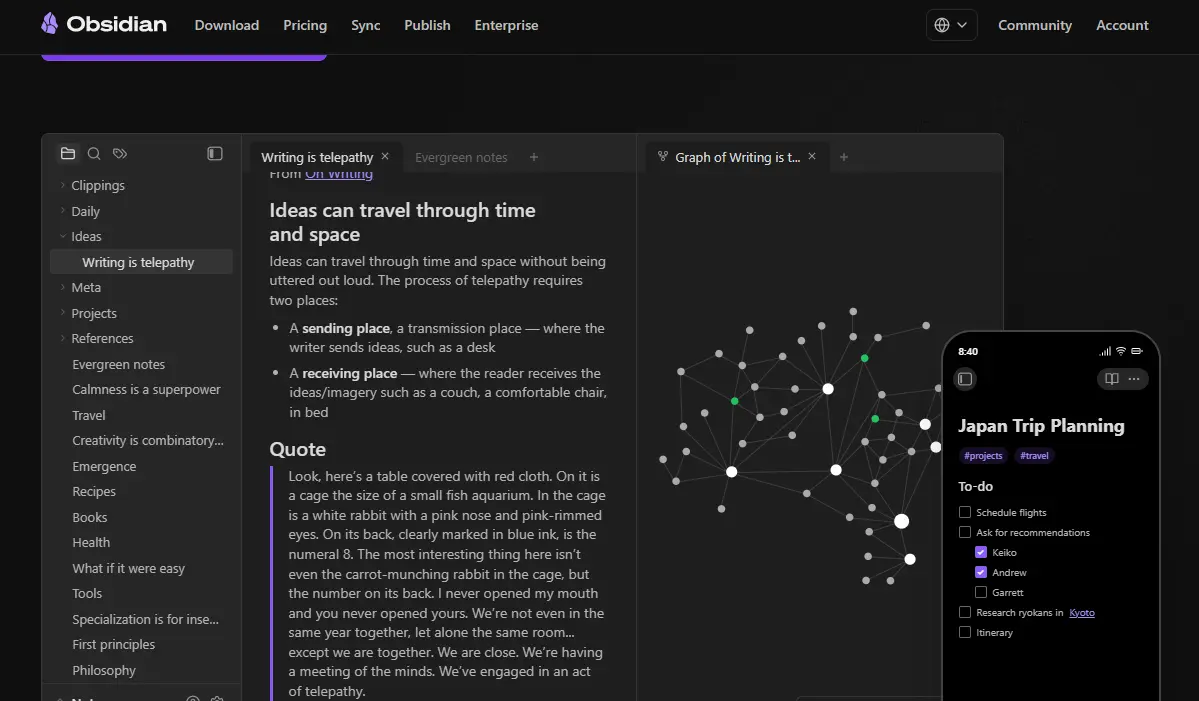
Obsidian is the first tool I’d recommend to anyone who asks me where to start with personal knowledge management. It’s free for personal use; your notes are permanent Markdown files that live on your device; it works completely offline; and the plugin ecosystem is mature enough to replicate most of Notion’s individual productivity features at zero cost.
Every note you write in Obsidian is a plain .md file stored wherever you choose on your local file system. There’s no proprietary format, no export step, and no dependency on Obsidian itself to read your notes in the future; any text editor opens them.
The graph view shows how your notes link to one another, surfacing connections across your entire knowledge base that would be invisible in a flat note structure. For most individual users, Obsidian is the best free alternative to paid note-taking tools in 2026: local-first, completely free, and backed by a 1,000+ plugin ecosystem that turns it into a calendar, task manager, spaced repetition system, and project tracker without touching the core app.
Key Specs
- Platform: Windows, macOS, Linux, iOS, Android
- License: Free for personal use (proprietary core; not OSI-certified open source)
- Pricing: Free (personal); $50/year Sync; $16/year Publish
- Storage: Local plain Markdown files (yours permanently)
- Plugin ecosystem: 1,000+ community plugins
- Offline: Yes (fully offline by default)
Why It Stands Out
- Zero vendor lock-in: your notes are plain-text files that open in any editor, on any platform, forever.
- Graph view for visualizing knowledge connections across your entire library.
- The plugin ecosystem covers task management, spaced repetition, Pomodoro timers, daily notes, and more.
- Free for personal use with no meaningful feature restrictions.
Honest Limitations
No real-time collaboration; the proprietary core means you can read the plugin code but not the application code; plugin dependency for advanced features creates ongoing maintenance overhead.
Best For
Writers, researchers, students, academics, and knowledge workers who want a permanent, local, extensible personal knowledge base with no subscription and no vendor dependency. Here’s a direct comparison between Obsidian and Notion on Mac. Also check out our Todoist vs. Things 3 comparison, which covers an adjacent decision that Mac users frequently face alongside their note-taking tool choice.
3. AppFlowy: Best Open-Source Notion Alternative
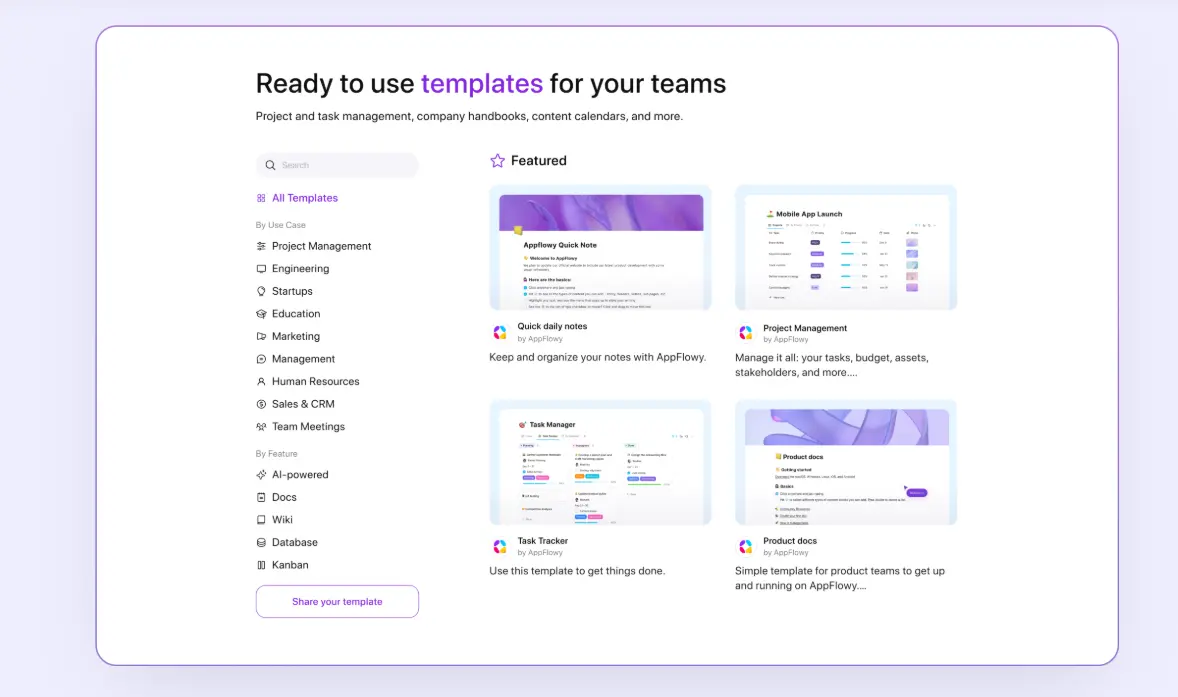
AppFlowy is the most mature and actively developed open-source workspace tool available in 2026. It’s built as a Notion replacement for people who want rich-text documents, Kanban boards, database views, and team wikis, without handing their data to a third-party cloud.
AppFlowy describes itself as an open-source workspace that brings together documents, wikis, project tracking, and team collaboration in one place. It’s built as a self-hostable alternative to tools like Notion, designed for people who want a modern workspace without handing their data over to a third-party cloud provider. The free plan includes unlimited pages and blocks, offline access, and mobile sync across all platforms. Critically, all data is stored locally by default; cloud sync is opt-in, not the baseline.
The feature gap between AppFlowy and Notion has closed significantly through 2025 and into 2026, with the team shipping updates regularly. Database views (grid, board, calendar) are all present and functional.
The AI integration in the cloud version uses your own API key, so you don’t have to pay for a separate AI subscription on top of that. Notion import is built directly into the app: go to Import → Notion, point at your export ZIP, and migrate. Expect 30–60 minutes of cleanup for complex database-heavy setups.
Key Specs
- Platform: Windows, macOS, Linux, iOS, Android
- License: AGPL-3.0 (fully open source)
- Pricing: Free forever (local); paid cloud plan for unlimited cloud storage and team features
- Self-hosting: Yes (full self-hosted option with Docker)
- AI: Built-in with your own API key (cloud version)
- Data format: Open format (no vendor export step needed)
- Offline: Yes (fully offline by default)
Why It Stands Out
- Full data ownership by default; data lives locally unless you specifically opt into cloud sync.
- Unlimited pages and blocks on the free plan, no artificial feature gating to push upgrades.
- The closest open-source functional equivalent to Notion’s workspace capabilities.
- Direct Notion import is built into the app for a clean migration path.
Honest Limitations
Complex relational database views and third-party integrations are either missing or less polished compared to Notion. Self-hosting requires configuring a server and managing updates manually; it’s not plug-and-play.
Best For
Individuals and small teams who want Notion-level workspace capabilities with full data ownership, zero subscription fees, and the option to self-host everything. Also, the most practical choice if you want to migrate away from a Notion subscription.
4. Logseq: Best for Outlining and Bidirectional Knowledge Graphs
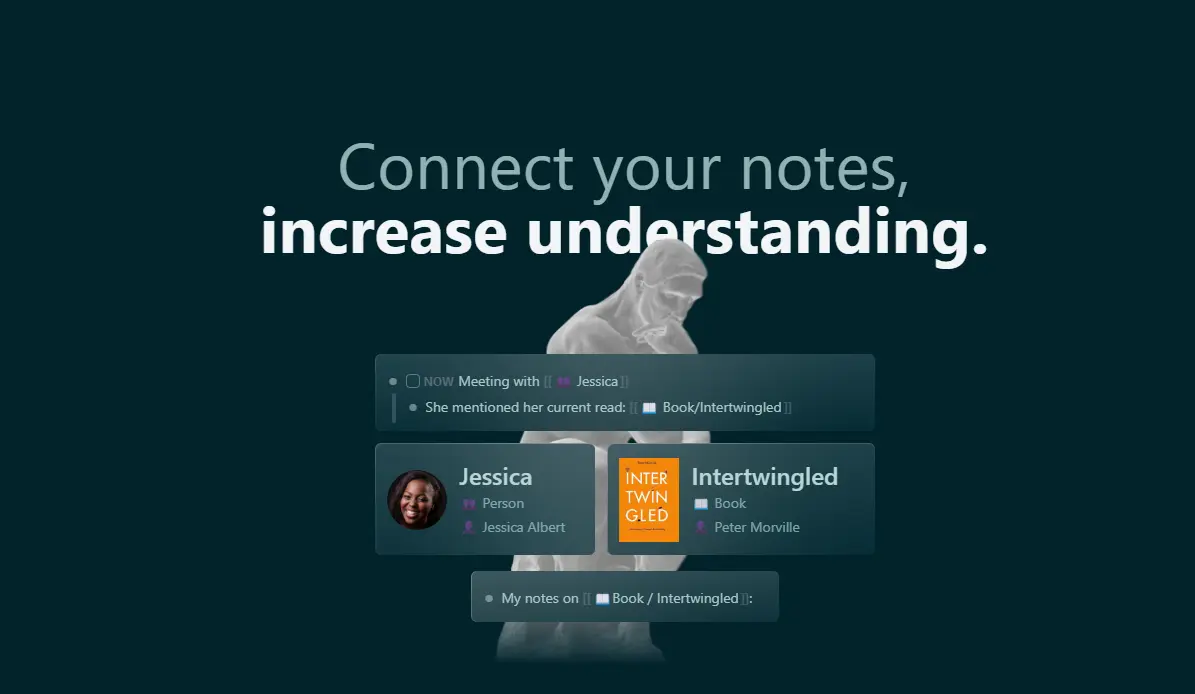
Logseq is the fully open-source answer to Obsidian: AGPL-3.0 licensed, meaning you can audit the application code, not just the plugins. It’s built on an outliner-first architecture where every piece of information is a block, every block can be linked bidirectionally, and your entire knowledge graph is navigable from any entry point.
The daily journal is Logseq’s primary entry point; today’s notes start there, and every page, tag, and task you reference from a daily note is automatically linked back. This creates a knowledge graph that builds itself from your daily workflow rather than requiring you to maintain it consciously.
Linked references surface everywhere a topic appears across your entire library. Write about a project in your daily note today, and every previous mention of that project becomes visible on the same page. Built-in task management means your notes and your to-dos live in the same system, without switching apps.
Key Specs
- Platform: Windows, macOS, Linux, iOS, Android
- License: AGPL-3.0; fully open source (OSI-certified)
- Pricing: Free
- Storage: Local Markdown or EDN files (open format)
- Plugin support: Active community plugin ecosystem
- Offline: Yes (fully offline)
Why It Stands Out
- The best fully open-source personal knowledge base; every line of application code is auditable, not just plugins.
- Outliner-first architecture encourages atomic note-taking; ideas are captured as blocks that can be linked, queried, and resurfaced across your graph.
- Built-in spaced repetition for anyone using their knowledge base for learning and review.
- Task management embedded directly in notes, no context switching.
Honest Limitations
The database version (a significant architectural rewrite) has been in development for an extended period; some users find the outliner-first model less intuitive than document-first tools like Obsidian or AppFlowy.
Best For
Power users, researchers, developers, and knowledge workers who want a fully open-source personal knowledge base with deep bidirectional linking, built-in task management, and auditable application code.
5. Joplin: Best Secure Open-Source Note-Taking App
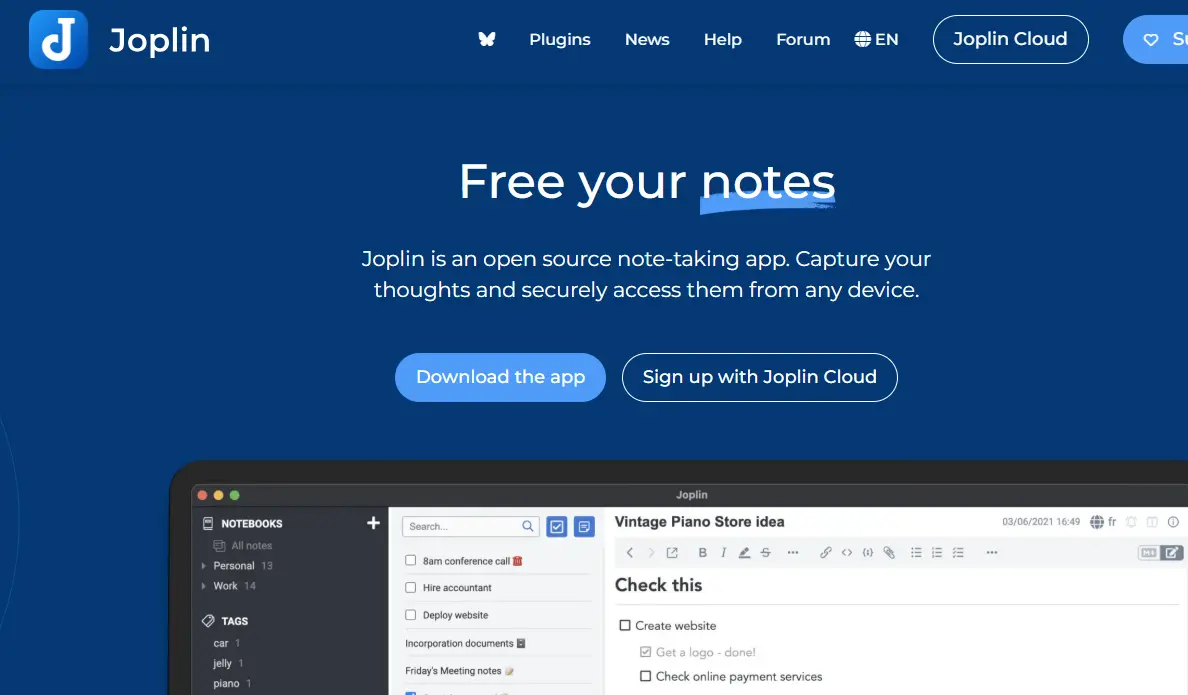
Joplin is the tool I’d recommend specifically to anyone who handles sensitive content: journalists, legal professionals, healthcare workers, researchers, or anyone who simply believes their notes are nobody else’s business. It’s free, fully open-source, and the only tool on this list where end-to-end encryption is a verified, auditable feature rather than a marketing claim.
Joplin supports Markdown with rendered previews, code blocks, attachments, web clipping, and to-do management, all organized in notebooks. Sync works with your existing cloud storage (Dropbox, OneDrive, Nextcloud), so you control where your encrypted data goes without paying for a separate sync service. End-to-end encryption is available across all sync methods: your notes are encrypted before they leave your device, so even if someone intercepts the sync or gains access to your cloud storage, the content is unreadable without your encryption key.
Key Specs
- Platform: Windows, macOS, Linux, iOS, Android
- License: AGPL-3.0 (fully open source)
- Pricing: Free (sync via your own cloud); Joplin Cloud from €1.99/month
- Encryption: End-to-end encryption available on all sync methods
- Plugin support: Active plugin community
- Web clipper: Yes (browser extension for saving articles)
- Offline: Yes (fully offline capable)
Why It Stands Out
- End-to-end encryption makes it the most privacy-preserving note-taking tool on this list, and the encryption is verifiable in the source code.
- Sync via your own cloud storage (Dropbox, OneDrive, Nextcloud) means no additional service dependencies.
- If you’ve outgrown Google Keep or want something more private than Apple Notes, Joplin covers a lot of ground without requiring a subscription.
- Web clipper for saving articles directly into your note library.
Honest Limitations
Less visually polished than Obsidian or Notion alternatives; no native database or Kanban view; the interface looks dated compared to newer tools.
Best For
Anyone handling sensitive notes (journalists, lawyers, healthcare workers, researchers, activists) who need end-to-end encrypted note-taking with auditable security and flexible, self-controlled sync.
6. AFFiNE: Best Open-Source Whiteboard and Docs Workspace
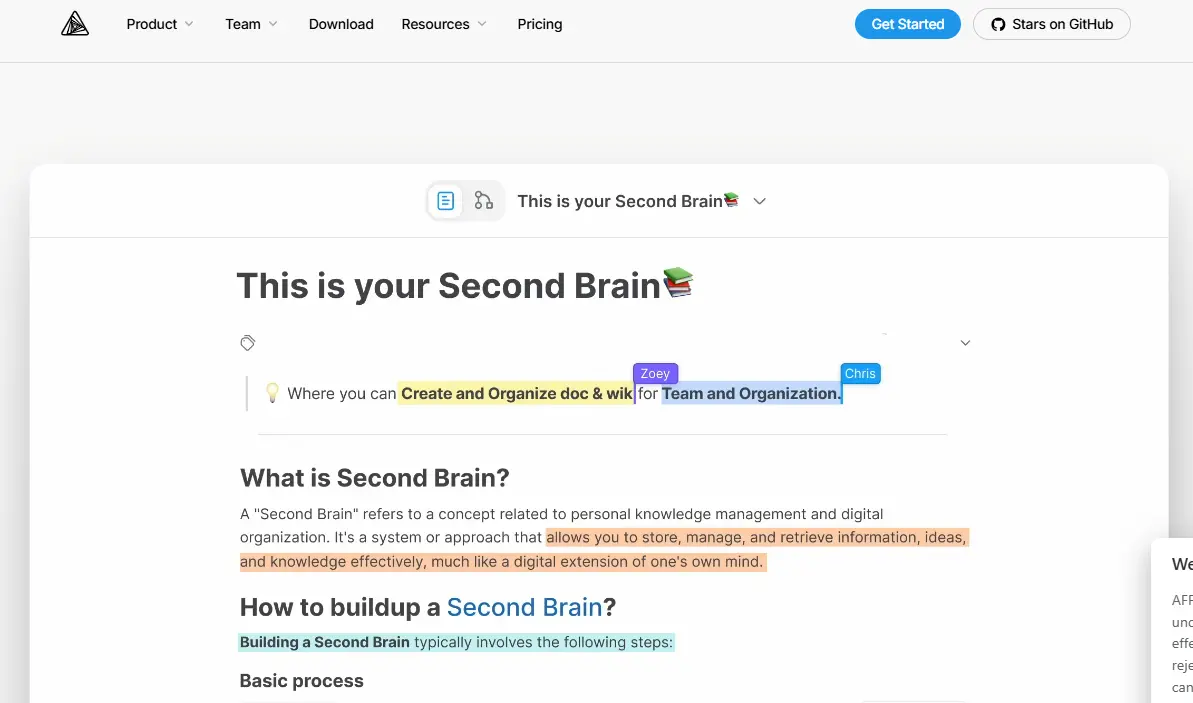
AFFiNE solves the specific problem that Notion’s text editor doesn’t: teams that need to write documents, build databases, and draw collaborative diagrams without switching apps. The “Edgeless” canvas mode turns any page into a freeform whiteboard where written specs and visual diagrams coexist on the same surface.
AFFiNE is available on Windows, Linux, macOS, iOS, and Android, with a local-first architecture, meaning data stays on your device unless you specifically sync it to the cloud. For teams with visual design or product workflows, AFFiNE covers a use case that Notion’s editor simply does not support: collaborative diagrams and written specs on the same canvas, in the same session, without switching tools. The MIT license (the most permissive license on this list) means there are no copyleft implications for commercial use.
Key Specs
- Platform: Windows, macOS, Linux, iOS, Android
- License: MIT (fully open source)
- Pricing: Free (local and limited cloud); paid plan for unlimited cloud storage
- Self-hosting: Yes
- AI: Writing AI included
- Offline: Yes (local-first architecture)
Why It Stands Out
- The only tool on this list that natively combines rich text documents, relational databases, and visual whiteboard/diagram capabilities in one canvas.
- MIT license; the most permissive on this list, with no copyleft restrictions on commercial use.
- Local-first architecture with data on your device by default.
- Regular development pace with an active community.
Honest Limitations
Still maturing compared to Notion’s polish; unlimited cloud sync requires a paid plan; mobile apps are functional but still under active development.
Best For
Product managers, designers, and content teams who need written specs and visual collaboration in the same workspace, without paying for both a document tool and a separate diagramming tool.
7. Outline: Best Open-Source Team Wiki
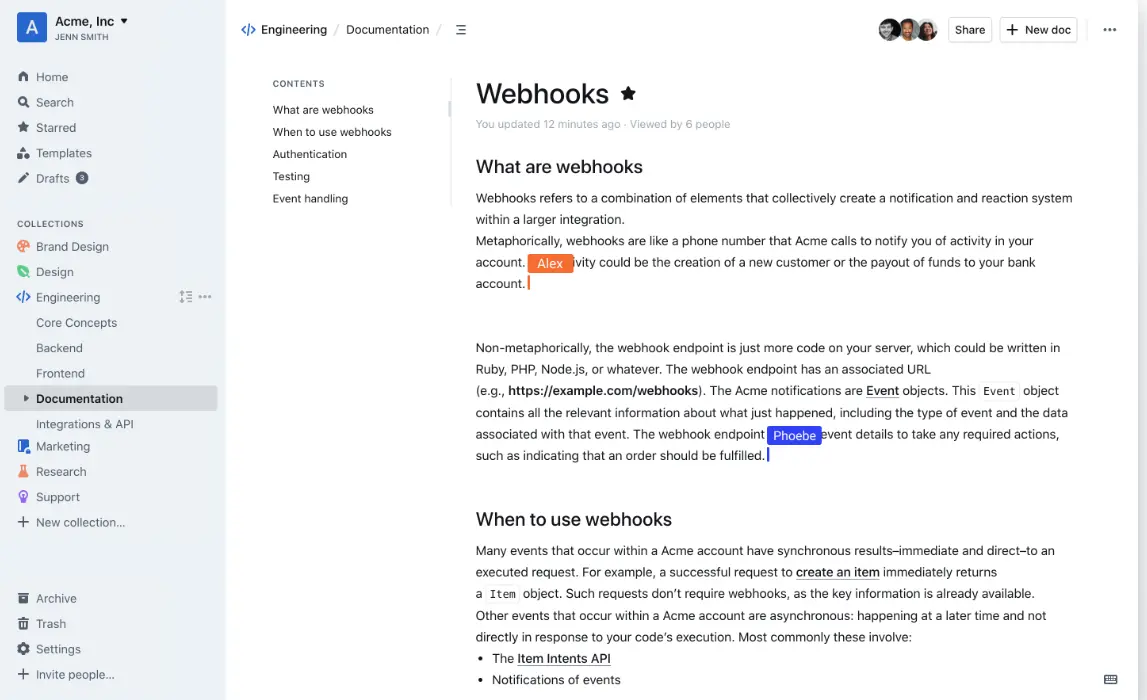
Outline is the open-source team knowledge base that most closely approaches the polish of proprietary alternatives like Confluence or Notion’s wiki functionality. If you’re running a small team and need an internal knowledge base that multiple people can edit collaboratively with proper permission controls, Outline is the most practical choice.
The writing experience is clean and fast. Documents are organized in a clear hierarchy. Search works across the entire knowledge base. Slack and GitHub integrations are built in. Real-time collaboration allows multiple team members to edit simultaneously without conflicts. Role-based permissions let you control who can view, edit, or manage different sections.
Key Specs
- Platform: Web-based; self-hostable via Docker
- License: BSL 1.1 (source-available; not OSI-certified open source)
- Pricing: Free self-hosted; cloud plan from $10/user/month
- Self-hosting: Yes (Docker-based deployment)
- Integrations: Slack, GitHub, Google, and more
- Collaboration: Yes (real-time multi-user editing)
- Mobile: Web-only (no native desktop or mobile app)
Why It Stands Out
- The cleanest team wiki interface among open-source or source-available options. It approaches Notion’s level of polish in document editing.
- Real-time collaboration is built in as a core feature.
- Role-based permissions suit team environments with different access levels.
- Slack and GitHub integrations cover most small team workflows.
Honest Limitations
BSL 1.1 is source-available but not OSI-certified open source: self-hosting is permitted, commercial SaaS use is restricted. Web-only means no native desktop or mobile app.
Best For
Small teams who need a clean, collaborative internal wiki or documentation system and want to self-host rather than pay Confluence or Notion’s enterprise pricing. Most useful for organizations with developer resources to manage the Docker deployment.
8. Anytype: Best Block-Based Encrypted Personal Workspace
Anytype is the open-source workspace for individuals who want Notion’s block-based interface philosophy combined with end-to-end encrypted, local-first data ownership. If you’ve been using Notion as a personal workspace and you’re ready to move to a platform that doesn’t store your data on Notion’s servers, Anytype offers the most seamless migration path.
Everything in Anytype is an “object” (pages, tasks, contacts, notes, bookmarks) with typed properties and bidirectional relations between them. The interface is the closest thing to Notion’s block editor you’ll find in an open-source tool, which makes the transition less disorienting than switching to an outliner-first tool like Logseq.
End-to-end encrypted sync means data cannot be read even if it’s intercepted during transmission. For users who want the closest experience to Notion’s block-based interface with a privacy-first architecture, Anytype offers the most seamless migration path in 2026.
Key Specs
- Platform: Windows, macOS, Linux, iOS, Android
- License: Any Source Available License (source-available; not OSI-certified)
- Pricing: Free (current); paid plan for future team features
- Encryption: End-to-end encrypted sync
- Offline: Yes (local-first)
- Self-hosting: P2P sync available; self-hosted node in development
Why It Stands Out
- The most polished interface of any privacy-first Notion alternative, with the lowest-friction migration path from Notion for individuals.
- End-to-end encrypted sync is a verified architectural feature, not just a policy claim.
- A block-based object model handles notes, tasks, contacts, and databases within the same system.
- Completely free with no meaningful feature restrictions for individual users.
Honest Limitations
The license is source-available, not fully OSI-certified open source; team collaboration features are still in development; and self-hosted node deployment is not yet stable.
Best For
Individuals who want Notion’s block-based interface experience with end-to-end encrypted, local-first data ownership, particularly those migrating from Notion’s paid plans for personal use.
How to Choose the Right Tool for Your Situation
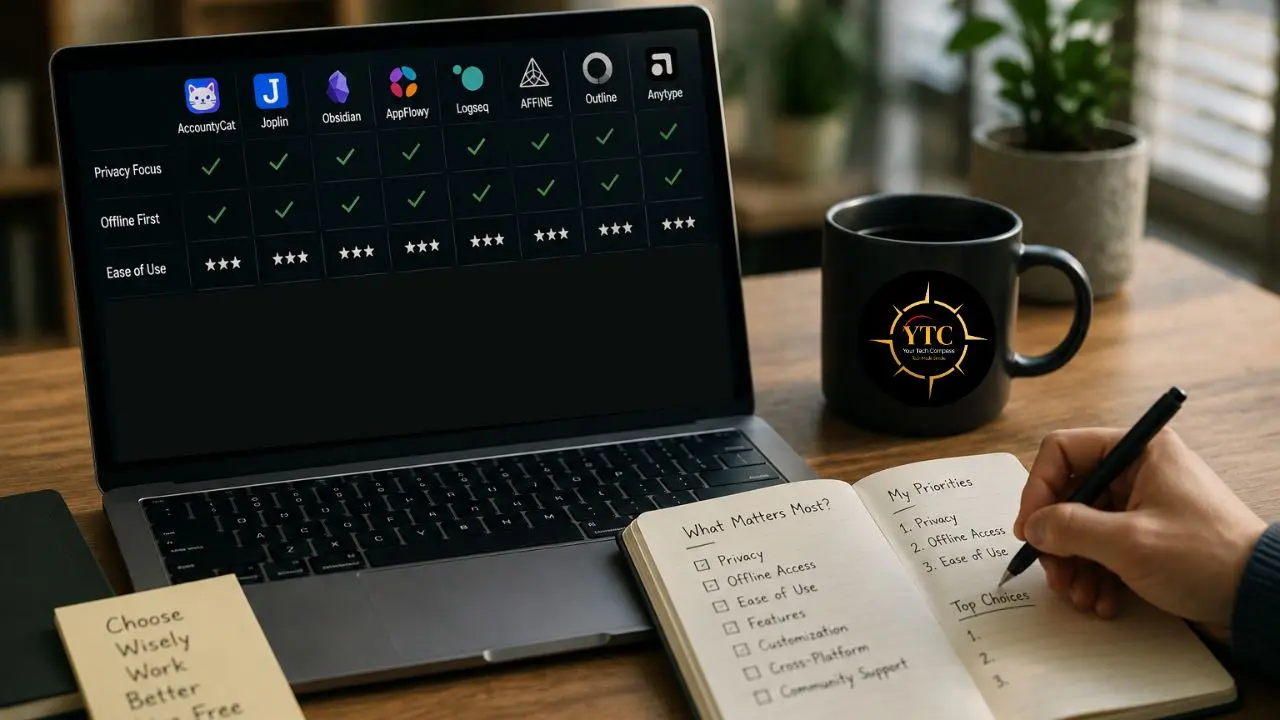
The comparison table gives you a quick reference, but the real decision comes down to your actual daily friction. Let me map this directly.
- If your biggest problem is staying focused long enough to produce anything: Start with AccountyCat. It’s the only open-source tool here that addresses focus and distraction at the AI level rather than at the note-structure level. Use it alongside any of the knowledge tools below; each addresses a different layer of the same problem. The v1.0.5 custom characters feature lets you configure the accountability voice that best fits your personality, rather than just picking from three presets. For Mac users on Apple Silicon, it’s the first tool I’d install on this list.
- If you want to replace Notion for a team with full data control: AppFlowy is the most mature choice with the closest feature overlap and active development velocity. Budget time for self-hosting setup if you want full data residency; use the cloud plan if you want a faster start.
- If you’re an individual replacing Notion for personal use: Obsidian is the fastest to set up and the most mature ecosystem. Anytype if you specifically want Notion’s block-based interface with encryption, and you’re comfortable with a newer, still-developing product.
- If you handle sensitive or confidential information: Joplin is the only choice with auditable end-to-end encryption on all sync methods. The security model is verifiable in the source code, not just stated in a privacy policy.
- If your team needs collaborative visual workspaces: AFFiNE is the open-source answer to the specific problem Notion’s text editor doesn’t solve: documents and diagrams in the same canvas, in the same session.
- If your team needs a self-hosted internal wiki: Outline has the cleanest interface for team knowledge management and the most practical permission controls for multi-member teams.
For remote workers specifically, the combination of AccountyCat (focus), Obsidian or AppFlowy (knowledge), and Joplin (secure notes) covers the core productivity stack at zero ongoing cost. Our best productivity apps for remote workers guide covers the broader remote work tool landscape worth knowing about, and our best productivity apps for Mac guide covers Mac-specific tool recommendations that pair naturally with several of the tools on this list.
If you’re also evaluating AI-powered productivity tools alongside these open-source options, our best AI productivity apps guide and our AI Unboxed section cover that side of the stack with the same depth. In addition, our Apps and Tools section covers the wider software landscape across categories.
FAQs
There isn’t one universal answer; it depends on which layer of productivity you’re trying to fix. For focus and distraction management on Mac, AccountyCat is the only open-source tool with AI context awareness and, in v1.0.5, custom accountability characters. And for knowledge management, Obsidian (free, mature) or Logseq (fully open-source). However, for a Notion workspace replacement for teams, AppFlowy. For encrypted notes, Joplin. Most people who take productivity seriously end up with two to three tools from this list rather than one, each addressing a different layer.
For most individual use cases, yes, genuinely. The feature gap between AppFlowy and Notion has closed significantly over the past two years. Obsidian’s plugin ecosystem replicates most of Notion’s personal productivity features at no cost. The primary trade-offs are polish, third-party integrations, and the setup investment required for self-hosted deployments. The tools that matter most for daily focus and knowledge management are competitive with, and in some cases superior to, their paid counterparts.
Yes. AccountyCat’s local mode uses Llama.cpp, running entirely on your Mac, free forever, with no subscription or account required. The private cloud mode via OpenRouter costs approximately $0.80–$5.00 per month in direct API usage, but there is no AccountyCat subscription required. The app itself is MIT-licensed and available for free on GitHub. Download it at accountycat.com.
Custom characters let you write a prompt that defines the personality of your focus companion, the AI that calls you out when you drift. The three built-in characters (Mochi, Misty, and Onyx) cover warm, thoughtful, and sharp personalities. Custom characters extend this to anything you want: a Steve Jobs-style no-excuses coach, a drill sergeant, a supportive mentor, or your own fictional character. The accountability voice that works for one person fails completely for another. This feature lets you tune it to what actually gets you back on task.
Joplin for notes; has auditable end-to-end encryption on all sync methods. AccountyCat is a focus tool; screenshots are immediately discarded after analysis. No database, no upload bucket, and MIT-licensed code you can verify line by line. Logseq and AppFlowy for workspace tools; local-first by default, open-format files, no vendor export step needed. For the strictest privacy standard, combine all three.
Yes, and it’s more practical than most people expect. AppFlowy has a direct Notion import function built into the app: Import → Notion, point at your export ZIP. Expect 30–60 minutes of cleanup for complex database-heavy setups. AFFiNE supports Markdown import. Anytype handles Notion exports through its own import workflow. The migration isn’t zero-effort, but it’s a one-time investment for a permanent reduction in subscription costs and dependency.
Conclusion
Open-source productivity tools in 2026 are not a compromise solution for people who can’t afford the real thing. They’re the right choice for people who understand that data ownership, auditable code, and zero subscription lock-in have real value, and that the feature gap between open-source and proprietary tools has closed to the point where the trade-off no longer exists for most individual and small team use cases. The tools on this list cover every layer of the productivity stack: the knowledge base you build, the notes you keep, the documents your team produces, the workspace you organize your work in, and, with AccountyCat, the focused attention you need to actually use all of them effectively.
The stack I’d recommend as a starting point for most readers: AccountyCat for focus management on Mac (free, MIT-licensed, context-aware AI that actually understands what you’re doing), Obsidian or Logseq for personal knowledge management (free, local-first, no subscription), and AppFlowy for any team documentation and project tracking (free, full data control, Notion-compatible). Add Joplin if any of your work involves sensitive content that deserves encryption. Together, these four tools replace software subscriptions that could cost a small team $500–$1,000 per year, at zero ongoing cost, and keep data where you put it.
Every open-source tool, AI productivity app, and honest software recommendation worth bookmarking lives at YourTechCompass.com, where we review what actually works, not just what has the biggest marketing budget.