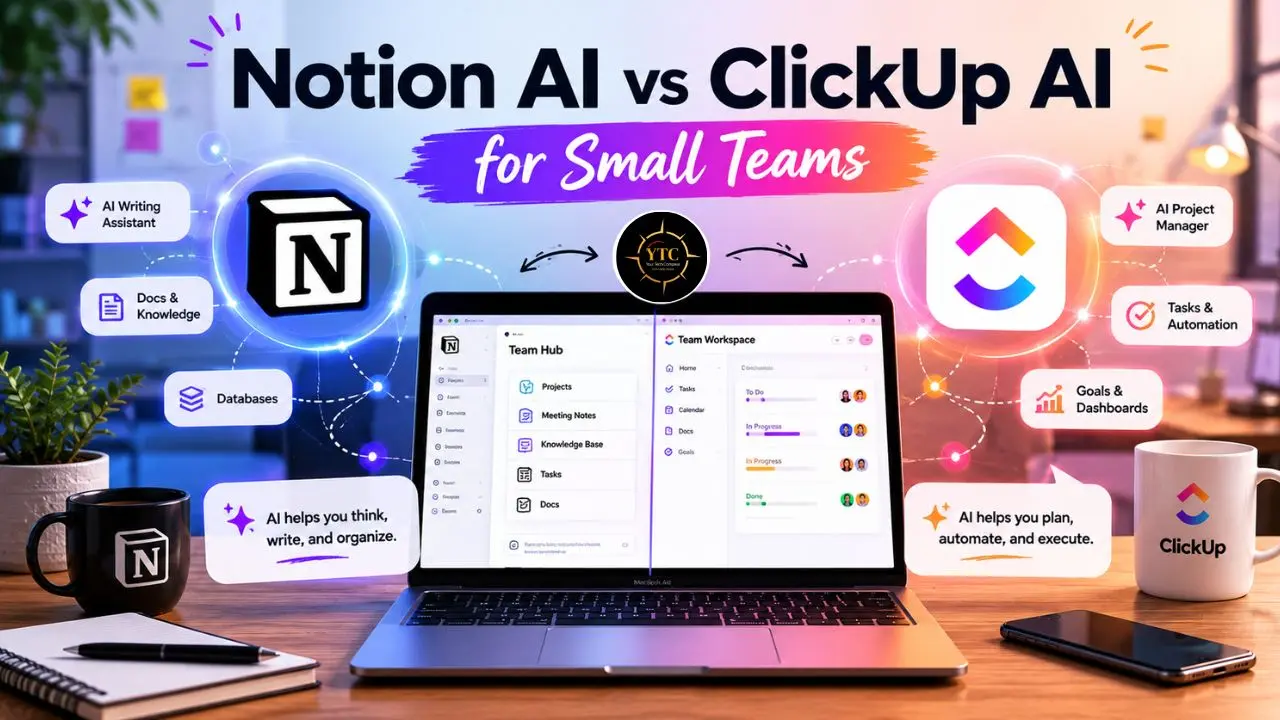
Small teams are drowning in tools that promise to think for them. Notion AI writes your docs and searches your entire knowledge base. ClickUp Brain summarizes your meetings, manages your tasks, and now deploys autonomous Super Agents that exist as actual team members in your workspace. Both platforms call themselves the last productivity tool you’ll ever need. Both have invested significant development resources in AI features that genuinely improve every quarter. But when you strip away the product marketing, the comparison between Notion AI vs ClickUp AI for small teams comes down to one question that most comparison guides never answer directly: which AI is built for the kind of work your specific team actually does every day? That answer changes everything: the tool you choose, the plan you pay for, and whether you’ll still be using it in six months.
I’ve spent time testing both platforms, studying the verified pricing structures, and reading hundreds of real user reviews across G2, Capterra, Gartner, and Software Advice to provide an analysis grounded in how these tools actually behave in practice. This article cuts through the feature lists and gives you a clear, honest side-by-side breakdown of every AI capability that matters for teams of 5 to 20 people, including the real pricing math that most comparisons bury in the footnotes, four use-case scenarios that map directly to how small teams work, and a direct verdict you can act on today without needing to schedule three product demos first.
A note before we begin: every YTC score is earned, never negotiated. If you want to understand exactly how we evaluate tools, our Review Methodology lays it all out.
The Fundamental Difference: Two Tools Wearing the Same “AI Workspace” Label
Before you compare a single feature, you need to understand something that shapes every other decision in this comparison. Notion and ClickUp are not competing versions of the same product. They are built on fundamentally different philosophies, and those philosophies determine what their AI can and cannot do for your team.
Notion Starts With a Blank Page
Everything in Notion is a block: text, a database, a toggle, an embedded link, a linked view. You build the workspace system you want. That flexibility is genuinely powerful, particularly for documentation, knowledge management, and structured writing.
Notion AI is, as a result, fundamentally a knowledge and writing intelligence tool. It works with the information your team has stored, written, and organized inside your workspace. In addition, it highlights what you already know. It helps you express and organize ideas. And it searches what exists.
ClickUp Starts With a Task

Tasks live inside lists, folders, and spaces. Multiple views (List, Board, Gantt, Calendar, Mind Map, Timeline) work on the same tasks simultaneously. The project management structure is prebuilt from day one; you adapt your work to the system rather than building it yourself.
Consequently, ClickUp Brain is a task- and project-intelligence tool. It works with the work your team is executing, tracking, and shipping.
In March 2026, ClickUp deprecated version 3.0 and launched ClickUp 4.0, adding converged chat, an AI Project Manager, and Super Agents, which serve as persistent AI team members in your workspace. That’s not a cosmetic update. It’s a fundamental shift in what ClickUp AI can do.
My Honest Opinion
The honest one-sentence test I use when someone asks me which tool to choose: if your team’s biggest daily challenge is knowing things and creating content, Notion AI is the stronger match. If your biggest challenge is tracking, assigning, and completing work, ClickUp Brain is the better tool. Everything that follows in this article is a more detailed version of that answer, applied to specific team types and verified pricing realities.
Notion AI: What It Actually Does for Small Teams
The Core AI Features
AI Writing and Editing
This is where Notion AI is most immediately impressive. From within any Notion page, you can generate first drafts, rewrite content in different tones, expand bullet points into full paragraphs, summarize lengthy documents, and translate text, all without leaving the writing context.
The experience feels native rather than bolted on. You’re not switching to a separate AI sidebar; the AI lives inside the document you’re already working in. For teams that spend meaningful time in long-form content (proposals, SOPs, documentation, meeting recaps), this writing integration changes the daily workflow in tangible ways.
Ask Notion
This is the AI feature that genuinely differentiates Notion from everything else at this tier. Ask a plain-language question: “What did we decide about the Q3 pricing strategy?” or “Summarize everything we know about the partnership with Acme Corp,” and Notion searches across your entire workspace: every doc, database, meeting note, and project page.
The answer comes back in seconds, cited to the specific pages it found. One verified G2 reviewer described it plainly: “It’s like having a team member who has read everything your company has ever written.” For small teams building institutional knowledge that outlasts individual employees, Ask Notion is the highest-value AI feature in this comparison.
AI Meeting Notes
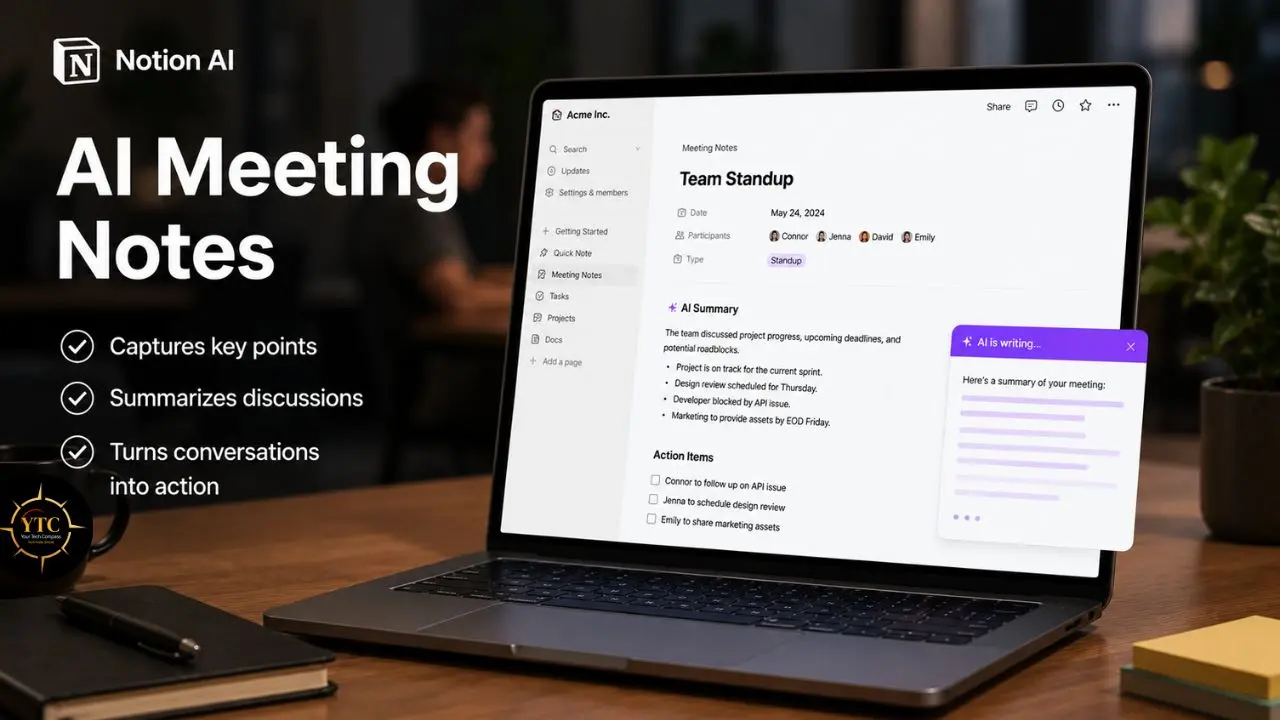
This feature automatically captures, transcribes, summarizes, and organizes notes from your meetings, extracting action items and decisions without anyone needing to type during the call. The output is structured, searchable, and stored in your Notion workspace, where it becomes part of the knowledge base that Ask Notion can later surface. This feature is available on the Business plan.
Notion Agent
This Agent completes multi-step tasks autonomously, researching across your workspace, drafting documents, and organizing information in response to a single prompt. Beyond the standard agent, Custom Agents, launched in May 2026 and moved to credit-based pricing, let you build recurring automated workflows on your workspace data.
Custom Agents now cost $10 per 1,000 Notion credits per month, with no rollover. That’s a new usage-based cost layer on top of Business plan pricing that you need to factor into your budget planning.
Enterprise Search
It extends Notion’s search across connected external apps, including Slack, Google Drive, GitHub, and others, surfacing information from all of them in a single query. This is available on Business and Enterprise plans.
Where Notion AI Excels for Small Teams
Notion AI delivers its clearest value for teams with a strong documentation culture; content creators, editorial teams, startups building internal knowledge systems, marketing teams, and any organization where “finding the thing someone wrote three months ago” is a daily pain point. Additionally, teams where multiple people need to stay aligned on institutional decisions (what was decided in that strategy meeting, what our onboarding SOP says, where the latest copy of the client brief is) benefit disproportionately from Ask Notion’s workspace-wide search.
Where Notion AI Falls Short for Small Teams
The limitations are real and worth understanding before you commit to the budget. Native project management depth is Notion’s most significant gap. Gantt charts with dependencies, time tracking, and workload balancing across assignees are not built in.
Multiple verified users describe Notion’s project management workarounds as systems that “fall apart when the team grows or pivots.” If your team’s primary challenge is shipping work on time across multiple projects, Notion’s architecture will frustrate you. Additionally, the AI access gating is more restrictive than most people realize before signing up: Free and Plus plan users receive only 20 one-time AI trial responses, which do not reset monthly.
Once those 20 are used, full AI access requires the Business plan at $20/user/month annually. That reality significantly affects the cost math for small teams evaluating this tool.
For teams exploring how document-first tools compare in a Mac-native context, our Notion vs. Obsidian for Mac comparison covers this decision in depth.
ClickUp Brain: What It Actually Does for Small Teams
The Core AI Features
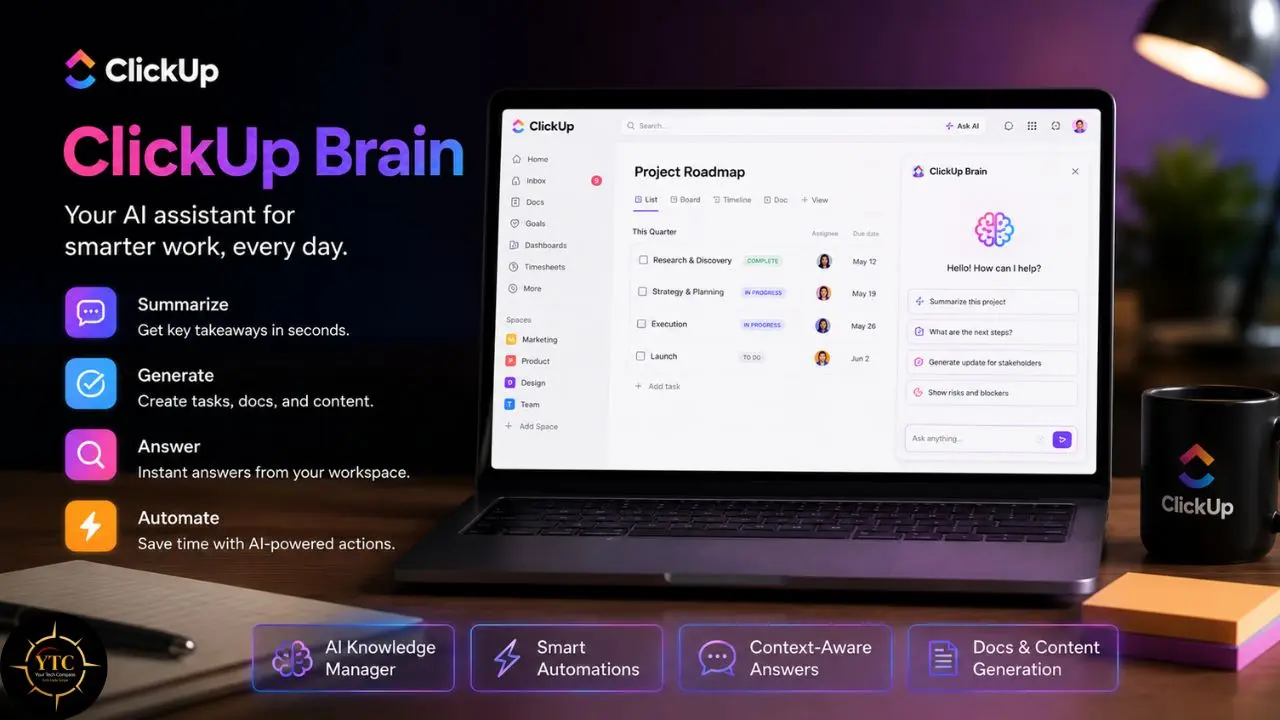
The Brain Assistant
This feature answers questions about any task, doc, or project in your workspace, but what makes it genuinely powerful is the context it can access. Brain has full visibility into your workspace’s tasks, statuses, assignees, deadlines, comments, and document history.
That means when you ask “Which tasks in the Acme campaign are overdue?” or “What did Sarah say about the design brief last week?”, Brain isn’t searching a knowledge base of written documents; it’s searching a live, structured record of what your team is actually working on.
ClickUp Brain’s architecture in 2026 supports multiple LLMs: GPT-4o, GPT-5, Claude Opus, and Gemini 2.5 Flash, depending on your subscription tier. You can switch between models based on the task (Claude for nuanced writing, GPT-5 for complex reasoning) all within the same interface.
Task Summarization
It condenses long comment threads, task histories, and project update chains into a readable summary with one click. For small teams where a founder, lead, or account manager needs to quickly catch up across multiple projects (after a week off, before a client call, or at the start of a new sprint), this feature consistently saves real time.
One Gartner reviewer noted: “I can work with my team, manage Agile sprints, organize project folders, and now use sub-folders to structure work more efficiently. The AI agents in ClickUp help streamline documentation, assist with editing, and support project set-up by automating tasks like creating folders, statuses, tasks and subtasks.”
The AI Meeting Notetaker
It captures and summarizes meetings, extracts action items, and links them directly to relevant tasks, so the output lands inside your actual workflow rather than in a separate document that nobody finds again. This is a meaningful difference from standalone meeting tools: the meeting summary becomes part of the task it belongs to.
The AI Project Manager
This is a new feature in ClickUp 4.0 and generates project plans from high-level goals, auto-creates subtasks, identifies potential blockers based on current task status, and suggests next actions. For small teams that need to scope and launch projects quickly without spending a day building a project plan from scratch, this is one of the most practically useful additions in the 4.0 release.
Super Agents
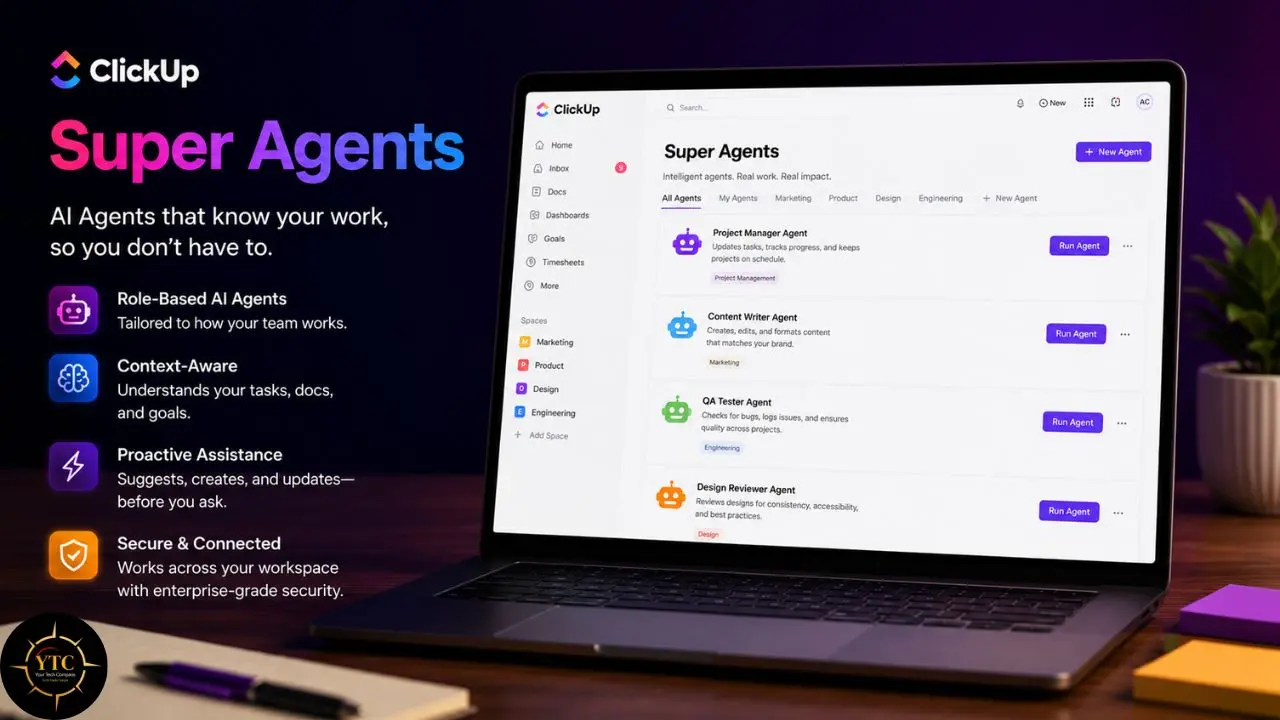
These agents are the most significant AI feature ClickUp has shipped to date, and they represent a genuinely different category of AI assistance than anything Notion currently offers. Super Agents are AI team members; they exist as real users in your workspace. You can @mention them in comments, assign them tasks, set recurring schedules, and configure them with 500+ fine-tuned skills across categories such as writing, research, data analysis, and project management.
The practical difference between a Super Agent and an automation rule is the difference between “if X happens, do Y” and “here is a goal, figure out how to reach it.” An engineering team’s bug triage Super Agent, for example, monitors incoming issues, auto-assigns based on component tags and current workload, and posts a daily blocker digest to the engineering channel, saving leads 30–45 minutes of triage per day on active sprints. ClickUp’s own product team uses Super Agents internally for HR operations and team management, which is a meaningful signal that this isn’t a demo feature.
Where ClickUp Brain Excels for Small Teams
ClickUp Brain delivers the most value for teams that ship work on deadlines. Agencies managing client deliverables, software teams running sprints, operations teams with recurring workflows, and marketing teams coordinating campaigns across multiple assignees all benefit from ClickUp Brain’s task-native intelligence.
The AI Project Manager and Super Agents are particularly well-matched to execution-focused teams where the daily challenge is managing complexity and momentum, not building a knowledge base. The AI’s cross-task awareness (knowing what’s overdue, who’s overloaded, what’s blocked) is the kind of operational intelligence that document-first tools simply cannot replicate.
For teams that also automate client deliverables outside their project management tool, our guide on automation of client invoices with ChatGPT and Zapier is worth reading alongside this comparison.
Where ClickUp Brain Falls Short for Small Teams
ClickUp Docs exist and are functional: rich-text editing, nested pages, and embedded content. However, in verified user reviews, the writing experience consistently feels like an add-on rather than a core part of the product.
Teams where documentation is a primary workflow report that the Notion writing environment is meaningfully better. Furthermore, ClickUp 4.0’s feature density is a genuine challenge: the most consistently cited friction point in user reviews across G2, Gartner, and Software Advice is the interface complexity and learning curve; “It can feel overwhelming at first: the sheer number of features and customization options is great once you know what you’re doing.”
For small teams without a dedicated tool administrator, that onboarding investment is a real cost. Additionally, Brain requires a separate paid subscription on top of any base plan (a detail the main ClickUp pricing page doesn’t lead with) and one that materially affects your total cost calculation.
For a direct look at how ClickUp stacks up against another popular project management alternative, our Trello vs. ClickUp comparison covers this decision well.
Notion AI vs ClickUp AI: Feature-by-Feature Comparison
⚡ Side-by-Side AI Feature Comparison for Small Teams

Feature | Notion AI | ClickUp Brain | Winner |
AI Writing & Editing | ✅ Native, in-document | ✅ Available in tasks + docs | ✅ Notion (more fluid) |
Workspace Q&A | ✅ Ask Notion (full knowledge search) | ✅ Brain (task + doc search) | ✅ Notion (knowledge depth) |
Meeting Notes | ✅ Business plan | ✅ Included with Brain add-on | 🤝 Tie |
Task Management AI | ⚠️ Limited (docs-first architecture) | ✅ AI Project Manager (4.0) | ✅ ClickUp |
Autonomous Agents | ✅ Notion Agent + Custom Agents | ✅ Super Agents (most advanced) | ✅ ClickUp (execution depth) |
Project Planning | ❌ Not native (workarounds needed) | ✅ Auto-creates tasks, subtasks | ✅ ClickUp |
Gantt + Dependencies | ❌ Not native | ✅ Built in natively | ✅ ClickUp |
Knowledge Base Search | ✅ Best in class | ⚠️ Task-focused, not knowledge-focused | ✅ Notion |
Multi-LLM Support | ❌ Single model | ✅ GPT-4o, GPT-5, Claude Opus, Gemini 2.5 | ✅ ClickUp |
Free Plan AI Access | ❌ 20 responses one-time only | ❌ Not included | ❌ Neither |
External App Search | ✅ Enterprise Search (Business+) | ✅ Connected Search (Brain+) | 🤝 Tie |
SSO at Published Pricing | ✅ Business plan | ❌ Enterprise only (custom quote) | ✅ Notion |
The Real Pricing Math: What Your Team Actually Pays
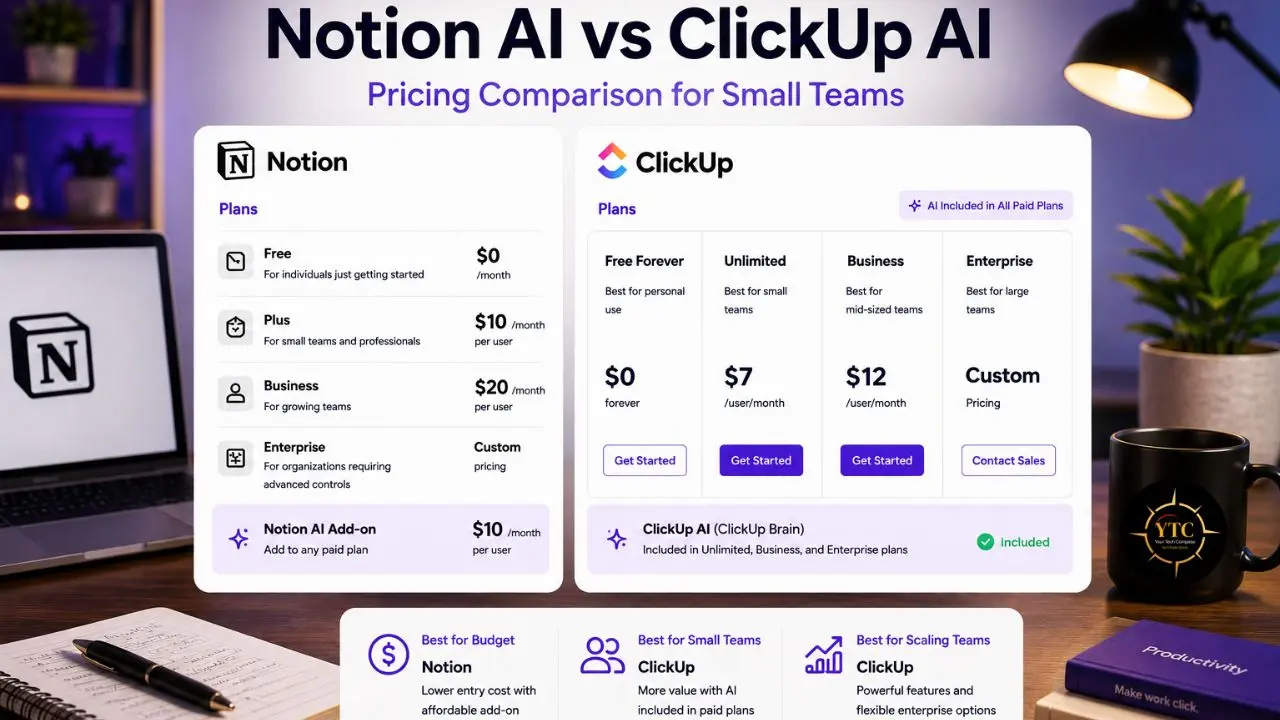
This is the section I wish more comparison articles took seriously, because the headline prices for both tools are genuinely misleading when AI is involved.
💳 Base Plan Pricing at a Glance
Plan | Notes | ||
Free | $0 (individual use; max 10 guests) | $0 (unlimited users; 5 Spaces; 100MB storage) | ClickUp Free is more team-friendly |
Starter / Plus | $10/user/month (annual) | $7/user/month (annual); Unlimited plan | ClickUp is cheaper at the entry level |
Business | $20/user/month (annual) | $12/user/month (annual) | ClickUp cheaper |
AI Included? | Business plan only (full AI) | ❌ Brain is a paid add-on: +$9/user/month (Standard) | Both require extra spending for real AI |
Enterprise | Custom pricing (includes SSO, SCIM) | Custom pricing (SSO gated here) | Notion SSO is available at Business |
The Hidden Costs You Need to Know Before Signing Up
On Notion
Free and Plus plan users receive only 20 one-time AI trial responses. Not per month; total, ever. Once those 20 responses are exhausted, you need the Business plan at $20/user/month annually to access any meaningful AI features.
Ask Notion, AI Agents, and AI Meeting Notes are all Business-plan-only. Custom Agents, launched in May 2026, add a separate usage-based layer: $10 per 1,000 Notion credits per month with no rollover.
If your team actively uses Custom Agents, budget for this in addition to Business plan fees. The Plus plan at $10/user/month is a documentation collaboration tool; it is not a meaningful Notion AI tier for production use.
On ClickUp
Brain is not included in any base plan. The Standard Brain tier costs $9 per user per month, on top of your base plan.
A team on ClickUp Unlimited ($7/user/month) who wants Brain pays $16/user/month total, not the $7 advertised on the main pricing page. The Everything AI tier, which unlocks GPT-5, Claude Opus, and full Super Agents capabilities, costs $28/user/month as an add-on, bringing the total cost to $40/user/month for teams on the Business base plan.
💰 What a 5, 10, and 15-Person Team Actually Pays Per Month (Annual Billing)
Team Size | Notion Business (Full AI) | ClickUp Unlimited + Brain Standard | ClickUp Saves Per Month |
5 Users | $100/month | $80/month | $20/month ($240/year) |
10 Users | $200/month | $160/month | $40/month ($480/year) |
15 Users | $300/month | $240/month | $60/month ($720/year) |
The honest verdict on pricing: ClickUp is cheaper at every AI-included tier for small teams, by $20–$60 per month, depending on team size. However, Notion’s Business plan includes SSO at a published, non-negotiated price.
ClickUp gates SSO behind Enterprise custom quotes. For small teams without an IT-mandated SSO requirement, ClickUp clearly wins on price. For teams that need SSO without a sales conversation, Notion’s pricing structure is a meaningful better deal at the Business tier.
Four Small Team Scenarios: Which Tool Is Right for You?
Rather than making a generic recommendation, I want to map this directly to the four team types I see most frequently in this decision.
Scenario 1: The Content or Marketing Team (3–8 People)

Your daily work involves writing; a lot of it. Campaign briefs, content calendars, brand documentation, meeting recaps, editorial SOPs, client proposals.
You also spend a meaningful amount of time trying to find things: the brief from two months ago, the brand voice guidelines, the decision your team made about that campaign concept. You need AI that helps you write faster and surface institutional knowledge without having to hunt for it.
Verdict: Notion AI Wins Clearly
Ask Notion’s knowledge base search is built directly for the “where is the thing we wrote about X” problem. The in-document AI writing experience is more fluid than anything ClickUp offers.
In addition, AI Meeting Notes automatically turn your planning calls into structured, searchable records. But the $20/user/month Business plan is justified if documentation and content creation are your primary workflow.
The limitation to plan around: If your campaigns require complex task tracking with dependencies and Gantt visibility across multiple assignees, you may end up running both tools, which defeats the single-tool goal.
For content teams that also automate parts of their audio or podcast workflow, our guide on automating podcast show notes with Descript and Zapier covers a complementary automation setup worth knowing about.
Scenario 2: The Agency or Client Services Team (5–15 People)
Your daily work is deadline-driven. You’re managing multiple client projects simultaneously, each with its own deliverables, timelines, review stages, and status reporting requirements.
You need to catch up quickly after being out. You need meeting action items to link directly to tasks. And you need visibility into who is overloaded and what is at risk of missing a deadline.
Verdict: ClickUp Brain Wins Clearly
The AI Project Manager generates project plans and auto-creates subtasks from high-level goals. Task Summarization catches you up across multiple projects in seconds.
The Meeting Notetaker links action items directly to tasks; the output becomes part of the work, not a separate document nobody finds. Super Agents can automatically generate weekly client status reports by pulling completion data from task activity, eliminating the need for an account manager to compile them manually. ClickUp Unlimited + Brain Standard at $16/user/month is the right entry point.
The limitation to plan around: If your team’s documentation and knowledge management needs are significant, ClickUp Docs will feel like a downgrade from Notion’s writing environment.
Scenario 3: The Early-Stage Startup (2–10 People, Evolving Workflows)

Your daily work is varied and changes fast. You’re building internal processes while simultaneously executing product work.
Decisions get made in meetings and need to be documented. Team members come and go, and the knowledge they carry needs to survive their departure. Your workflows are not fixed yet, and the tool you choose needs to flex with you.
Verdict: Notion AI has the Edge (with a Caveat)
The flexibility to build your own system is genuinely valuable at the stage when processes are still solidifying. Ask Notion as institutional memory is particularly high-value when “what did we decide about X six months ago” is a question your team asks weekly.
The caveat is real: Setup investment is significant. Notion’s project management ceiling becomes a constraint as you grow. Many early-stage startups end up using both tools, Notion for knowledge and ClickUp for execution, which is legitimate if the budget supports it.
For founders building lean automation stacks alongside their project management setup, our Apps and Tools section covers a wide range of complementary tools worth stacking into that workflow.
Scenario 4: The Remote Operations or Project-Driven Team (8–20 People)
Your daily work involves cross-functional projects with multiple owners, hard deadlines, and complex dependencies between workstreams. Leadership needs visibility into who is working on what without having to schedule a status meeting. You need time tracking, workload balancing, and the ability to manage multiple simultaneous projects without building systems from scratch.
Verdict: ClickUp Brain Wins Definitively
ClickUp 4.0’s AI Project Manager, Super Agents, native Gantt charts, dependencies, time tracking, and workload view are built for exactly this type of team. The AI can monitor overdue tasks, flag blocked work, generate standup summaries, and escalate risks before they become misses, all without a project manager having to compile this information manually. Notion cannot replicate this level of operational intelligence without a workaround architecture that breaks under pressure.
For teams that want to track how AI productivity tools are evolving across this category, our AI Unboxed section covers new releases and updates as they happen.
Who Should Use Neither Tool and What to Consider Instead
Not every small team is best served by either Notion or ClickUp. Here’s when I’d point you elsewhere.
- If you primarily need async communication: Both tools have added chat features. ClickUp 4.0’s converged chat is a genuine step forward, but it neither replaces a dedicated communication platform like Slack for teams where async communication is the primary workflow. Neither tool will fully substitute for a purpose-built communication environment.
- If you’re a solo operator or freelancer on a tight budget: Both platforms become expensive when AI is included. Notion Plus at $10/month offers a robust documentation environment without AI. Tools like Linear (task management) or Obsidian (knowledge management) serve specific needs at a lower cost. Consider what you actually need AI to do before committing to a $20/user/month tier.
- If your team needs deep CRM or sales pipeline management: Neither Notion nor ClickUp is built for this. A dedicated CRM, such as HubSpot, Pipedrive, or a similar tool, is the right call. Both tools can simulate basic CRM functionality, but neither handles sales pipeline mechanics with the depth a growing sales team needs.
- If you’re evaluating AI productivity tools for African markets specifically: The AI adoption context differs by region, and understanding the tools that work within specific infrastructure and connectivity constraints matters. Our AI in Africa section covers AI tool adoption and deployment considerations for teams and businesses across Africa.
FAQs
The honest answer is: it depends on what your team primarily does. Notion AI is stronger for teams that live in documents: content creators, knowledge-management-focused teams, and startups building internal wikis. ClickUp Brain is stronger for teams that ship projects: agencies, operations teams, and anyone tracking deadlines across multiple workstreams simultaneously. The AI philosophies are fundamentally different: Notion AI knows what you’ve documented; ClickUp Brain knows what you’re building.
Full Notion AI access, including Ask Notion, AI Agents, and AI Meeting Notes, requires the Business plan at $20/user/month, billed annually. Free and Plus plan users receive only 20 one-time AI trial responses, which do not reset monthly. A 5-person team on Notion Business pays $100/month. Custom Agents, launched in May 2026, incur an additional credit cost of $10 per 1,000 Notion credits per month, with no rollover.
ClickUp Brain is a paid add-on not included in any base plan. The Standard Brain tier costs $9 per user per month, on top of your base plan. A 5-person team on ClickUp Unlimited ($7/user/month) + Brain Standard ($9/user/month) pays $80/month total, $20/month less than the equivalent Notion Business for the same team size. The Everything AI tier at $28/user/month is significantly more expensive and suited for teams that need multi-model AI and the full Super Agents capability.
Yes, but with a meaningful caveat. Notion can simulate project management through databases, templates, and linked views. However, native Gantt charts do not include dependencies, time tracking, or workload balancing. Multiple verified users describe Notion’s project management workarounds as systems that “fall apart when the team grows or pivots.” If project management is your primary use case, ClickUp is the more purpose-built choice from day one.
ClickUp gets you productive faster; its project management structure is prebuilt, and you can start managing work on day one without building systems. Notion requires a meaningful upfront configuration investment to build a system that works for your team, but that investment pays off for documentation-first teams. ClickUp’s learning curve is about feature complexity; Notion’s is about system architecture. Both have genuinely steep onboarding for teams coming from simpler tools.
Yes, and more commonly than most single-tool comparisons acknowledge. Many teams use ClickUp for project execution and task tracking, and Notion for knowledge management and documentation. ClickUp 4.0’s “everything app” positioning is increasingly ambitious, but Docs remains a secondary experience compared to Notion’s native writing environment. If your budget supports both and your team has strong needs in both areas, the two-tool setup is a legitimate and often genuinely productive choice.
Conclusion
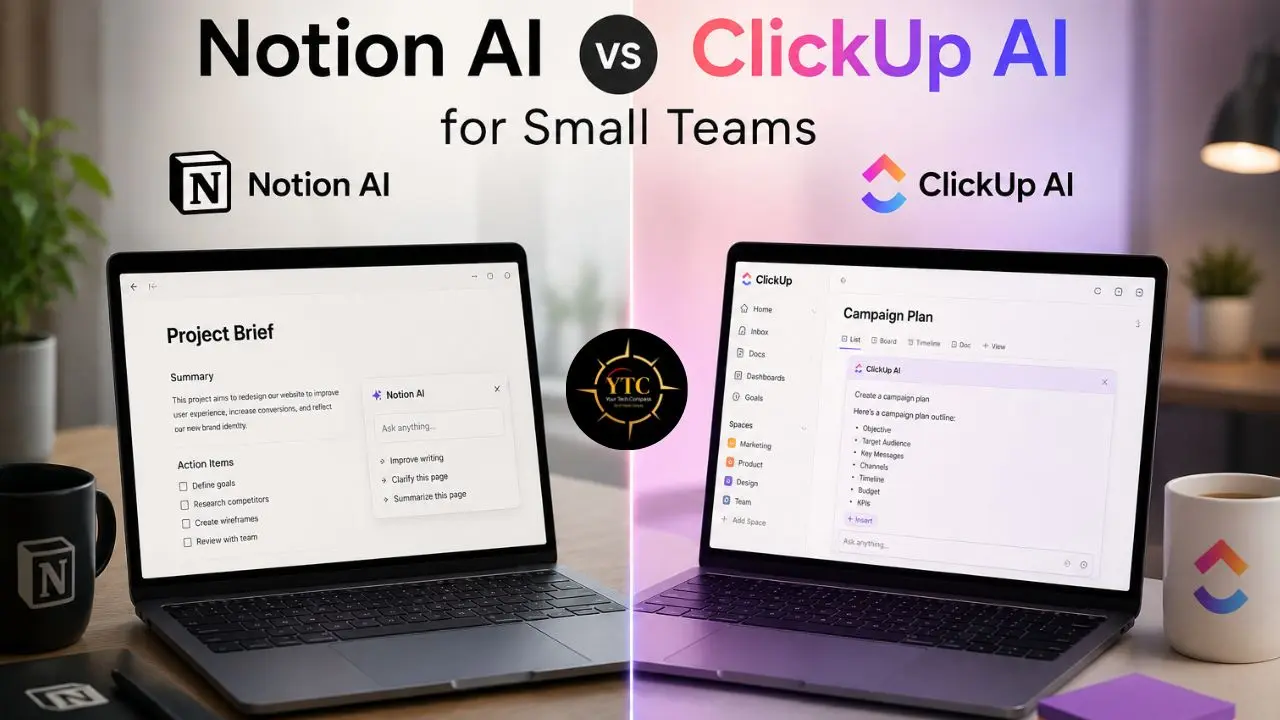
Notion AI and ClickUp Brain are both serious tools that have earned their positions in the productivity software market, but they serve genuinely different teams doing genuinely different work. Notion AI is the right choice for teams that live in documents, build knowledge bases, and need AI that surfaces institutional intelligence and supports content creation. ClickUp Brain is the right choice for teams that ship projects, manage client work, and need AI that autonomously tracks execution, flags risks, and handles operational complexity through Super Agents. The pricing math favors ClickUp for most small teams: $80/month versus $100/month for a 5-person team with AI included. SSO is the one specific area where Notion’s published Business pricing is meaningfully better than ClickUp’s Enterprise-gated alternative.
The practical recommendation is this: start both free trials before spending anything. ClickUp’s free plan supports unlimited users and is genuinely more usable for small teams than Notion’s individual-oriented free tier. The AI features on both free plans are too limited to give you a real sense of what you’re buying; budget for at least one month on the paid-plus-AI tier before making a final commitment. Choosing the wrong tool costs you both money and the time it takes to migrate your team to a different tool. Choosing the right makes your AI subscription one of the highest-ROI line items in your productivity budget.
Every productivity tool review, AI feature breakdown, and honest comparison built for teams that want to work smarter, not just pay more for software, lives at YourTechCompass.com, where we cut through the noise so you can spend your time doing the work that actually matters.