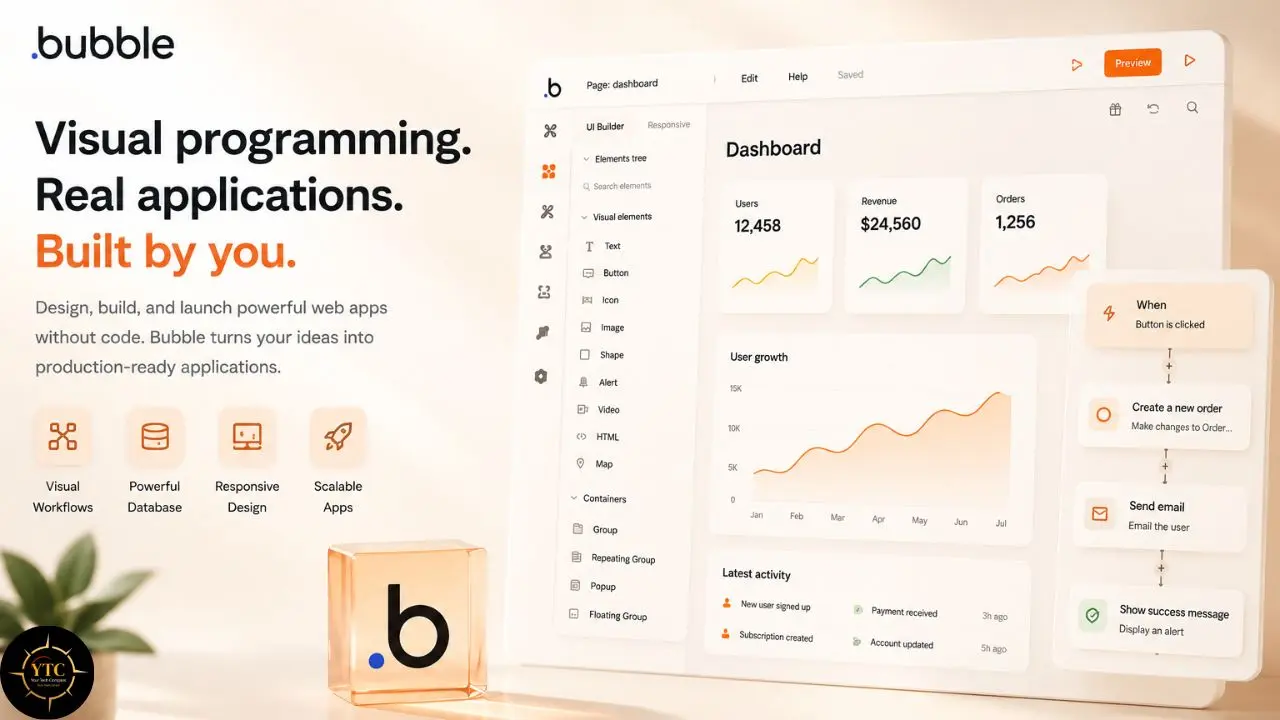
Every time you have an idea for a software product (a marketplace, a SaaS tool, an internal dashboard, a community platform), you hit the same wall. You do not know how to code, hiring a developer costs more than your savings account, and every agency quote comes back with a comma in it. The no-code movement promised to tear that wall down, and for simple landing pages or basic automations, it largely delivered on that promise. But when your idea needs a real database, real user authentication, real payment processing, and real conditional logic, most “no-code” tools reveal themselves as website builders in disguise. You have been sold simplicity and found yourself stranded at the edge of complexity, and that gap is exactly where Bubble decided to plant its flag. It arrived promising you could skip that wall entirely, building production-grade web applications visually, without hiring an engineer or learning to code yourself.
This review will give you the complete picture, not just the highlight reel. Bubble genuinely lets non-coders build production-grade web applications with custom databases, API integrations, and user management. However, “no-code” does not mean “no learning curve.” The visual editor is dense enough that weeks of study are typical before shipping anything live, the pricing scales through workload units in ways that surprise first-time founders, and the Africa-facing realities around connectivity, hardware demands, and payment plugin coverage are significant enough to alter the value proposition for local builders. By the end of this article, you will know what Bubble does well, what it actually costs to run a live app at your usage level, how it stacks up against named alternatives, and whether it fits your specific technical ambition.
A note before we begin: every YTC score is earned, never negotiated. If you want to understand exactly how we evaluate apps & tools and how we handle affiliate relationships, our Review Methodology lays it all out.
Quick Verdict
- Best For: Non-technical founders, product managers, and lean teams who need to build and iterate custom web applications without hiring engineers.
- Skip It If: You need native mobile apps as your primary delivery, you cannot tolerate a steep learning curve, or you require deep African local payment integration out of the box.
- Bottom Line: Bubble is the most capable no-code web app builder on the market. It is not the fastest to learn, not the cheapest to scale, and not the right choice for mobile-first products, but for browser-based software it remains the deepest visual programming environment available.
What Is Bubble?
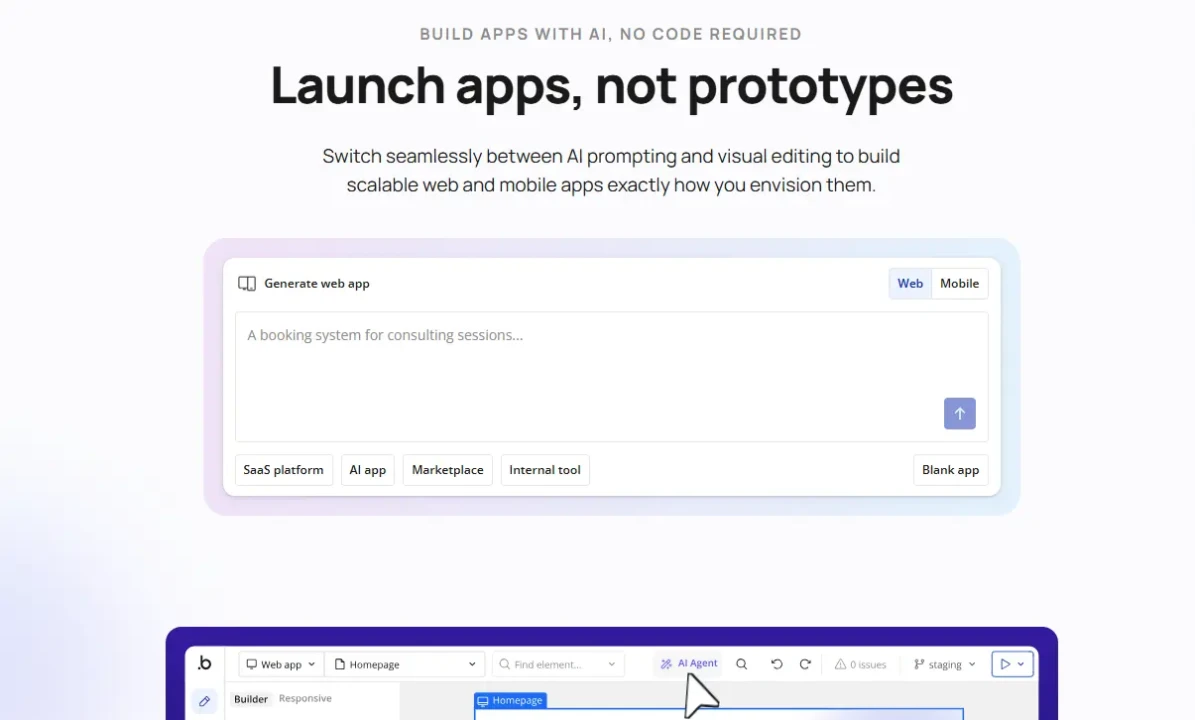
Bubble is a full-stack visual development platform founded in 2012 in New York by Emmanuel Straschnov and Josh Haas, who remain co-CEOs today, marking a 14-year founder-led run that’s genuinely rare in software. The company went through Y Combinator early on and later raised a $100 million Series A led by Insight Partners in 2021, bringing total funding to roughly $106 million.
The platform enables users to design interfaces, structure databases, and build business logic through a drag-and-drop editor without writing traditional code. That all-in-one approach (frontend, backend, and infrastructure in a single environment) is what sets Bubble apart from website builders and form tools that handle only one layer of the stack.
The company has grown into a significant player in the no-code ecosystem, reporting over 7 million apps built by 6 million builders worldwide, with apps on the platform collectively processing nearly $1 billion in transactions a year and generating over $1 billion in revenue in 2025. Those numbers place it in the same conversation as the major platforms we cover across our Apps and Tools category, even though Bubble competes in full-stack application development rather than simple automation or content management. Whether that scale translates into the right fit for your specific project is a separate question that deserves an honest, standalone answer.
How Bubble Works: Visual Programming, Databases, and Versions
Building an App in Bubble
Creating an application in Bubble happens across three main tabs: Design, Data, and Workflow. The Design tab provides a visual canvas where you drag elements (text boxes, buttons, input fields, maps, repeating groups) onto pages and style them with a property editor. The Data tab functions as your database administration panel, where you define custom data types, create fields, establish relationships between tables, and set privacy rules that control who can see or modify what.
The Workflow tab is where Bubble’s real power lives. You build event-driven logic by defining triggers, such as “when this button is clicked” or “when a new user signs up,” and then attaching actions to those triggers. Actions include creating database entries, sending emails, navigating pages, making API calls, or running scheduled background jobs. Consequently, you can build complex business logic visually, though the density of options means the learning curve is steeper than simpler no-code tools like Softr or Glide.
Responsive Design and Deployment
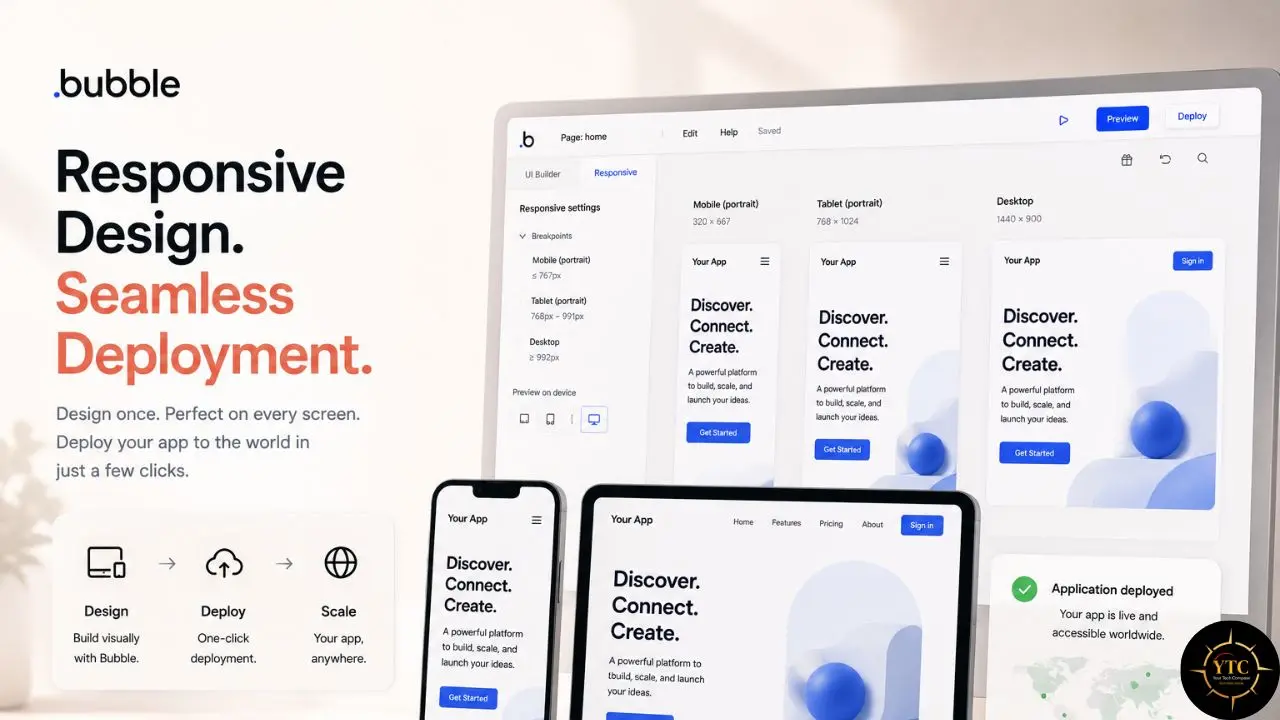
Bubble includes a responsive design engine that lets you control how your app renders across desktop, tablet, and mobile breakpoints. You define minimum and maximum widths, set visibility rules for specific devices, and nest elements within reusable groups.
Bubble also handles hosting, SSL certificates, CDN distribution, and automatic backups as part of every paid plan. You can connect a custom domain on the Starter plan and above, and deployments happen with a single click, pushing your development version to the live environment.
It does not export clean source code that you could hand to a developer or host independently. Your app lives on Bubble’s infrastructure, and migrating away requires rebuilding from scratch on another platform. That lock-in is the most commonly cited drawback in community discussions, and it is a structural limitation you should accept before investing significant time.
Version History and Recent Updates
Bubble’s evolution since its 2012 launch includes several genuinely significant milestones worth naming as freshness signals rather than vague claims. Bubble’s new responsive engine (Flexbox-based) launched in beta in late 2021 and became the recommended approach in 2022–2023, meaningfully improving how Bubble-built apps handled multiple device sizes. In 2023, Bubble shifted to its current Workload Units pricing model, replacing a simpler seat-and-capacity structure with a usage-based system tied to actual server processing.
Bubble’s product evolution has accelerated significantly in the past two years. More recently, and this is worth correcting against older assumptions about the platform: Bubble launched native iOS and Android app capabilities in 2025, letting you compile and distribute genuine native mobile builds through the App Store and Google Play rather than shipping a responsive website wrapped in a mobile shell. Bubble’s native mobile apps are built on React Native and have received ongoing performance and architecture improvements since their 2025 beta launch.
In October 2025, Bubble launched its AI Agent in beta, enabling conversational app building alongside the traditional visual editor. The agent can generate UI elements, troubleshoot workflows, and offer step-by-step guidance based on your app’s current context. Additionally, Bubble integrated Claude Sonnet 4.6 in February 2026 for smoother AI-generated app creation, and the company announced built-in in-app purchases for mobile apps, a feature no other major no-code platform offers natively.
The Security Dashboard, acquired through the Flusk purchase, runs automated security tests and vulnerability checks directly inside the platform. These additions signal a company investing heavily in AI and mobile rather than resting on its early no-code dominance, a trajectory we track closely across our AI Unboxed coverage.
Standout Features (and the Honest Limitations Behind Them)
Full-Stack Visual Development
Bubble’s defining advantage is that it handles every layer of application development in a single tool. You design the interface, structure the database, build the business logic, and deploy to production without stitching together separate services. That consolidation eliminates the integration headaches of connecting a Webflow frontend to an Airtable backend via a Make automation layer. For building genuinely interactive software rather than static content, that depth is hard to match.
The Plugin and API Ecosystem
Bubble’s plugin marketplace contains thousands of extensions for payments, maps, analytics, authentication, and more. Beyond plugins, the API Connector lets you integrate virtually any external service that exposes a REST API. That flexibility means you can connect to Stripe for payments, SendGrid for email, Google Maps for location services, or any proprietary API your business requires. For teams already using automation platforms, our Make app review covers where dedicated automation tools still outshine Bubble’s native workflow engine for complex cross-platform orchestration.
AI-Assisted Development
Bubble’s AI features have expanded rapidly. The AI app generator creates complete web or mobile applications from text prompts, including database structures and initial workflows.
The AI Agent, launched in October 2025, provides context-aware assistance by editing UI elements, identifying missing workflows, and explaining how to implement specific features. Moreover, AI data type generation automates one of the trickiest parts of app architecture by suggesting database structures based on your described use case.
In my opinion, these AI features are genuinely useful for accelerating early-stage development, but they are not a replacement for understanding how Bubble’s logic engine works. The agent can generate a starting point, but refining it into a production-grade app still requires familiarity with Bubble’s visual system.
Honest Limitations of the Flagship Features
I want to slow down here, because Bubble’s marketing emphasizes speed and simplicity, while the reality for most new users is weeks of study before shipping anything production-ready. The visual editor is powerful but dense. Database design, privacy rules, and workflow optimization require conceptual thinking that is closer to software engineering than to drag-and-drop website building.
Additionally, performance at scale depends heavily on how efficiently you build. A poorly optimized database search inside a repeating group can burn through workload units rapidly and slow your app to a crawl.
Bubble’s plugin dependency creates a real fragility risk: third-party plugins can break, be abandoned by their original developers, or lag behind Bubble’s platform updates. Native mobile support, while now genuinely available since the 2025 launch, is still newer and less battle-tested than the mobile-first architecture of dedicated tools built around native app compilation from day one.
Beyond this, the lack of code export means you cannot hire a developer to refactor your app outside Bubble’s ecosystem. If the platform changes pricing, features, or ownership, your app is tied to those decisions.
Compared to Webflow right now: Bubble beats Webflow on backend logic and database depth. However, Webflow produces faster, more polished frontend experiences and has superior design control. If your product is content-heavy and marketing-facing, Webflow wins. If your product is interactive and data-heavy, Bubble wins.
Bubble Pricing: What You’ll Actually Pay
Free Tier
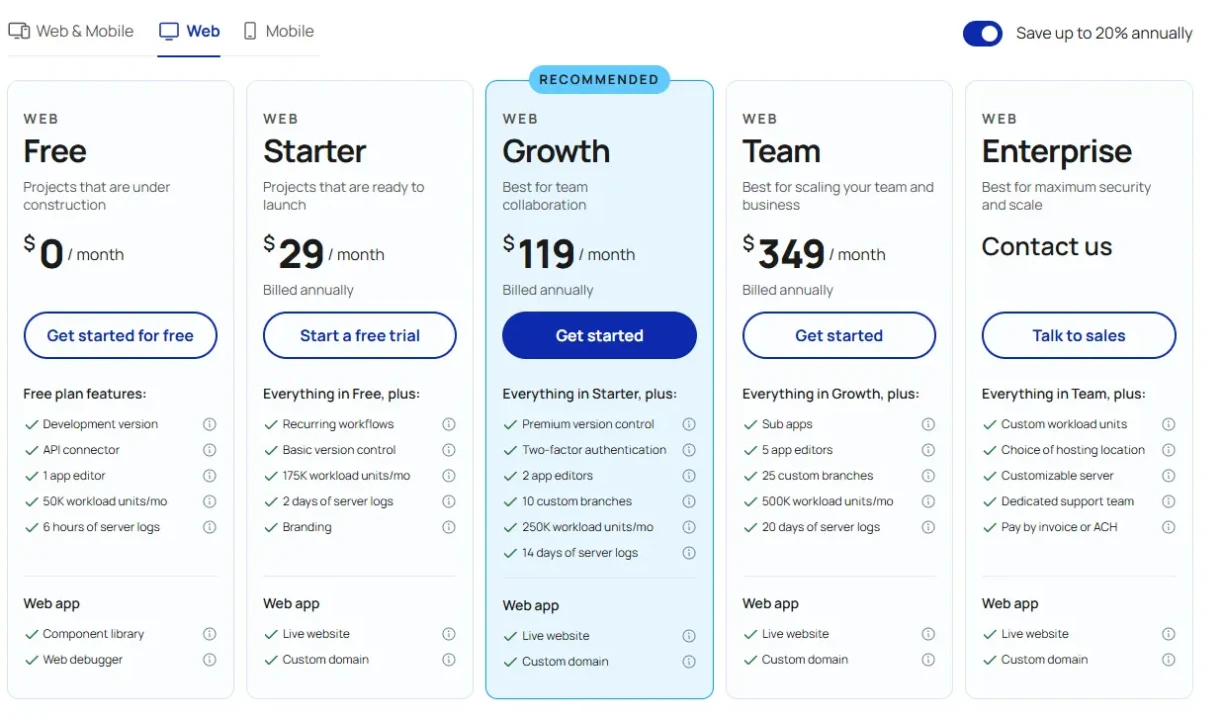
Bubble’s free tier costs $0 and includes the visual editor, a limited database (around 200 records), a workflow builder for frontend logic, and up to 50,000 workload units per month. The limitations are significant for production use: you cannot deploy to a custom domain; your app lives on a Bubble subdomain; Bubble branding is visible; you cannot run backend or recurring workflows; and the API Connector is not available for live testing. Server log retention is limited to six hours.
For learning the platform, prototyping an idea, or building a proof of concept for investors (with small data sets), this tier is genuinely sufficient. I believe most non-technical founders should spend at least a month on the free plan before considering any upgrade.
Starter Plan
The Starter plan costs $29 per month for web-only apps when billed annually, or $32 per month when billed monthly. Native mobile builds are priced separately and increase the effective monthly cost beyond the web-only Starter plan. Starter includes a custom domain, removal of Bubble branding, 175,000 workload units per month, 10 gigabytes of storage, API access, recurring workflows, and 6 hours of server log retention.
Consequently, Starter is the realistic entry point for anyone launching a live app with real users. The workload unit allocation handles light-to-moderate traffic, though heavy database operations or frequent API calls can push you toward the limit faster than the raw number suggests.
Growth Plan
The Growth plan costs $119/month for web-only apps on an annual billing plan, or $134/month on a monthly billing plan. Web + mobile combined runs $209/month (annual) or $249/month (monthly). Growth includes 250,000 workload units, 100 GB of storage, 2 app editors, two-factor authentication, 14 days of server logs, and premium version control.
This tier is aimed at customer-facing SaaS products, marketplaces, and more serious internal tools with active user bases. The jump from Starter to Growth is substantial in price but modest in raw capacity: you go from 175,000 to 250,000 workload units (about +43%) while the monthly cost roughly quadruples.
In practice, Growth makes the most sense once you’ve validated product-market fit and need the collaboration and security features (multiple editors, 2FA, longer logs, version control), not just because you’re bumping against Starter’s workload limits. Bubble also lets you add workload tiers or pay overages instead of immediately upgrading.
Team Plan
The Team plan costs $349/month for web-only apps on an annual billing plan, or $399/month on a monthly billing plan. Web + mobile combined runs $549/month (annual) or $649/month (monthly). Team includes 500,000 workload units, 1 TB of storage, 5 app editors, 25 custom branches, sub-apps (separate databases and subdomains per client/project, often used for white-label setups), and 20 days of server logs.
This tier is suited for scaling products with multiple developers and structured release processes. However, the per-seat model means costs climb quickly if your team grows beyond five editors, and the feature gap between Growth and Team is narrower than the price jump implies, especially given the relatively modest increase in workload units versus the large step up in monthly cost.
💳 Bubble Plans at a Glance
Plan | Monthly Cost (Annual, Web Only) | Workload Units / Month | Storage | Editors | Custom Domain | Best For |
Free | $0 | 50,000 | Not intended for production (no live deployment) | 1 | ❌ No | Learning, prototyping |
Starter | ~$29/month | 175,000 | 10 GB | 1 | ✅ Yes | Early MVPs, small live apps |
Growth | ~$119/month | 250,000 | 100 GB | 2 | ✅ Yes | Growing SaaS, marketplaces |
Team | ~$349/month | 500,000 | 1 TB | 5 | ✅ Yes + sub-apps | Scaling teams, white-label / multi-client products |
Enterprise | Custom | Custom | Custom | Custom | ✅ Yes (+ SSO, dedicated infra, compliance options) | Regulated industries, custom SLAs |
Prices reflect annual billing on the Web track. Mobile and Web+Mobile tracks have higher base prices but similar WU/storage/editor structures. Monthly (non‑annual) billing is roughly 10–20% higher depending on the tier. Always verify current figures directly on Bubble’s official pricing page before making a purchasing decision.
The Real Cost Math
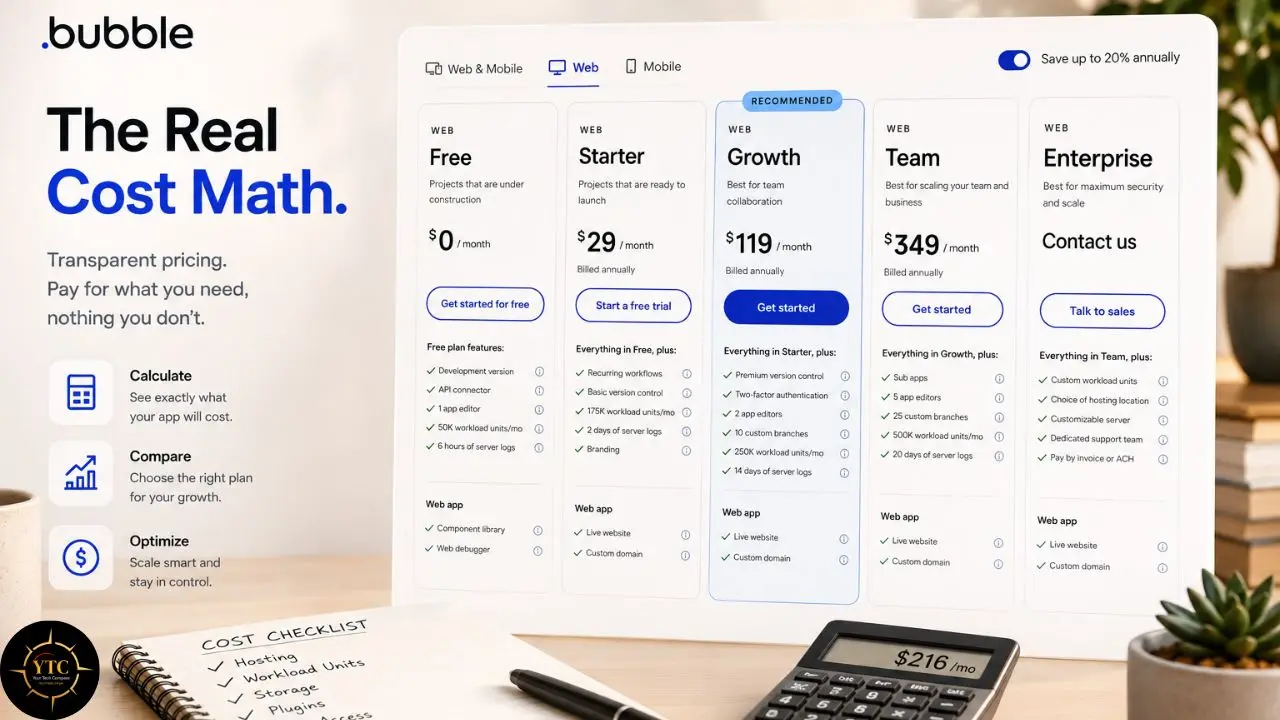
Here is where the pricing conversation becomes genuinely useful, rather than just repeating numbers from a pricing page. Workload Units measure server-side processing specifically, not just user count. Every database query, workflow execution, and API call consumes a specific fraction of a WU.
A simple page load with one database query might cost less than one workload unit. A complex search filtering thousands of records could cost tens to hundreds of WU per request. A bulk backend workflow might consume thousands to tens of thousands of WU in a single run.
Consequently, two apps on the same plan can have wildly different effective costs depending on how efficiently they are built. A clean, well-optimized app can serve thousands of users on Starter. A messy app with nested searches inside repeating groups can hit Growth limits with fewer than one hundred active users. If you exceed your plan’s WU allocation, overages cost approximately 30 cents per 1,000 workload units, though purchasing prepaid workload tiers reduces that rate. You can also disable overages to avoid surprise bills, but you risk throttling or downtime if you hit your cap.
One more gap worth naming directly: beyond the subscription, you will pay for premium plugins, third-party API fees, custom domain registration, and external storage if you exceed plan limits. A Stripe integration costs nothing extra from Bubble’s side, but Stripe’s transaction fees apply. For many founders, those layered costs push total monthly spend 20–40% above the headline plan price, though very lean apps may see less and integration-heavy products can see more.
Is Bubble Safe? Privacy, Security, and Data Handling
This is the section most reviews either skip entirely or reduce to a single reassuring sentence, and it is the one I think matters most if you are collecting personal data or payment information through your app. Bubble is SOC 2 Type II compliant, which means an independent auditor has verified that Bubble’s security controls operate effectively over time.
That strengthens your own compliance posture, but it does not automatically make your app SOC 2 compliant; you still need to design and operate your app to meet those standards if you claim SOC 2 for your product. The platform hosts infrastructure on Amazon Web Services, uses Cloudflare for DDoS protection, and encrypts data both in transit via HTTPS/TLS and at rest with AES‑256.
It’s also worth understanding that Bubble itself functions as a data processor for whatever app you build on top of it, meaning your own app’s GDPR compliance still depends partly on how you configure data handling within your specific application, not solely on Bubble’s underlying infrastructure security. Bubble provides a GDPR-compliant Data Processing Agreement with Standard Contractual Clauses for EU–US transfers and supports privacy rules that let you control data access at the row level.
The Security Dashboard runs a suite of automated checks covering missing privacy rules, exposed sensitive values, and unsafe API configurations. Annual penetration testing is conducted by a third‑party security firm.
That said, Bubble operates under a shared responsibility model. The platform secures the underlying infrastructure, but you are responsible for correctly configuring privacy rules, access permissions, and workflow logic. A misconfigured privacy rule can expose user data even if the platform itself is secure.
Additionally, Bubble is US-based, so data residency defaults to US servers on standard plans. Enterprise customers can often negotiate regional hosting or dedicated environments, but standard plans do not offer explicit data-residency controls. For teams requiring strict EU or African data localization (for example, in regulated industries or under local data protection laws), geography matters.
Bubble vs. Alternatives
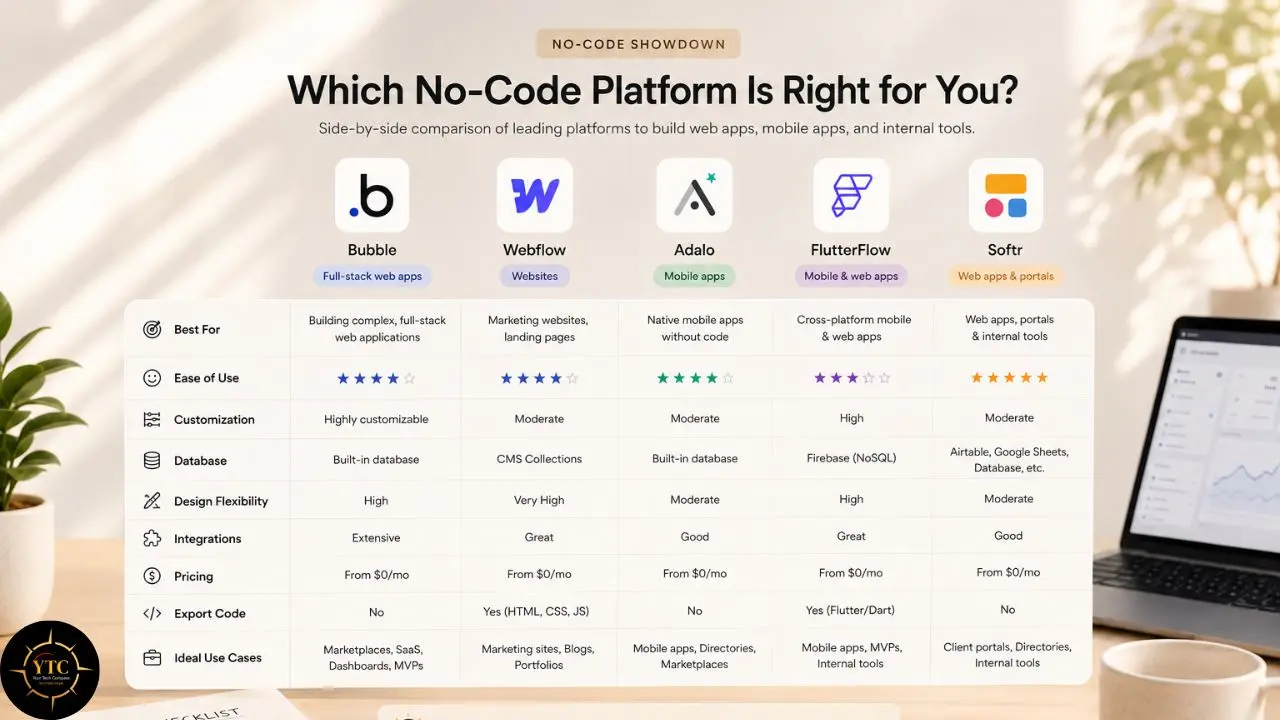
Choosing between Bubble and its competitors comes down to how each platform balances depth against specialization, and what your primary output needs to be.
⚡ Bubble vs. Webflow vs. Adalo vs. FlutterFlow vs. Softr: Side-by-Side
Dimension | Bubble | Webflow | Adalo | FlutterFlow | Softr |
Output Type | Web apps (+ PWA / wrapper for mobile) | Websites + CMS | Native mobile + web | Native mobile + web | Web apps from Airtable/Sheets |
Backend Depth | Deep (built-in DB + logic) | CMS + collections | Moderate | Firebase/Supabase-based | Airtable/Sheets dependency |
Learning Curve | Steep | Moderate | Low | Moderate | Very low |
Code Export | ❌ No | Limited (clean HTML/CSS) | ❌ No | ✅ Yes (Flutter/Dart) | ❌ No |
Mobile Native | Web app + PWA / wrapper (not true native) | ❌ No | ✅ Yes (iOS/Android) | ✅ Yes (iOS/Android) | ❌ Responsive web only |
Pricing (Entry) | ~$29/mo (Starter) | ~$14/mo (Basic) | ~$36/mo (Starter) | ~$30/mo (Standard) | Free–~$49/mo (entry paid) |
Best For | Complex web apps, SaaS, marketplaces | Marketing sites, CMS | Simple, app store-first mobile apps | Production native mobile apps (with code export) | Internal tools, client portals, directories |
Where Bubble Wins
Bubble’s primary advantage is backend depth without code. Among general-purpose no-code app builders, no other major platform offers the same combination of custom database design, complex workflow logic, and API integration in a single visual environment. For marketplace platforms, SaaS dashboards, and multi-user applications, that depth is the deciding factor.
Additionally, Bubble’s plugin ecosystem and API Connector provide flexibility that more specialized platforms cannot match. If your app needs to talk to ten different services, Bubble can accommodate that complexity without requiring external automation tools, though many teams still pair Bubble with Make or Zapier for very complex cross-app workflows. For connecting Bubble to broader automation workflows, our Make app review explores where dedicated automation platforms complement or replace native integrations.
Where Webflow Still Leads
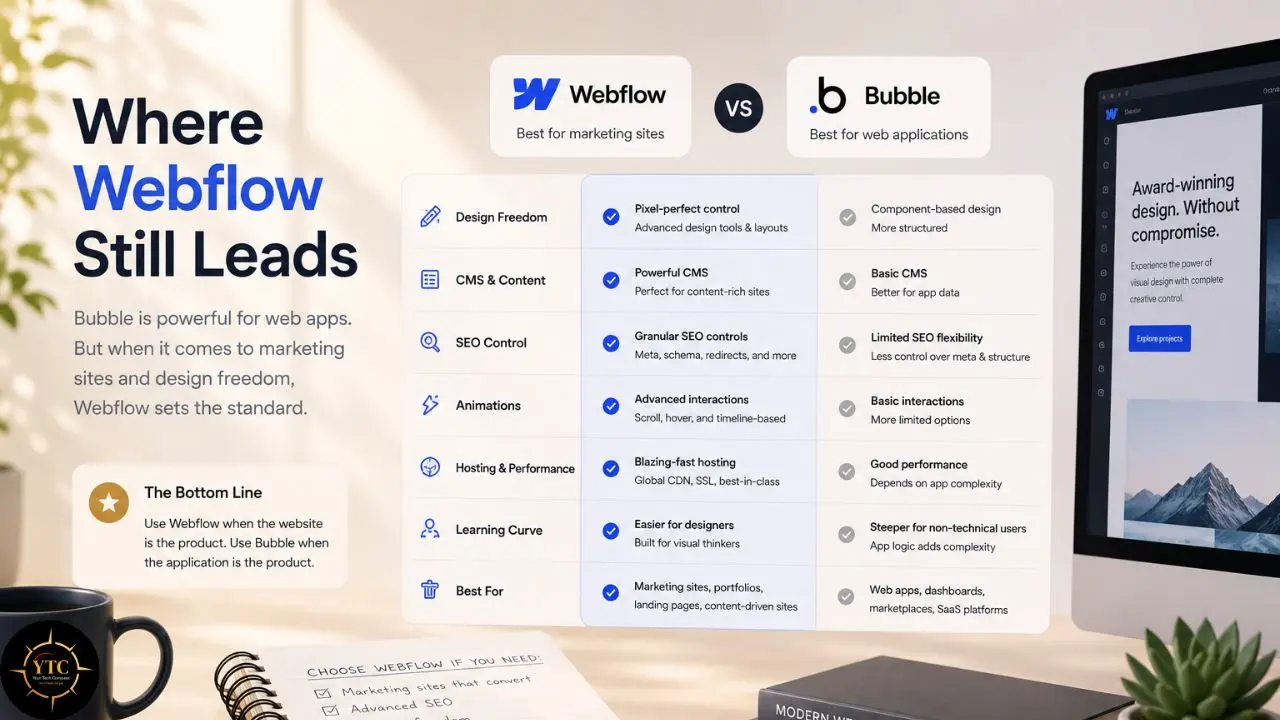
Webflow remains the benchmark for frontend design fidelity, animation control, and content management. Its visual designer produces cleaner HTML and CSS, its site speed is superior, and its SEO tooling is more mature and performance-friendly than Bubble’s. If your primary goal is a marketing website, portfolio, or content publication platform, Webflow is the better tool. Bubble only wins when you need backend logic and multi-user workflows that Webflow’s CMS cannot handle.
Where FlutterFlow Still Leads
FlutterFlow produces true native mobile applications using Google’s Flutter framework and exports the full source code, which developers can modify in Android Studio or VS Code. That code export significantly reduces vendor lock-in and enables native device access (camera, GPS, accelerometer) that Bubble’s web-based engine cannot match.
If your core product is a mobile app meant for the App Store and Google Play, FlutterFlow is the stronger choice. Bubble’s mobile output is improving but remains web-based (PWA/wrapper) and is less proven for native app distribution than FlutterFlow’s builds.
Compared to Softr: Softr is the faster path if your data already lives in Airtable or Google Sheets and you need a simple frontend. Bubble is the deeper path if you need custom logic, user authentication, and complex workflows. Our Airtable review covers the database layer that Softr depends on.
Compared to Adalo: Adalo is often faster and, for simple mobile MVPs, can be cheaper to get to an App Store launch, but its backend capabilities and customization depth are significantly shallower than Bubble’s. Choose Adalo for speed; choose Bubble for complexity.
Real-World Use Cases for Bubble
The best way to understand where Bubble genuinely earns its position is to look at what people are actually building with it day-to-day, rather than the demo use case everyone leads with.
Marketplace platforms connect buyers and sellers with payment splitting, user profiles, and search functionality. Bubble’s database relationships and privacy rules naturally handle multi-sided user access.
SaaS dashboards manage subscriptions, user roles, and admin panels without external backend services. The workflow engine handles billing logic, feature gating, and notification triggers.
Internal tools replace spreadsheets for approval workflows, inventory tracking, and CRM overlays. Teams build custom software that matches their exact process rather than adapting to off-the-shelf tools.
Community platforms combine membership gating, discussion forums, and event management in a single application. The built-in user authentication and privacy rules manage access tiers without additional services.
Event management systems handle ticketing, registration, scheduling, and payment collection. The calculator blocks and dynamic pricing features adapt costs based on selections.
Who Should Use Bubble
- Non-technical founders validating software ideas before hiring engineers.
- Product managers building internal tools without waiting for the IT backlog.
- Agencies creating client MVPs quickly for market validation.
- Bootstrapped SaaS founders who need to ship before raising capital.
- Educators and coaches building custom learning platforms with user progress tracking.
- Marketplace founders connecting multiple user types in one application.
Who Shouldn’t Use Bubble

- Founders whose primary product is a highly polished, mobile‑first consumer app where native performance and deep OS features are critical (Bubble now has a native mobile builder in beta, but mobile‑first apps often still benefit from dedicated mobile frameworks).
- Users who expect to build production software within a few days.
- Teams requiring on‑premise deployment or strict non‑US data residency.
- African businesses that need turnkey, out‑of‑the‑box M‑Pesa or other highly localized payments without custom API work (Bubble can integrate these via APIs/plugins, but not as native one‑click providers).
- Organizations that need dedicated account managers or 24/7 phone support on lower‑tier plans.
- Teams that want source code ownership to avoid vendor lock‑in.
- Enterprises requiring on‑premise deployment or strict in‑region data residency (including Africa‑specific hosting), which Bubble does not offer.
An Honest Note on the Review Landscape
Bubble’s community is large but genuinely fragmented between hobbyists experimenting with their first page and serious builders scaling apps to real user bases. The gap between beginner-friendly “build your first page” tutorials and genuine guidance on scaling to thousands of users is wide, and it’s worth going in aware of that gap rather than assuming the learning path stays equally smooth throughout. In addition, plugin quality varies dramatically across the marketplace too; some are excellent and actively maintained, while others are effectively abandoned by their original developers.
Bubble receives significant praise in no-code communities for its depth and flexibility, and that praise is largely deserved. However, Reddit threads, forum posts, and agency reports reveal a consistent pattern: users who underestimated the learning curve, encountered unexpected spikes in workload-unit cost, or discovered that a critical plugin had been abandoned after a platform update.
Its support is email-based for most tiers, with priority support available on higher plans. The documentation has improved substantially but still assumes familiarity with software concepts like data types, API authentication, and relational databases. Consequently, the “no-code” label can mislead absolute beginners into thinking the tool requires no technical thinking whatsoever. That is not the case. Bubble is easier than coding, but it is not effortless.
Furthermore, the template library is smaller than those of Jotform or WordPress, and many templates require significant customization to match your specific use case. You will likely spend more time building from scratch than adapting a near-perfect starting point. That investment pays off if your app is unique, but it adds weeks to the timeline, a detail marketing materials rarely acknowledge.
Bubble in Africa: Accessibility and Practical Realities
Pricing in African Market Context
Bubble bills exclusively in US dollars, with no local currency support for Nigerian naira, Kenyan shillings, South African rand, or Egyptian pounds. At the time of writing, the Starter plan costs approximately 43,000 Naira, 37,000 Kenyan shillings, or 5,200 South African rand annually. Growth costs roughly one hundred seventy-six thousand naira, one hundred fifty-two thousand Kenyan shillings, or twenty-one thousand rand annually. Those amounts are manageable for funded startups but represent a meaningful barrier for bootstrapped founders and student builders.
Consequently, the free tier is not just attractive for African users; it is often the only viable entry point for extended prototyping. The good news is that fifty thousand workload units and full editor access provide enough runway to learn and validate. The bad news is that launching a live app with a custom domain requires crossing into foreign-currency billing.
Connectivity and Hardware Considerations

Bubble’s visual editor is resource-intensive. It runs in the browser and requires a stable broadband connection, a modern computer with sufficient RAM, and a consistent power supply. The editor does not function well on intermittent connectivity, and building on a smartphone or tablet is practically impossible. For African builders in areas with unreliable electricity or metered data, those requirements are genuine constraints.
That said, the deployed apps themselves are lightweight for end users. Responsive web apps built on Bubble load reasonably well on 3G and 4G networks, and the mobile-responsive output works across devices. The friction is on the builder’s side, not the user’s side.
Payment and Local Ecosystem Fit
This is the most nuanced limitation for African users. Bubble offers an official Paystack plugin, but Paystack’s integration is currently limited to businesses in Nigeria, Ghana, and South Africa.
A Flutterwave plugin is also available on the marketplace, offering broader coverage across Africa. However, both are plugins rather than core Bubble features, meaning they rely on community maintenance and may lag behind API updates.
There is no native M-Pesa integration, which excludes Kenyan businesses relying on mobile money as their primary payment method from one-click solutions; teams must use third-party plugins or direct API workflows instead. Stripe is only natively available in South Africa; in Nigeria, Ghana, and Kenya, founders typically use Paystack (a Stripe‑backed company) or other gateways such as Flutterwave.
For businesses outside those markets or relying on mobile money, payment collection requires redirect-based workarounds or external checkout pages. The broader context of AI and no-code tooling on the continent is something we track closely across our AI in Africa coverage. If local payment integration is non-negotiable, Jotform or a regional builder may serve you better despite higher costs or different limitations. For understanding how AI-assisted automation can complement your stack, our Gumloop review explores the emerging layer of AI-driven workflow tools.
Diaspora and Cross-Border Use Cases
Where Bubble shines for African users is in diaspora and cross-border contexts. An African founder serving US or European customers can build a SaaS product in Bubble, collect payments via Stripe (if the business is in a supported country such as South Africa, the US, or the UK), and operate from Lagos or Abuja. An African consultant working with international clients can build custom internal tools or client portals that match the professionalism of any Western agency.
In those scenarios, the currency mismatch works in the founder’s favor, as they earn in dollars while paying for Bubble’s subscription in the same currency. However, for purely local African businesses serving local customers with local payment preferences, the plugin-dependent payment landscape remains a hurdle that requires careful planning.
FAQs
Bubble requires no traditional coding, but you will need to learn programming concepts. Database design, logic flow, API structures, and privacy rules are unavoidable. Expect weeks of study before shipping a production app.
The Starter plan starts at $29 per month (typically billed annually) for web apps, though many teams end up closer to $59–$69 once live features and realistic usage are accounted for. Workload unit consumption varies based on app efficiency. A well-built app can serve thousands of users on the Starter plan. A poorly optimized app can hit its limits with fewer than 100 users. Budget for plugins, API fees, and potential overages.
Yes, but with caveats. Bubble launched native mobile app capabilities in 2025, allowing iOS and Android builds through the same editor. However, this is separate from traditional code-export mobile development. For true native performance and code ownership, FlutterFlow remains the stronger option.
Yes. Bubble is SOC 2 Type II certified, offers a GDPR-compliant Data Processing Agreement, encrypts data in transit and at rest, and conducts annual penetration testing. However, compliance is shared: you must configure privacy rules and access controls correctly.
Yes. Bubble integrates with Stripe, PayPal, and regional gateways such as Paystack and Flutterwave via plugins. You can build checkout flows, subscription management, and marketplace payment splitting. Stripe fees apply in addition to Bubble’s subscription.
Use Bubble if you need to validate an idea quickly without capital for engineering. Hire developers if you need maximum performance, code ownership, or complex custom algorithms that exceed visual programming capabilities. Many successful founders start on Bubble and rebuild with code after achieving product-market fit.
Final Thoughts
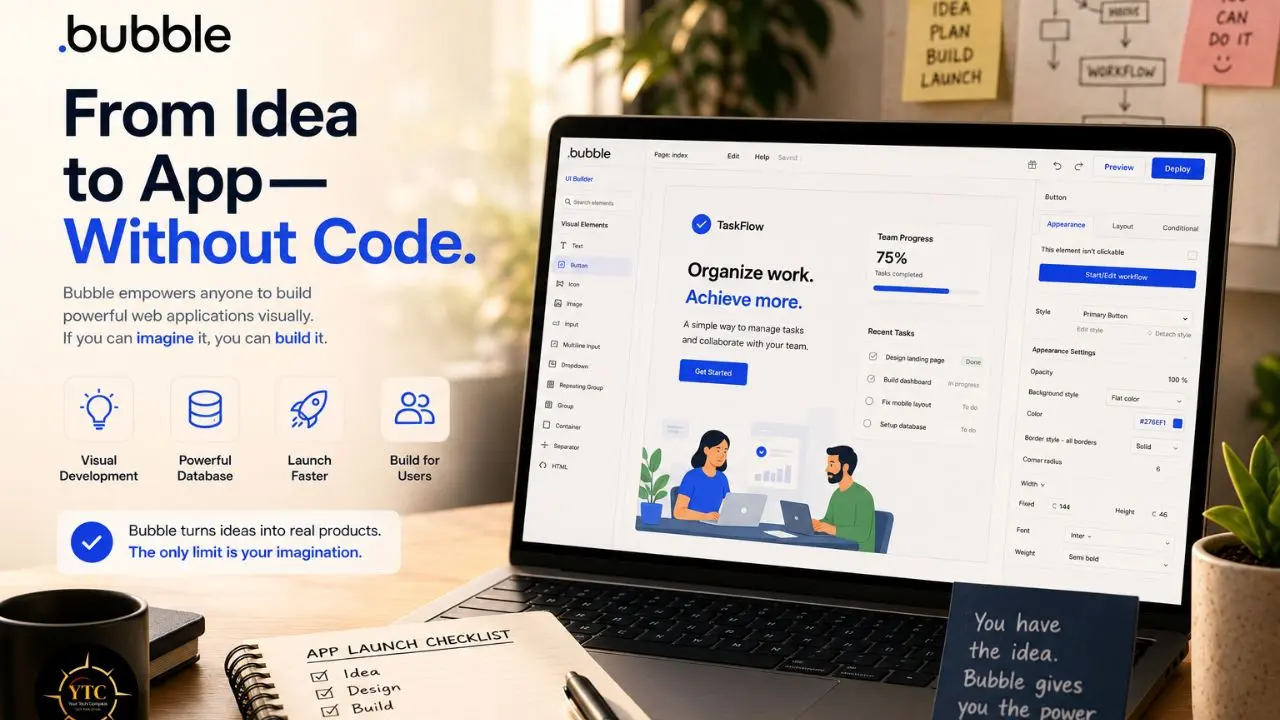
Bubble occupies a genuinely unique position in the no-code landscape: it’s the only tool in this comparison that lets a non-technical person build software that actually behaves like software, with real databases, real logic, and real payment flows rather than a simplified template dressed up to look functional. That depth comes with real costs in learning curve, pricing predictability, and platform-specific limitations, but for browser-based web applications specifically, it remains unmatched among the alternatives covered in this review.
However, Bubble is not the right tool for every project. It is not the fastest path to a simple landing page, not the cheapest option once workload units enter the conversation, and not the safest bet for mobile-first products or businesses requiring African local payment methods. If you need source code ownership, on-premise deployment, or effortless mobile app store publishing, you will need to look elsewhere. But if you have a web app idea, limited technical resources, and the patience to learn a dense but powerful system, Bubble is currently the most capable place to start.
If this guide helped you separate real no-code depth from marketing hype, head back to YourTechCompass.com before you commit to a platform, because building the wrong tool in the wrong builder costs more than learning to code.