Every time you sit down to choose a note-taking app in 2026, you face the same exhausting trade-off. Obsidian is free and infinitely customizable, but it demands a weekend of plugin configuration before it feels like yours. Notion is powerful and flexible, yet it wants to be a database first and a writing tool second, and its AI features send your data to servers you do not control. Roam Research invented the networked-thought paradigm, but it costs $165 a year and has slowed down enough that power users have migrated elsewhere. You want your notes private, connected, and fast. You do not want to become a systems administrator to get there.
Reflect Notes promises to split that difference. It offers end-to-end encryption by default, bidirectional backlinks that automatically build a knowledge graph, and built-in AI transcription without the setup friction of Obsidian or the price tag of Roam. However, it costs $120 a year, offers a 14‑day free trial but has no permanent free tier, has no native Android app, and when you use AI features, the text you select is sent to third‑party APIs (OpenAI, Anthropic, or Google) for processing and is not end‑to‑end encrypted during that step. By the end of this article, you will know whether Reflect’s speed and privacy architecture justify its price, how it stacks up against named alternatives, and whether it fits the way your brain actually works.
A note before we begin: every YTC score is earned, never negotiated. If you want to understand exactly how we evaluate apps & tools and how we handle affiliate relationships, our Review Methodology lays it all out.
Quick Verdict
- Best For: Privacy-focused writers, daily journalers, and knowledge workers who want encrypted networked notes without configuring plugins.
- Skip It If: You use Android, you need rich formatting or deep project-management workflows, or you are unwilling to pay $120 a year for note-taking when free alternatives exist.
- Bottom Line: Reflect is the most polished encrypted note-taker in the networked-thought category. Its speed and zero-knowledge architecture are genuine differentiators, but the absence of a permanent free tier, a native Android app, and a fully open-source core (despite a published encryption library and an open-source variant, Reflect Open) creates friction that Obsidian and Logseq avoid entirely.
What Is Reflect Notes?
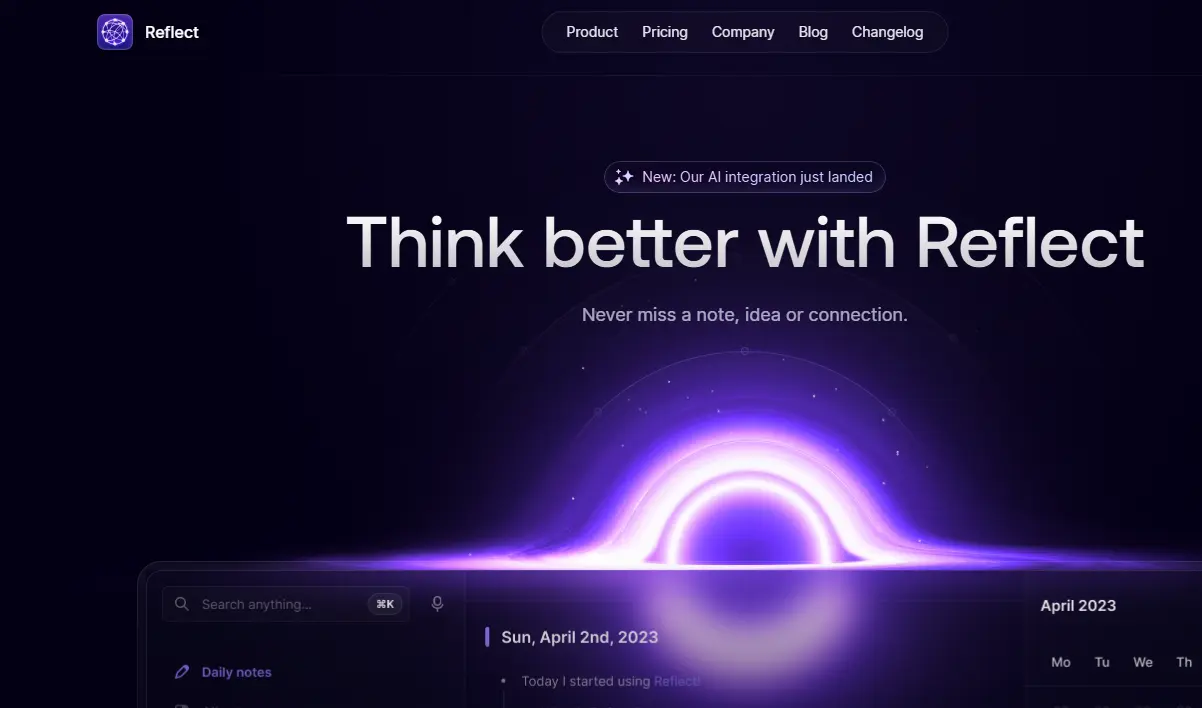
Reflect Notes is a daily-note-first, end-to-end encrypted note-taking app founded by Alex MacCaw, a serial entrepreneur who previously built Clearbit (a VC-backed company he scaled to ~$50M in revenue). The app was publicly launched in April 2022 with a simple premise: capture your thoughts in a daily journal, link them together automatically through bidirectional backlinks, and search them with AI assistance, all while ensuring that no one (not Reflect, not a government subpoena, not a data breach) can read your plaintext notes.
The platform sits in the personal knowledge management ecosystem we track across our Apps and Tools coverage, competing directly with Obsidian, Roam Research, Logseq, and the note-taking corners of Notion. Reflect’s core promise is deceptively simple: open the app, land on today’s date, start writing, and let the software handle the organization. Whether that promise holds up in daily use depends on whether you think in terms of dates and connections rather than folders and hierarchies.
How Reflect Notes Works: Daily Notes, Backlinks, and AI
Building Notes in Reflect
Opening Reflect drops you directly into today’s daily note. There is no folder browser, no inbox, and no template gallery to wade through. You type, and the note saves instantly. Slash commands insert headers, bullet lists, backlinks, and images. The @ symbol creates object tags for people, companies, and meetings, which turn into auto-populated index pages as you reference them across different days.
The writing experience is where Reflect justifies its existence. Notes open instantly for editing. There is no loading spinner for note content, no noticeable sync delay for text, and negligible lag between keystroke and character appearance in normal use. In an era where Notion can take three seconds to load a page, and Obsidian can stutter on large vaults, that speed is not a luxury. It is the feature.
Backlinks and the Graph View
Reflect uses [[bracket links]] to create bidirectional connections between notes. A link to a person in Monday’s meeting note and Tuesday’s journal entry will show that same connection in the backlink panel. Over weeks and months, these links form a web of associations that surface connections you would never find through a folder search.
The Map tab visualizes this web as an interactive graph. Each note is a node; each link is an edge. You can zoom, pan, and click any node to jump directly to that note (though for deep navigation, many users prefer the backlink panel and search). The graph is not a gimmick. It is a genuine memory aid. Most people do not realize how fragmented their thinking is until they see it mapped.
AI Features and Audio Capture
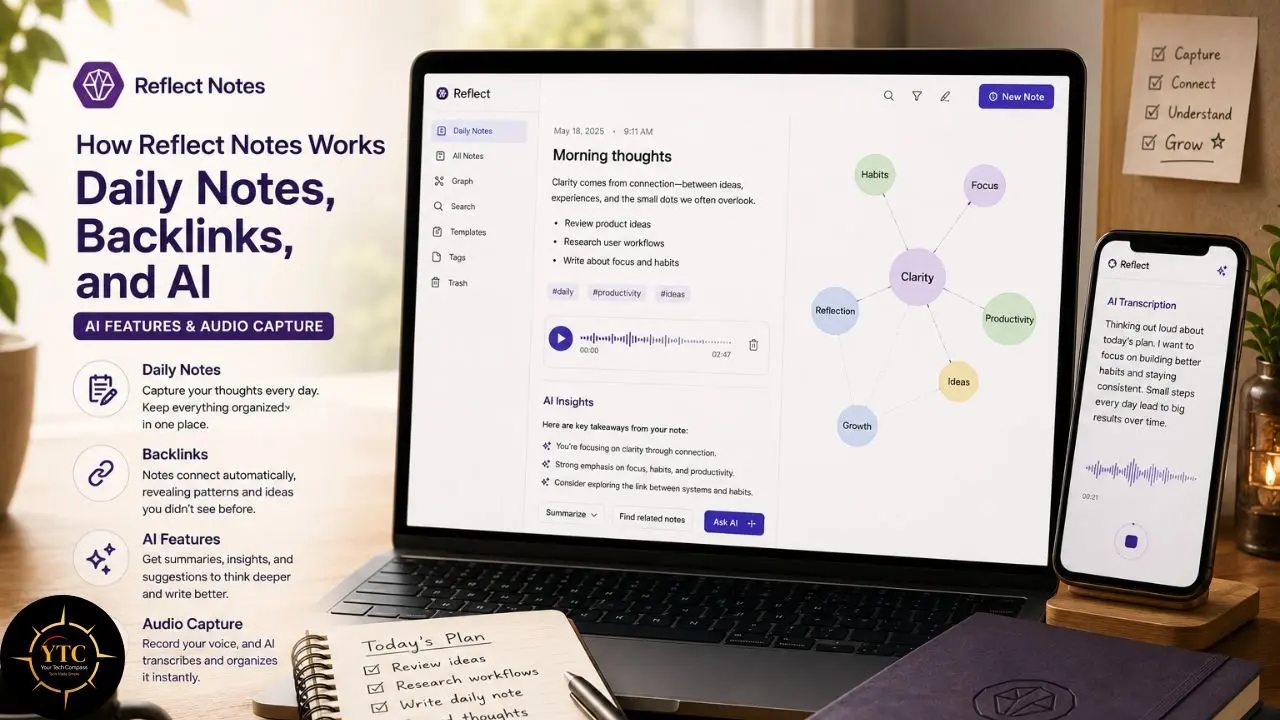
Reflect’s AI integration goes beyond a bolt-on chatbot. The AI chat feature, powered by Gemini as of February 2025, can ingest up to two million tokens of context. That means you can select a year of daily notes and ask for a summary of everything you worked on, and the model will actually have enough context to answer coherently. The same AI can reformat text, generate summaries, and suggest connections.
Audio memos are transcribed via OpenAI Whisper directly into your daily notes. You press Option twice or Option + Space on Mac, or Alt twice on Windows, speak, and the transcription appears inline as you talk (with the standard audio memo, transcription happens in the background and is added to your daily note after processing). On mobile, you tap the plus button and record. The transcription quality is near-human, and Reflect states the audio is not stored long-term and is not associated with your account; raw files are not retained beyond what’s needed for processing and abuse detection.
Version History and Recent Updates
Reflect has shipped consistently since launch. In February 2023, mobile voice transcription arrived alongside noticeably faster audio processing. In February 2025, the company added an in-line voice transcriber that lets you insert speech-to-text anywhere in a note, not just the daily entry.
The same update brought Gemini to the AI chat feature, replacing earlier OpenAI-only implementations and dramatically expanding context windows. Reflect provides a recovery kit (generated at signup) to mitigate the risk of losing access under zero-knowledge encryption, and performance improvements have been continuous across every release.
These AI additions arrived right as the productivity software space was racing to integrate generative models, a trend we document across our AI Unboxed coverage. If you are curious how AI features compare across the broader productivity landscape, our Notion AI vs ClickUp AI comparison breaks down the same race in project management tools.
Standout Features (and the Honest Limitations Behind Them)
End-to-End Encryption by Default
Reflect encrypts every note on your device using XChaCha20-Poly1305 before the data ever touches a server. Your password serves as the encryption key, and that key never leaves your machine. Reflect stores only an encrypted blob that they cannot read, index, or hand over in response to legal requests. The encryption implementation was independently audited by Doyensec in 2021, which found the cryptographic architecture sound and identified no vulnerabilities.
This is not marketing fluff. It is a structural difference from Notion, Evernote, Google Keep, and Apple Notes, all of which store your plaintext on their servers. For journalists, therapists, executives, and anyone handling sensitive reflections, that privacy layer is the deciding factor.
The Map: Visualizing Your Knowledge Graph

The Map is Reflect’s interactive graph view, and it is more polished than Obsidian’s default graph and less cluttered than Roam’s. Nodes are sized by the number of links they have; colors help distinguish clusters and visually group related notes. Click a node, and you jump to that note instantly. Zoom out, and you see the shape of your thinking over months.
The practical value is discovery. You will find notes you forgot you wrote, connections you did not realize you had made, and patterns in your thinking that a folder hierarchy would have buried. For researchers and journalers, that serendipity is worth the subscription price alone.
AI That Respects Privacy (With Caveats)
Reflect’s AI features are opt-in, and the privacy architecture surrounding them is more thoughtful than that of most competitors. When you use AI chat or transcription, only explicitly selected text is sent to third-party APIs. The data is anonymized and not associated with your account. Audio sent to OpenAI for Whisper transcription is deleted after processing.
However, here is the catch: any AI interaction requires punching a hole in the end-to-end encryption envelope. Your notes are encrypted on Reflect’s servers, but the moment you ask Gemini to summarize a selection, that selection travels to Google’s servers. Reflect’s privacy policy acknowledges this openly, and the company states that OpenAI deletes data after thirty days. Still, for users who chose Reflect specifically because they do not want their thoughts on external servers, this trade-off is real and unavoidable.
Honest Limitations of the Flagship Features
I want to slow down here, because Reflect’s marketing emphasizes simplicity and speed while downplaying the structural gaps that matter once you are embedded in the tool.
1. There Are No Folders
None. Everything lives in a flat chronological list or the graph. If you have spent a decade thinking in hierarchies, the transition is genuinely painful. Many users report frustration during the first week, and the 14-day trial is barely long enough to build a backlink habit before the subscription wall hits.
2. Formatting Is Minimal
You get headers, bold, italics, bulleted lists, numbered lists, and links. That is the full toolkit. No colors, no highlights, no callout blocks, no tables, no embeds. If you are a visual thinker who color-codes ideas or builds dashboards, Reflect will feel like a straitjacket.
3. There Is No Native Android App
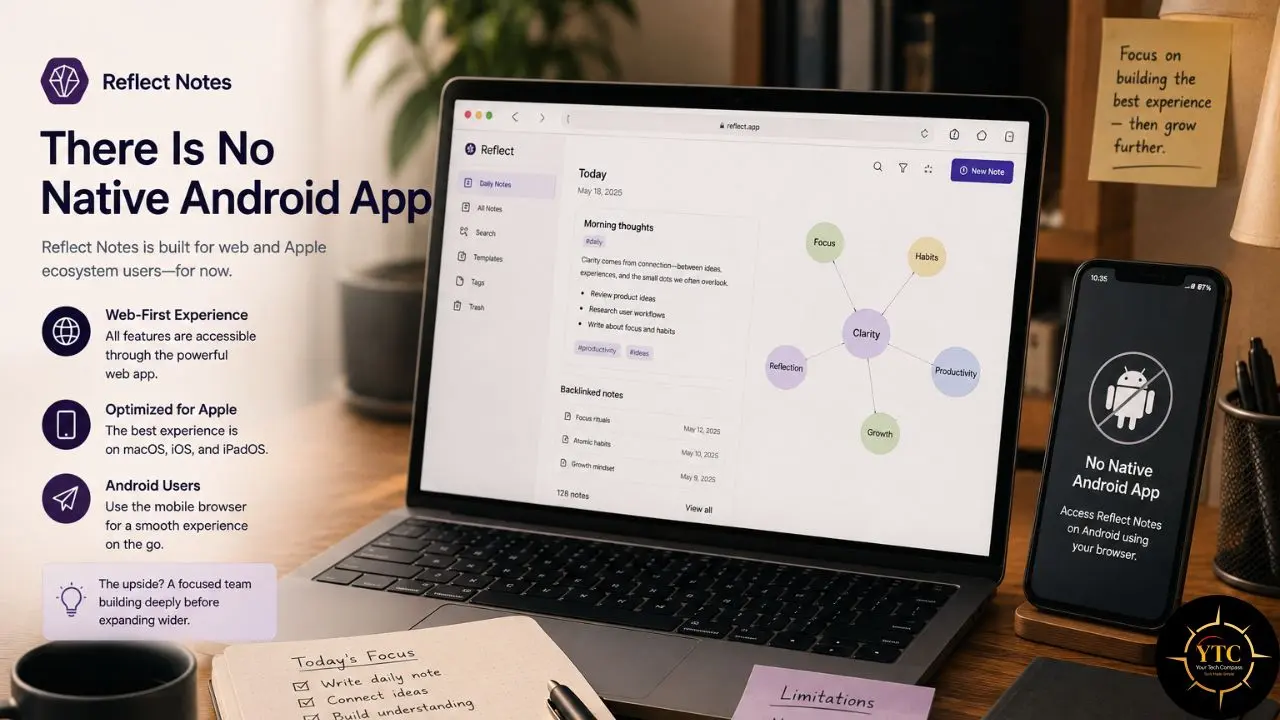
You can access Reflect through the browser on Android, but the experience lacks native notifications, widgets, and offline resilience. For a tool that promises mobility and capture-anywhere convenience, that omission is glaring. In our Apple Notes vs Google Keep for students comparison, we explore how platform availability shapes note-taking habits, and Reflect’s iOS-only mobile strategy is the most restrictive in its class.
4. Task Management Is Barely Present
Checkboxes exist, and you can assign due dates to tasks, but there are no priorities, no filters, no project views, and no GTD workflow. If you want your notes app to also run your projects, Reflect is not the tool.
5. The Client Is Closed Source
Reflect acknowledges this directly: “Ultimately, you have to trust the client, and the client can change.” They could edit the JavaScript at any time. For users who require open-source verification of encryption claims, Standard Notes, Notesnook, or Anytype are better fits.
Compared to Obsidian right now: Reflect beats Obsidian on setup speed and out-of-the-box polish. However, Obsidian is free, runs on every platform including Android, and offers two thousand plugins that Reflect cannot match. If you enjoy tinkering, Obsidian wins. If you want to start writing immediately without configuration, Reflect wins.
Reflect Notes Pricing: What You’ll Actually Pay
The Trial
Reflect offers a 14-day free trial with no credit card required. You get full access to every feature during this window, including encryption, AI chat, voice transcription, and all integrations.
The trial is long enough to test the interface, but in my opinion, it is too short to build a genuine backlink habit. Most people need three to four weeks of daily use before the graph starts feeling useful rather than novel.
Pro Plan
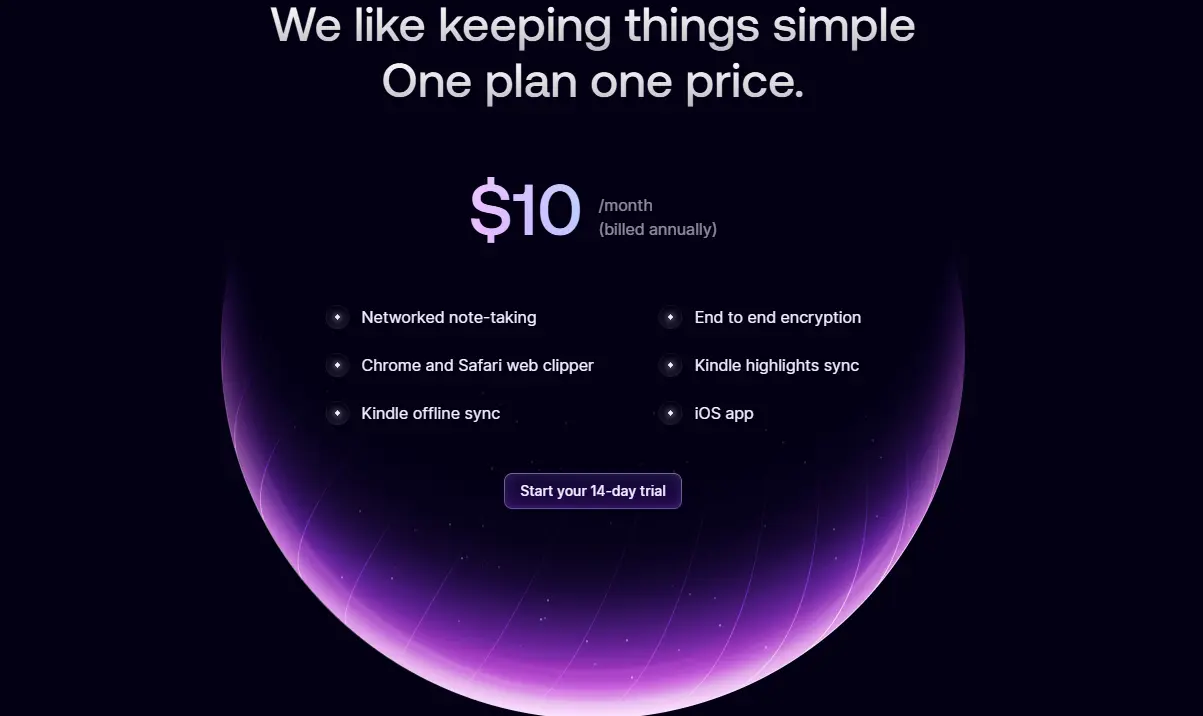
The Pro plan costs $10 per month when billed annually at $120 per year. Monthly billing is available at the same rate, typically $10 per month, though Reflect emphasizes the annual option on its homepage. The Pro tier includes unlimited notes, end-to-end encryption, AI features, all integrations, and sync across macOS, iOS, and web.
Consequently, Pro is the only tier. There is no free plan, no student discount, and no nonprofit pricing. That single-price simplicity is refreshing compared to the tier maze of other SaaS tools, but it also means there is no entry ramp for casual users.
💳 Reflect Notes Plans at a Glance
Plan | Monthly Cost | Annual Cost | Notes | AI | E2EE | Best For |
Trial | $0 | $0 | 14 days, full features | ✅ Yes | ✅ Yes | Testing the workflow |
Pro (Annual) | ~$10/mo | $120 | Unlimited everything | ✅ Yes | ✅ Yes | Committed daily writers |
Pro (Monthly) | ~$15/mo | ~$180 | Same features, flexible billing | ✅ Yes | ✅ Yes | Those unsure about annual commitment |
Always verify current figures directly on Reflect’s official pricing page before making a purchasing decision.
The Real Cost Math
Here is where the pricing conversation becomes genuinely useful, rather than just repeating numbers from a pricing page. At $120 annually, Reflect costs more than Obsidian Sync (~$50–$60 per year, or $8/month), infinitely more than Logseq (free), and slightly more than Notion Plus (approximately $96 per year). Compared to Roam Research at ~$180 annually (or $15/month), Reflect is cheaper but less powerful for block-level outlining and Kanban workflows.
The cost per note opened is what matters. If you open Reflect twenty times daily, the speed premium amortizes quickly. Those seconds saved per load add up to hours over the course of a year. If you open it twice weekly, the value proposition collapses. You are paying $120 for a tool you barely use, and free alternatives would serve you just as well.
One more gap worth naming directly: there is no family plan, no team discount, and no education pricing. A student paying $120 annually for note-taking is making a real financial commitment, and Reflect does not meet them halfway.
Is Reflect Notes Safe? Privacy, Encryption, and the AI Catch

This is the section most reviews either skip entirely or reduce to a single reassuring sentence, and it is the one I think matters most if you are trusting an app with your unfiltered thoughts. Reflect uses XChaCha20-Poly1305 encryption, a modern cipher that is widely regarded as secure and performant. Notes are encrypted on your device before transmission, and the encryption key is derived from your password, which never leaves your machine. Even if Reflect’s servers were compromised, an attacker would gain only encrypted blobs with no practical path to decryption.
The security architecture was independently audited by Doyensec in 2021. The audit found the system well-architected, with sound cryptographic primitives and no identified vulnerabilities. That audit is published and available for review, offering more transparency than most note-taking apps provide.
However, the zero-knowledge model creates a user responsibility that non-technical users often underestimate.
If you lose your password, you lose your notes. Period. There is no backdoor, no password reset, no customer support miracle. Reflect provides automatic recovery kits upon signup, and you should store that kit in a password manager like 1Password or Bitwarden immediately.
The AI catch is where privacy gets complicated. Reflect’s privacy policy states that selected text sent to AI providers is anonymized and not associated with your account. OpenAI’s terms state they delete data after thirty days. Still, the moment you use AI chat or transcription, your thoughts leave Reflect’s encrypted envelope and enter third-party infrastructure. That is a manageable risk for most users, but it is not zero risk, and it directly contradicts the “no one can read your notes” promise if you use the AI features regularly.
Reflect Notes vs. Alternatives
Choosing between Reflect and its competitors comes down to what you value most: privacy, price, platform freedom, or feature depth.
⚡ Reflect vs. Obsidian vs. Roam vs. Logseq vs. Notion

Dimension | Reflect | Obsidian | Roam | Logseq | Notion |
Pricing | $120/yr, no free tier | Free; Sync ~$50–$60/yr (or $8/mo) | ~$165–$180/yr, no free tier | Free; Sync ~$5/mo | Free tier; Plus ~$96/yr (often $8–$10/mo) |
Encryption | ✅ E2EE (XChaCha20‑Poly1305) | ✅ Local‑first; ✅ E2EE with Obsidian Sync (AES‑256) | ✅ Optional E2EE for graphs (must enable) | ✅ Optional E2EE for synced graphs (2025–2026) | ❌ No native E2EE |
Platforms | macOS, iOS, Web | All desktop + mobile | Web, iOS, Android | All desktop + mobile | All platforms |
Android Native | ❌ No | ✅ Yes | ✅ Yes | ✅ Yes | ✅ Yes |
Backlinks/Graph | ✅ Yes | ✅ Yes | ✅ Yes | ✅ Yes | ⚠️ Limited (backlinks yes; no true graph) |
AI Features | Built‑in (Gemini, Whisper) | Via plugins | Minimal native; limited AI | Via plugins | Notion AI bundled into Business/Enterprise (~$20/user/mo annual); Free/Plus have limited AI trials |
Open Source | ❌ No | ❌ No (free core) | ❌ No | ✅ Yes | ❌ No |
Task Management | Minimal checkboxes | Via plugins | Via plugins | Via plugins | Deep databases with relations/rollups |
Best For | Private daily journaling | Customizable PKM | Block‑level research | Free open‑source PKM | Team knowledge bases |
Where Reflect Wins
Reflect’s primary advantage is the combination of speed, encryption, and polish in a single package. No other major networked note-taker offers built-in end-to-end encryption with this level of refinement in user experience. Obsidian can achieve similar privacy through local files, but that requires technical setup. Standard Notes offers encryption but lacks the graph view and backlink model. Reflect is the only tool that gives you encrypted networked notes without configuration friction.
Additionally, the daily-note-first workflow is genuinely calming. You do not decide where a note belongs. You just write in today’s date and link naturally. That mental offload is worth the subscription for heavy journalers.
Where Obsidian Still Leads

Obsidian remains the benchmark for customization and platform freedom. It is free for personal use, runs natively on every operating system, including Android, and supports over two thousand plugins that can transform it into almost any kind of knowledge tool. If you want PDF annotation, Zotero integration, spaced repetition, or advanced graph analytics, Obsidian has a plugin for it. Reflect has none of that extensibility.
The trade-off is setup time. Obsidian requires configuration. Reflect requires only a password. As our Notion vs Obsidian for Mac comparison shows, Obsidian’s local-first philosophy offers freedom at the cost of initial complexity.
Where Notion Still Leads
Notion is a deeper tool for teams, databases, and project management. Its block-based editor supports tables, Kanban boards, calendars, wikis, and relational databases. If your notes need to become a content calendar, a hiring pipeline, or a team wiki, Notion is the only option on this list that handles those workflows natively.
The privacy trade-off is significant. Notion stores your plaintext on its servers and offers no end-to-end encryption. Its AI features, which we examine in our Notion AI privacy settings breakdown, raise similar third-party data-handling concerns as Reflect’s AI, but without the baseline encryption that Reflect provides.
Compared to Logseq: Logseq is free, open-source, and local-first with the same backlink model. Reflect is faster, more polished, and encrypted by default. Logseq is cheaper and more extensible. Choose Reflect for speed and privacy; choose Logseq for freedom and customization.
Compared to Apple Notes: Apple Notes is free, native, and syncs seamlessly across the Apple ecosystem. It lacks backlinks, graph views, and AI features entirely. For simple capture and retrieval within Apple’s walled garden, Apple Notes is sufficient. For networked thinking and cross-platform access, Reflect is the upgrade. Our guide to using Apple Notes covers how to maximize that simpler tool before graduating to something like Reflect.
Real-World Use Cases for Reflect Notes
The best way to understand where Reflect genuinely earns its position is to look at what people are actually building with it day-to-day, rather than the demo use case everyone leads with.
Daily Journaling
Daily journaling with privacy is the most natural fit. Therapists, executives, and writers who need an encrypted space for unfiltered reflection find Reflect’s daily-note model and zero-knowledge architecture ideal.
The encryption means you can write honestly without worrying about data mining or breaches.
Research note-taking works well for academics and journalists, linking sources through backlinks. A historian can create object tags for historical figures, link them across daily reading notes, and watch the graph reveal thematic connections over months. The Readwise and Kindle integrations automatically turn reading highlights into connected knowledge.
Creating Meeting Notes

Meeting notes benefit from calendar integration and object tags for people and companies. Each meeting gets its own note linked to attendees, and over time, Reflect becomes a lightweight CRM where you can trace every conversation with a contact across months.
Reading Highlights from Readwise and Kindle
Reading highlights sync from Readwise and Kindle directly into daily notes, creating an automatic ingestion pipeline for books and articles. The backlinks then connect those highlights to your own thinking, turning passive reading into active knowledge building.
Lightweight Task Capture
Lightweight task capture is possible with checkboxes and due dates, though heavy project management requires another tool. For daily to-dos and quick captures, Reflect suffices. However, for GTD, Kanban, or team task management, you will need a dedicated project manager.
Who Should Use Reflect Notes
- Privacy-conscious professionals who journal or take sensitive notes daily.
- Writers and thinkers who prefer date-based capture over folder hierarchies.
- macOS and iOS users who want a polished, fast networked note-taker without plugin configuration.
- Researchers building a personal knowledge base from reading highlights and daily observations.
- Users willing to pay for speed and encryption rather than spend time on free-tool configuration.
- Therapists, coaches, and consultants who need HIPAA-grade privacy for client-adjacent notes.
Who Shouldn’t Use Reflect Notes
- Android users: there is no native app, and the browser experience is inferior.
- Students or freelancers on tight budgets: $120 per year is hard to justify against free alternatives.
- Users who need rich formatting, color coding, tables, or visual block editing.
- Teams needing collaboration, shared workspaces, or comment threads.
- Users who require open-source software for security verification.
- Project managers needing GTD, priorities, filters, or Kanban boards.
- Visual thinkers who organize through color, layout, and embedded media.
An Honest Note on the Review Landscape

The gap between early enthusiasm and long-term user sentiment is worth naming directly. Reflect receives glowing praise on Twitter and Product Hunt for its speed and design, and that praise is largely deserved. However, Reddit threads and community forums surface a consistent pattern: users who loved the first week struggled with the folder-less transition in week two and questioned the price by week three.
The 14‑day (two‑week) trial is frequently cited as too short. Building a backlink habit often takes longer than two weeks, and many users feel pressured to subscribe before they’re certain the workflow suits them. That is a deliberate business model choice, but it is not user-friendly.
The plugin ecosystem is nonexistent compared to Obsidian. What you see is what you get. If Reflect lacks a feature you need, there is no community plugin to fill the gap; you wait for the small team to ship it, and feature requests move at their pace.
Support is reportedly responsive, but the team is small. For a bootstrapped company, that is understandable. For a user whose encrypted notes are inaccessible because they forgot their password, it is cold comfort.
Reflect Notes in Africa: Accessibility and Practical Realities
Pricing in African Market Context
Reflect bills primarily in USD (and EUR in some regions), with no local currency support. At typical 2024–2026 exchange rates, the annual subscription translates to well over ₦100,000 in Nigeria, roughly KSh 15,000–18,000 in Kenya, and roughly R2,000–R2,400 in South Africa, though exact amounts vary due to volatile exchange rates. Those amounts are manageable for established professionals but represent a significant barrier for students, early-career freelancers, and bootstrapped founders.
Consequently, the lack of a free tier hits harder in African markets where purchasing power is lower. Obsidian is free. Logseq is free. Notion has a generous free tier. Reflect asks for full payment upfront, and that pricing strategy filters out a large portion of the addressable market.
Connectivity and Mobile Considerations
The app itself is lightweight and loads instantly, which matters on metered or slower connections. Sync is efficient because only encrypted deltas travel over the wire. However, the web version on Android lacks the offline resilience, native notifications, and system integrations of a native app.
For African users on intermittent connectivity, the lack of a native Android app is more than an inconvenience. It is a functional exclusion. Browser-based access works, but it lacks the offline resilience, native notifications, and system integrations of a native app. On Android, you cannot capture a thought from another app and send it to Reflect with one tap (no native share target); on iOS/macOS, quick capture is supported via share extensions and web clipper.
The Android Gap
Android dominates African mobile markets by an overwhelming margin. iOS is a minority platform across the continent. Reflect’s decision to ship native apps only for macOS and iOS means most African mobile users cannot access the tool natively.
Browser access is a workaround, but it feels second-class. For a tool that promises mobility and capture-anywhere convenience, building only for Apple’s ecosystem is a strategic choice that effectively writes off most of Africa’s mobile-first population.
Payment and Local Ecosystem Fit

Reflect does not integrate with African payment gateways. Subscription billing runs through standard card processors, and there is no support for mobile money, local bank transfers, or regional fintech. That is standard for small US SaaS companies, but it adds friction for African users who may not have international cards.
The broader context of AI and privacy on the continent is something we track closely across our AI in Africa coverage. For African journalists, activists, and researchers handling sensitive material, Reflect’s encryption is genuinely appealing. But the AI features that send data to OpenAI/Anthropic/Google may concern users in jurisdictions with strict data sovereignty requirements or surveillance risks; Reflect states these payloads are not associated with your account, but they do leave the E2EE boundary.
Diaspora and Cross-Border Use Cases
Where Reflect shines for African users is in the diaspora. A Nigerian academic in the UK, a Kenyan journalist in the US, or a South African consultant in Europe (all using macOS and iOS) can benefit from Reflect’s encryption and speed without facing the Android barrier. The USD pricing is less painful when earned in hard currency.
For purely local African businesses and creators serving local audiences, the iOS-only strategy and USD pricing remain significant hurdles. If you are building a note-taking habit and you live in Nairobi, Lagos, or Johannesburg with an Android phone, Reflect is not built for you.
FAQs
No. Reflect does not offer a free tier. You get a 14-day trial with full feature access, after which the Pro plan costs $10 per month when billed annually ($120 per year) or $10 per month when billed monthly.
Reflect beats Obsidian on setup speed, out-of-the-box polish, and built-in encryption. Obsidian beats Reflect on price (free), platform availability (including Android), and plugin extensibility. Choose Reflect for immediate productivity and privacy. Choose Obsidian for customization and ownership.
Yes. Reflect uses XChaCha20-Poly1305 encryption with a zero-knowledge architecture. Notes are encrypted on your device before reaching servers, and Reflect cannot read your plaintext. However, the client is closed source, and AI features send selected text to third-party APIs when used.
No. Reflect is available on macOS, iOS, and web browsers. Android users can access the tool through the browser, but there is no native Android app, and the experience lacks the offline resilience, widgets, and native notifications of a native app.
Minimally. You can create checkboxes and assign due dates, and there is a Tasks view that aggregates tasks across notes, but there are no priorities, filters, project views, or GTD workflows. For serious project management, you will need a dedicated tool.
Data is stored on Reflect’s servers in encrypted form. Reflect cannot access your plaintext notes due to the zero-knowledge architecture. However, metadata such as account information and usage patterns are accessible to Reflect and subject to standard legal processes. Note contents are inaccessible even to Reflect staff.
Final Thoughts

Reflect Notes carved out a rare position in the personal knowledge management landscape: a networked note-taker that is genuinely encrypted by default, genuinely fast, and genuinely polished. For macOS and iOS users who value privacy over configurability and think in terms of dates and connections rather than folders and hierarchies, it is the most logical choice in 2026. The speed alone separates it from competitors that feel sluggish by comparison, and the zero-knowledge architecture provides peace of mind that free alternatives cannot match.
However, Reflect is not the right tool for every brain or every budget. It is not the cheapest, not the most flexible, and not the right tool for Android users or visual thinkers who need rich formatting. The closed-source client creates a trust requirement that open-source alternatives avoid, and the AI features introduce a privacy tension that the marketing does not always acknowledge. If you need source-code verification, universal platform support, or team collaboration, you will need to look elsewhere. But if you have tried Obsidian and bounced off the plugin maze, tried Roam and balked at the price and complexity, and want your thoughts to remain private, Reflect is worth the trial.
If this guide helped you find clarity in the note-taking noise, make YourTechCompass.com your next stop before you commit, because the wrong notes app does not just waste money; it wastes the ideas you never capture.