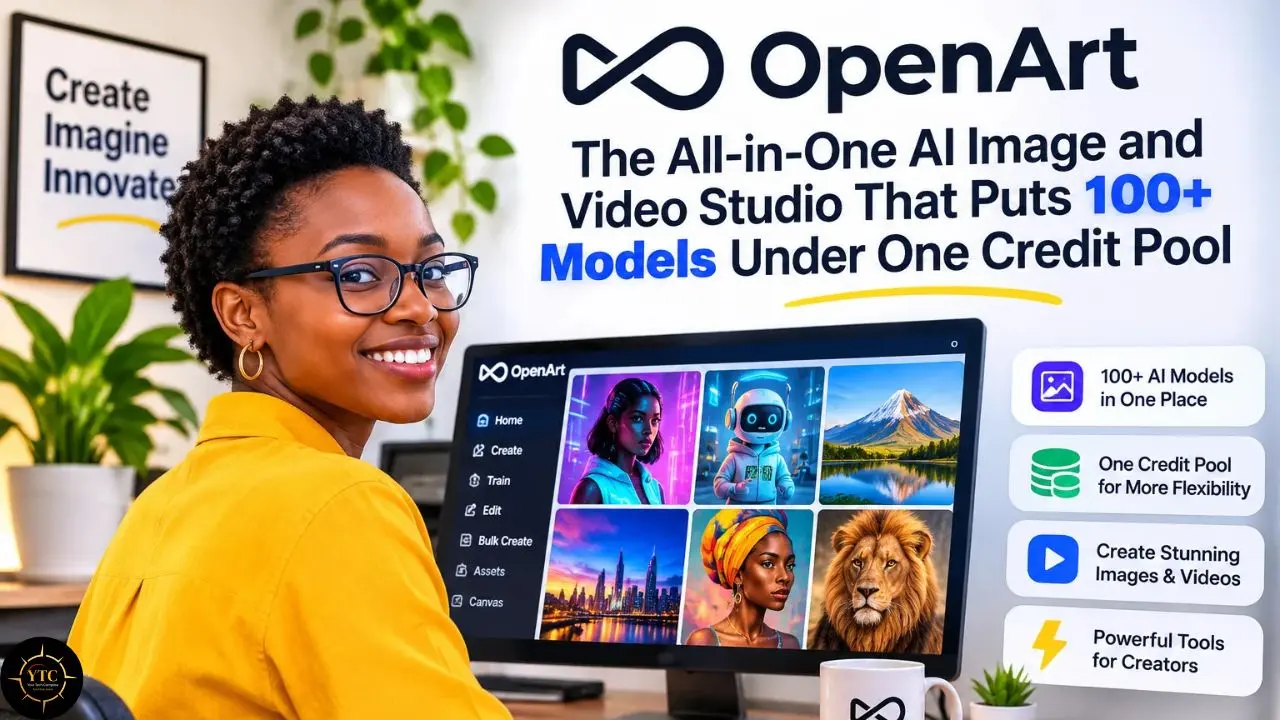
You sign up for OpenArt’s $13-a-month annual Starter plan because the price looks like a rounding error, generate a handful of video clips on a Tuesday night, and then notice that the credit counter has fallen faster than your expectations ever did. By Thursday, you are doing math on a napkin: how much footage did that money actually buy? Plenty of creators reach this moment with OpenArt, a browser-based studio that puts 100+ image, video, and audio models behind a single subscription. The convenience is real, and so is the arithmetic.
This review explains what OpenArt is, how its credit system works, what each plan buys in images and video, and where the licensing and billing risks sit. I built it from OpenArt’s own pricing page and terms, third-party reviews, and user feedback rather than from my own hands-on testing, so I label every opinion and flag every number that changes quickly. By the end, you will know whether OpenArt is worth it for your workflow, which plan to start with, and when a specialist tool makes more sense.
A note before we begin: every YTC score is earned, never negotiated. If you want to understand exactly how we evaluate apps & tools and how we handle affiliate relationships, our Review Methodology lays it all out.
Quick Verdict
- Best For: Creators and small teams who make images and short videos every week and want many models, character tools, and editing in one place.
- Skip It If: You only need occasional clips, you want refund flexibility, or you prefer a fixed per-clip price on a single video model.
- Bottom Line: A broad, feature-rich studio with an inviting entry price, but video consumes credits quickly, monthly plan credits do not roll over, and purchases are non-refundable except where required by law, so start small.
What OpenArt Is and How It Works
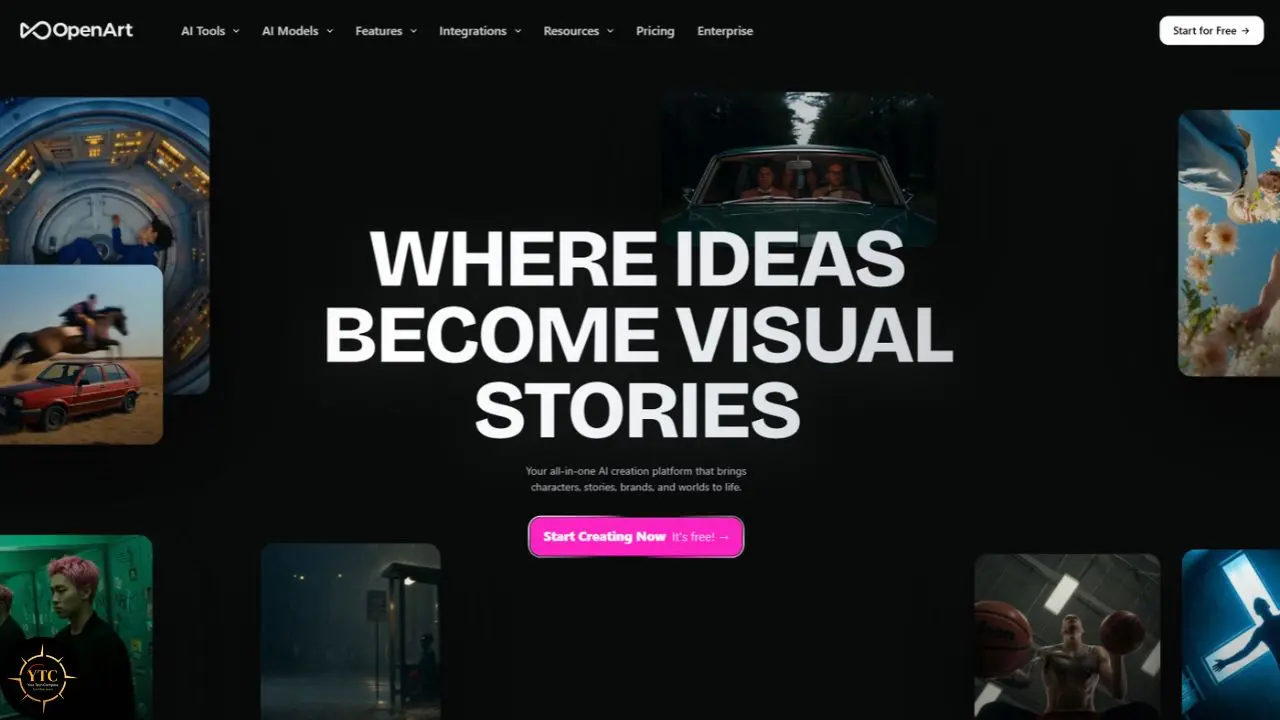
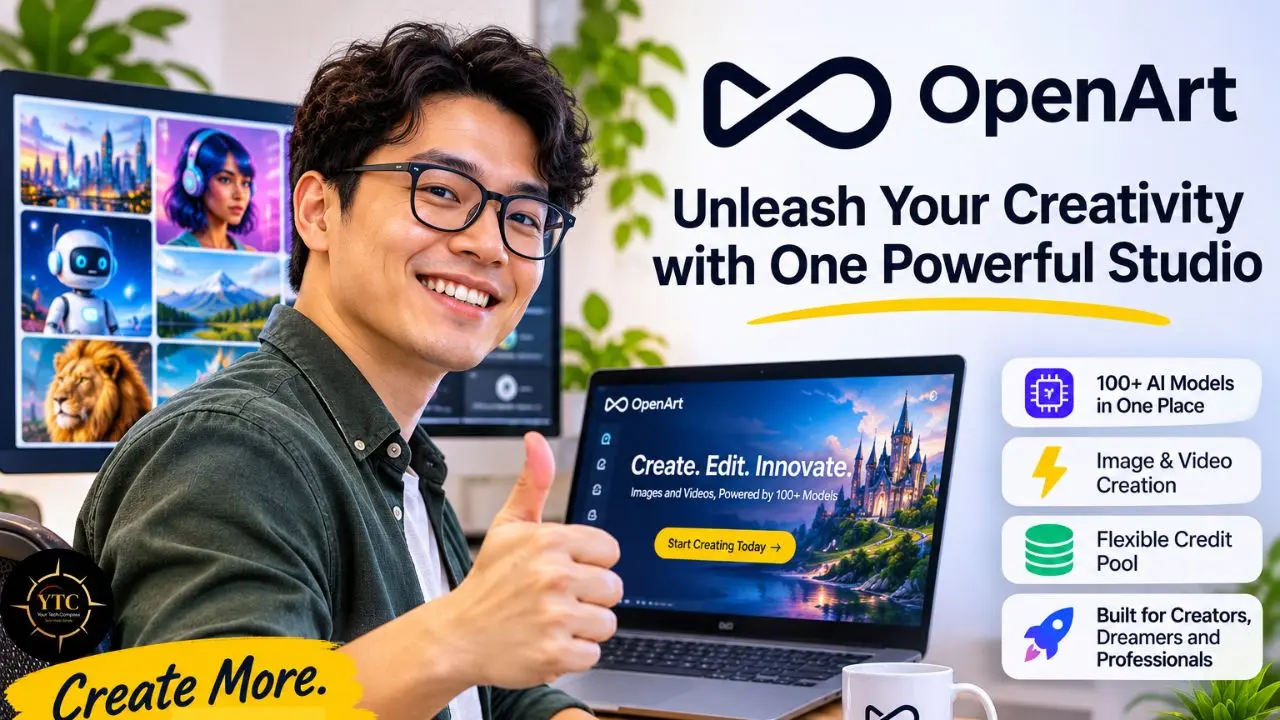
OpenArt describes itself as an all-in-one creator studio where you make images, videos, characters, and audio in one place. Rather than centering on one in-house model, it brings together models from multiple providers, including Google Veo, Kling, Nano Banana Pro, and Seedance, according to OpenArt’s official pricing page. That design saves you from juggling separate subscriptions for each generator.
The workflow is simple. You pick a model, write a prompt, choose settings such as aspect ratio or clip length, and the studio deducts credits when the job runs. Afterward, you can edit, upscale, or animate the result without leaving the browser.
Here is the takeaway I would keep in mind: OpenArt is a front door to other companies’ models. Quality, speed, and price per generation therefore depend heavily on which engine you choose, which is why two users can describe the same product very differently.
Feature | What It Does | Who Benefits Most |
|---|---|---|
Multiple Premium Models | Image, video, and audio engines under one credit pool | Creators who test many styles |
Consistent Characters | Helps maintain a character’s look across images and video | Storytellers and brand mascots |
Custom Style Tools | Creates a reusable look from your own references | Designers with a signature style |
Director | Storyboard-style, chat-guided video creation | Short-form video makers |
Story Tools | Turns an idea into a multi-scene story | Social content creators |
Image Editing Suite | Edits and upscales inside the studio | Anyone avoiding a second app |
OpenArt MCP | Connects the studio to outside AI tools | Developers and automation fans |
If you work with other AI tools, our Apps & Tools category shows where OpenArt fits in a wider stack.
Standout Features
Many Models, One Credit Pool
The headline benefit is breadth. A single subscription gives you access to 100+ image, video, and audio models, so you can compare engines on the same prompt without opening five accounts. That matters when a client wants options, or when one model nails faces and another nails motion.
In practice, this turns model choice into a budgeting decision as well as a creative one. A premium video engine can cost many times more credits than a basic image model, so the pool rewards you for matching each job to the cheapest model that works. My opinion: that habit will save you more money than any plan upgrade.
Consistent Characters and Personalized Models
Character consistency solves a problem every AI storyteller meets: the hero looks different in every frame. OpenArt’s plans include allowances for consistent characters, from about 13 on Starter to roughly 350 on Wonder, according to its pricing page. Its help center also separates character training from broader model training, which suggests two different levels of control.
For a small brand, this means a mascot or product style can stay recognizable across a month of posts. The trade-off is that those character allowances scale with the plan, so a heavy character workflow pushes you toward higher tiers.
Director, One-Click Story and Parallel Generations
Director and One-Click Story aim to move you from a loose idea to a connected sequence, not a pile of unrelated clips. Parallel generations also scale by plan, from 8 on Starter to 16 on Plus and 32 on Pro and Wonder. If you batch social content, those extra slots can save real waiting time.
One detail deserves attention: the pricing page’s video estimates exclude Director, which may mean it draws credits differently. Before you plan a month around it, read how it is billed in the generator.
Where the Flagship Feature Falls Short
Video is where the studio’s promise meets its price. The entry plan’s 4,000-image allowance translates to only about 50 videos, and premium clips can consume a large share of a month’s credits in one go. Some Trustpilot reviewers also say results fail to follow their prompts, though that experience likely varies by model and wording.
I have not tested this myself, so I read it as a warning to run small experiments first. If video is your main goal, start with the lowest tier that matches your real monthly volume.
OpenArt Pricing With Real Cost Math
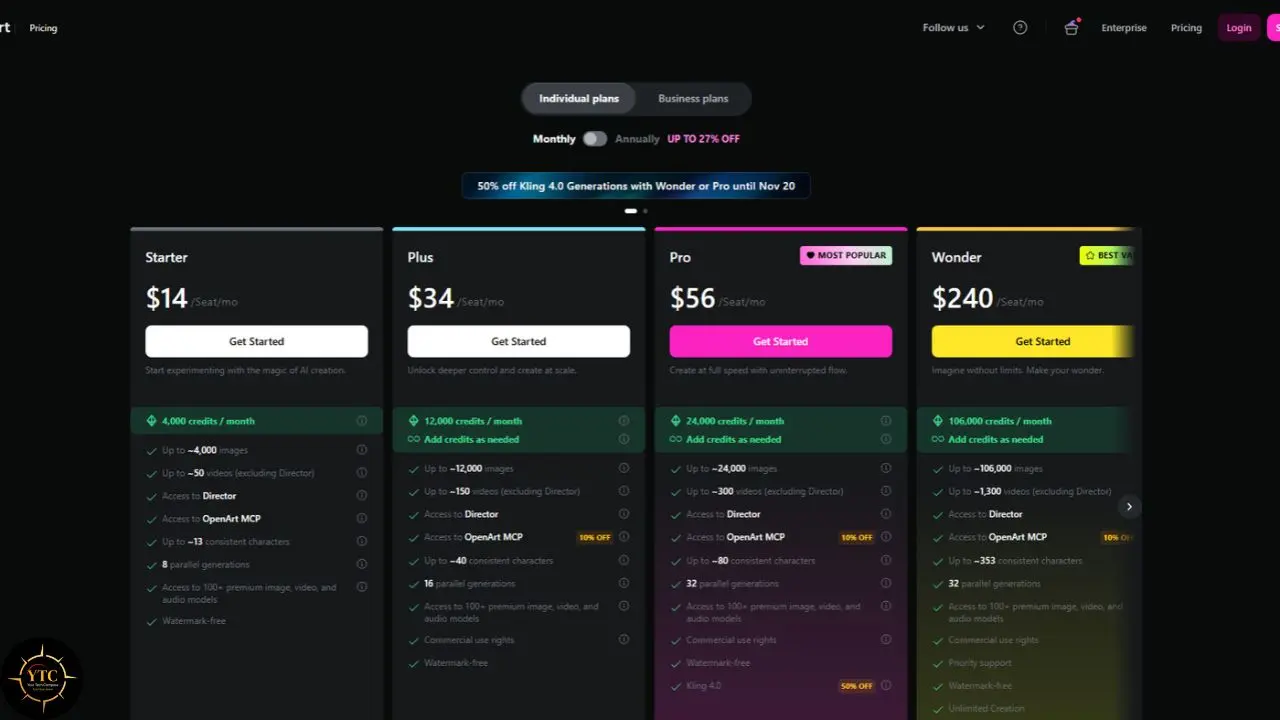
OpenArt’s official pricing page lists four individual plans, with annual billing cutting the monthly rate. I added the last column using my own arithmetic (annual price divided by monthly credits), so you can compare plans on equal terms:
Plan | Monthly | Annual (per month) | Credits per Month | Cost per 1,000 Credits (Annual) |
|---|---|---|---|---|
Starter | $14 | $13 | 4,000 | $3.25 |
Plus | $34 | $27 | 12,000 | $2.25 |
Pro | $56 | $44 | 24,000 | $1.83 |
Wonder | $240 | $175 | 106,000 | $1.65 |
The pattern is clear: Starter’s credits cost nearly double Pro’s. That is why the cheapest plan is not always the cheapest way to make video.
To see what a month buys, here is the math using OpenArt’s own “up to” counts. The video count implies roughly 80 credits per standard video, and the premium-clip figure of about 1,500 credits is a third-party estimate, so confirm the exact cost in the generator before you generate.
Plan | Credits | Basic Images (Up To) | Standard Videos (About 80 Credits) | Premium 5-Second Clips (About 1,500 Credits) |
|---|---|---|---|---|
Starter | 4,000 | 4,000 | 50 | 2 |
Plus | 12,000 | 12,000 | 150 | 8 |
Pro | 24,000 | 24,000 | 300 | 16 |
Wonder | 106,000 | 106,000 | About 1,300 | 70 |
Now translate that into dollars. A premium clip costs about $5.25 on monthly Starter ($3.50 per 1,000 credits), about $2.75 on annual Pro, and about $2.48 on annual Wonder. A standard 80-credit video lands around $0.28 on monthly Starter and about $0.15 on annual Pro.
The optional Extra Credit add-on costs $15 per month for 5,000 credits and requires a Plus subscription. That works out to $3.00 per 1,000 credits, which is pricier than Plus or Pro on annual billing, though still cheaper per credit than Starter annual. In my view, upgrading a tier usually beats stacking add-ons if you need the extra volume every month; an add-on can still make sense for a short-term spike.
Expiry changes the picture too. OpenArt says monthly plan credits reset each month and do not carry over, while unused add-on credits roll over to the next month. Match your plan to a normal month, not your busiest one.
Finally, watch the promotions. At press time in late October 2026, the pricing page advertised two time-limited promotions (a Kling 4.0 discount running to November 20 and a Flux 3 offer ending October 31); check the current page, as these rotate. Time-limited “unlimited” deals usually carry conditions, so read OpenArt’s explanation of how unlimited generation works before you plan around it.
Commercial Use, Licensing, and Legal Risk
Start with what the pages say. OpenArt’s terms allow non-commercial use of generated output at every subscription level, while Plus, Pro, and Wonder add commercial-use rights, subject to OpenArt’s terms and applicable law. Starter does not include those commercial-use rights. Third-party reviews also report that the free or trial tier is watermarked and excludes commercial rights.
That means the cheapest paid tier removes the watermark but does not cover commercial work. If you sell what you generate or deliver it to a client, treat Plus as your real starting plan.
Two cautions apply. First, the underlying models carry their own terms, so confirm that the specific model you used permits your use case. Second, copyright protection for AI-generated output remains unsettled: in the United States, the Copyright Office says purely AI-generated material is not protected by copyright. Human creative selection, arrangement, or substantial modification may support protection for the human-authored parts of a work, but prompts alone generally do not make you the author of the output.
Please separate “usable today” from “legally settled.” A commercial-use license from a platform does not guarantee that anyone can own or defend exclusive rights to an AI image. If your income depends on it, ask a qualified lawyer, because I am not one.
Billing, Refunds and the Review Landscape
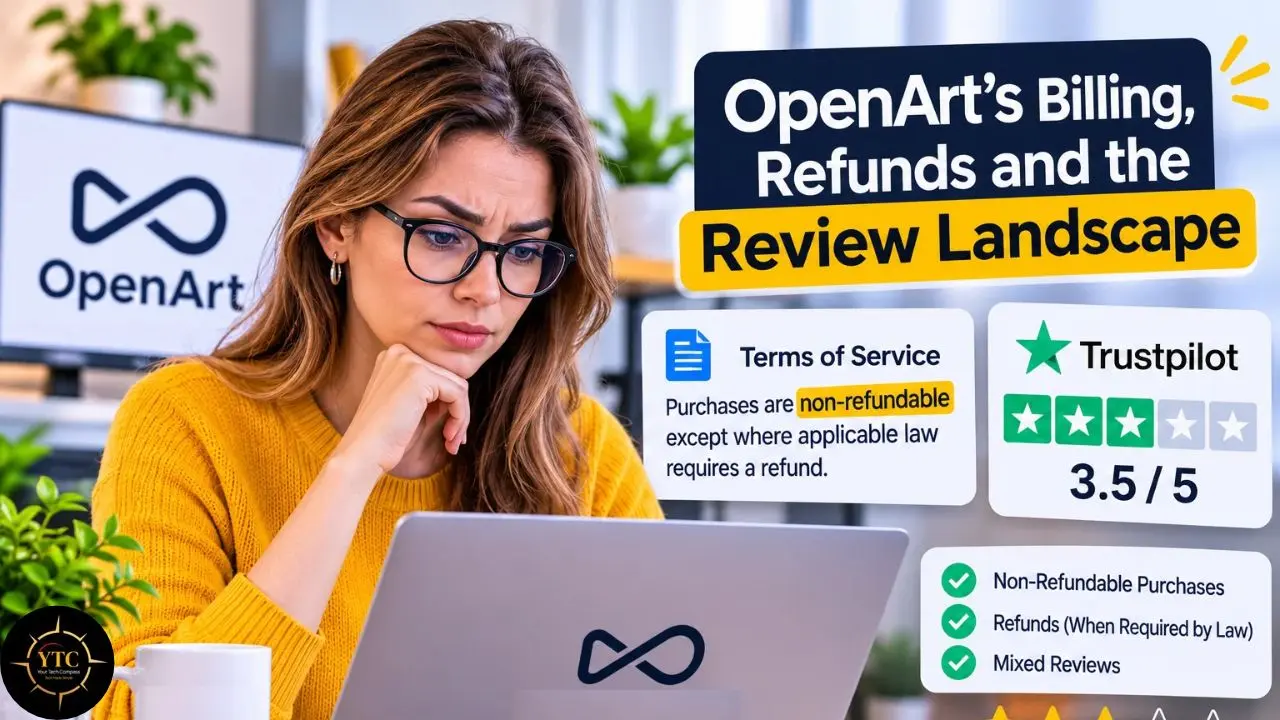
OpenArt’s terms of service state that purchases are non-refundable except where applicable law requires a refund, and that you must cancel before your current period ends to avoid renewal. They also say credits can only be used to generate output on the platform. Those rules are clear, but many buyers skim them.
Trustpilot shows the consequences. As of late October 2026, OpenArt’s TrustScore sits at 3.5 out of 5 from roughly 1,654 reviews, with recurring complaints about refunds, unused monthly plan credits not carrying over, cancellation confusion, and slow support. Positive reviewers praise the easy interface, the model access, and, in some cases, helpful support, including one who reports receiving a full refund for an accidental annual purchase.
Here is my read, labeled as opinion: Trustpilot attracts people with strong feelings, so it overstates both love and anger. Even so, the same billing themes repeat often enough that I would treat them as a pattern worth planning around. OpenArt’s own comparison blog, meanwhile, favors itself, so I would not use it as neutral evidence.
OpenArt Alternatives: How It Compares
The right comparison depends on the job. An all-in-one studio like OpenArt suits mixed image and video work, while a specialist can be cheaper for one task. Treat the pricing notes below as snapshots to verify before purchasing, since AI-tool plans and credit allowances change often.
Tool | Best For | Pricing Snapshot | Watch Out For |
|---|---|---|---|
OpenArt | Images, video, characters, and audio in one place | $13–$175 per seat/month, billed annually | Credit burn on video; commercial rights begin at Plus |
Midjourney | Image quality and a distinctive aesthetic | $10–$120 per month; $8–$96 per month billed annually | Image-first workflow; video features require higher plans |
Higgsfield | Video-first creators who also need image tools | $15–$129 per month; $15–$99 per month billed annually | Credits and unlimited-model windows vary by plan |
Kling AI (direct) | Video clips from Kling’s own models | $8.80–$181.99 per month; $6.99 and $25.99 first-month offers | Credit use varies by model, resolution, duration, and mode |
Leonardo.Ai and Freepik | Image platforms with design and stock-asset extras | Leonardo API is pay-as-you-go; Freepik Premium is $14.50/month billed annually | Overlap with OpenArt’s image tools |
The pattern: OpenArt wins on breadth under one roof; specialists win on price predictability or depth in one medium.
If image quality is your priority, our Midjourney review explains where that tool’s strengths lie. For free, local sketch-to-landscape work on supported hardware, our NVIDIA Canvas guide covers a very different approach. Other creator tools we have covered include TAIPR, Napkin AI, and OpusClip, and you can browse more in AI Unboxed.
Real-World Use Cases
- Social Content: If you post short videos weekly, OpenArt lets you generate clips and add voiceovers, music, or sound effects in one workspace. You can also reuse a saved character across images and clips. Pair it with a repurposing tool like OpusClip when you start from long-form footage instead of prompts.
- Storyboards and B-roll: A filmmaker can mock up scenes before shooting, or fill gaps with generated B-roll or revised shots. The takeaway: use lower-cost models for drafts where available and save premium clips for finals.
- Brand Visuals: Small businesses can reuse a mascot or product look across ads and social posts. If you need diagrams or infographics rather than art, Napkin AI targets that job more directly.
Honest Limitations
Four limits stand out. Video consumes credits quickly because costs vary by model, resolution, duration, and generation options; monthly plan credits reset each cycle, and unused credits do not roll over; purchases are non-refundable except where required by law; and output quality depends on the specific model you choose. OpenArt does refund credits for most failed generations, but a finished clip that misses the mark still uses credits.
There are a few practical caveats, too. Purchased add-on credits can roll over while your subscription remains active, but base plan credits do not. If you cancel, the subscription remains active until the end of the paid period, and unused plan credits are lost afterward. Commercial-use rights also begin on the Plus plan, so check the licensing terms before using outputs for client work.
Finally, OpenArt’s help center says it has no public API and that a mobile app is under consideration but not yet released. If either matters to your workflow, verify the current status before subscribing.
Who Should and Shouldn’t Use OpenArt
OpenArt suits you if you:
- Create images and short videos weekly and want many models in one subscription.
- Need reusable characters or a consistent personal visual style.
- Are comfortable tracking credits and canceling before renewal.
Skip it if you:
- Generate only a few clips a month and can get better value from a free tier or pay-per-use tool.
- Need guaranteed refunds or highly predictable monthly bills.
- Want one video model at a fixed per-clip price rather than variable credit costs.
OpenArt for African Creators and Small Businesses
Price and payment come first. OpenArt lists its plans in U.S. dollars, and its checkout may support other currencies depending on your location and payment method. Confirm what your card, wallet, or payment provider supports before subscribing, and remember that currency-conversion or foreign-transaction fees can raise the effective cost.
A $13 annual Starter rate sounds small, but it means $13 per seat per month billed upfront; $156 for the year. Because OpenArt’s terms say purchases are non-refundable except where required by law, a mistaken annual commitment can be expensive.
Start with OpenArt’s free trial credits to learn how credits behave, then upgrade only when your volume proves it. Browser access helps if you lack a powerful computer, though video downloads still use real bandwidth on mobile data. I found no independent test of prompts in African languages, so check results yourself if you work in them.
For policymakers and educators, tools like this are a low-cost entry point to creative AI, but the lesson is to teach billing literacy alongside prompt skills. Explore more in our African Tech coverage.
FAQs
OpenArt offers new users 40 trial credits, available for seven days, rather than a permanent free plan. Check the current trial terms on OpenArt’s site because they can change. Starter removes the watermark, but commercial-use rights begin on Plus.
Individual plans are Starter at $14 per month ($13 annually), Plus at $34($27), Pro at $56($44), and Wonder at $240($175). Each tier grants 4,000 to 106,000 monthly credits. Verify prices on the official page before buying.
Every generation spends credits, and video generally costs much more than images. OpenArt’s published estimates imply roughly one credit per basic image and about 80 credits per standard short video, though the exact amount varies by model, resolution, duration, audio, and generation mode. Monthly plan credits reset and do not roll over, so plan around a typical month rather than a peak month.
Per OpenArt’s pricing page and terms, Plus, Pro, and Wonder include commercial-use rights; Starter does not. Watermark-free downloads are not the same as commercial licensing. Underlying model terms and evolving copyright rules still apply, so consult a lawyer for high-stakes commercial work.
OpenArt’s terms say purchases are non-refundable except where the law requires otherwise. Some Trustpilot reviewers report discretionary exceptions, while others report denials, so do not rely on a refund. Cancel before your renewal date and treat annual billing as an upfront commitment.
It depends on the job: Midjourney for image aesthetics, Higgsfield or Kling for video-first work, and Leonardo.Ai or Freepik for image platforms with design extras. Our Midjourney review is a good next stop.
Charting Your Creative Bearings: What YTC Says About OpenArt
So, is OpenArt worth it? I think the answer is yes for creators who produce images and short videos every week and value having many models and consistent characters in one place, and no for casual users who want predictable bills. The product’s strengths are breadth and convenience, while its weaknesses sit in the credit math and the fine print.
If you are a freelancer or small-business owner, begin with the free trial credits, move to Plus if you need commercial rights, and set a calendar reminder to review the subscription before renewal. Local developers and educators can use OpenArt to teach creative AI while showing students how credit systems work. Investors should watch how heavily AI aggregators depend on third-party models, while policymakers can push for plain-language refund and credit-reset disclosures that protect price-sensitive users across African markets.
Before you commit to another AI studio, compare your options at YourTechCompass.com.