It’s 2:47 PM on a Thursday, and the strategy report you have been writing all week is due to the client by five. The words are solid, the thinking is done, but you know what comes next. You will spend the next two hours dragging rectangles around in PowerPoint, fighting connector lines that refuse to connect, and producing diagrams that look like everyone else’s diagrams, only worse. I have lived that afternoon more times than I want to admit, and it is exactly the afternoon Napkin AI was built to delete.
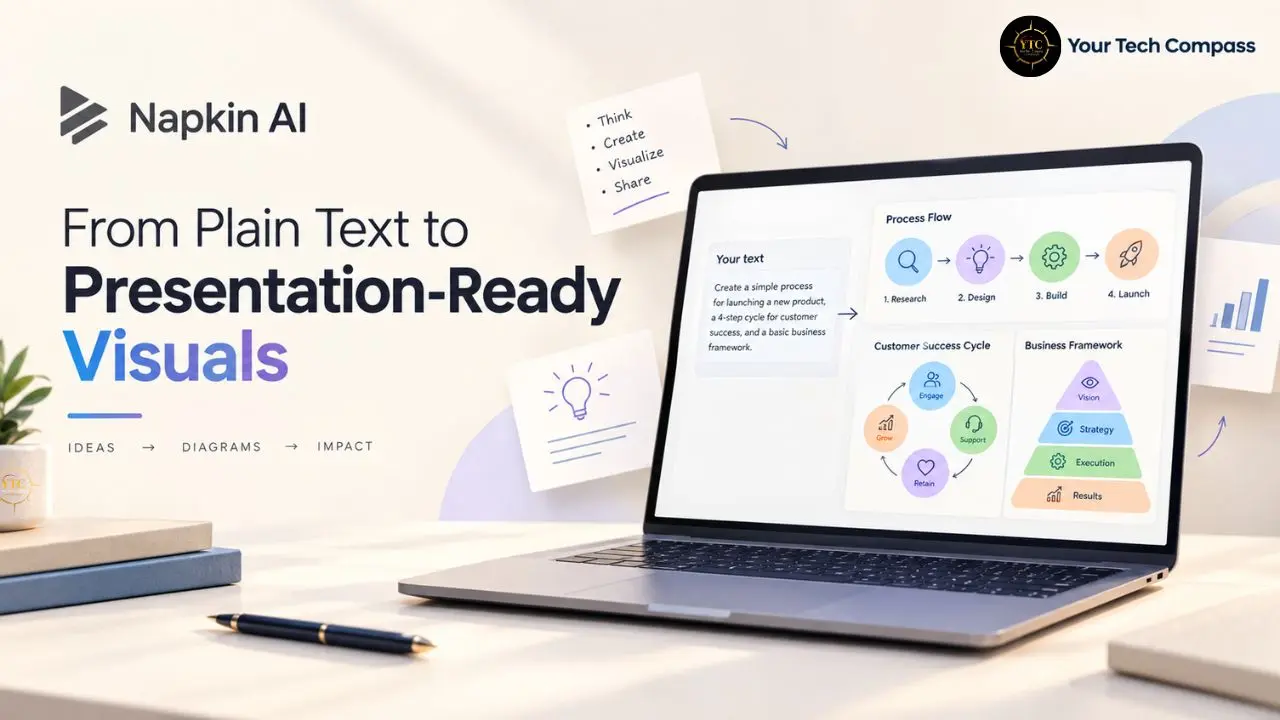
Napkin AI is a text-to-visual generator: you paste in words, and it produces diagrams, flowcharts, mind maps, infographics, and charts you can edit and export. In this detailed review, I will walk you through how its deliberately prompt-free workflow works, what the Plus and Pro plans actually include, where the flagship feature honestly falls short, real cost math on its credit system, and how it compares against Gamma, Lucidchart, Miro, and Visme, plus the Africa accessibility angle our readers keep asking about. Everything below is grounded in verified pricing data, official documentation, and documented reviewer sentiment, with opinions clearly labeled as my own.
A note before we begin: every YTC score is earned, never negotiated. If you want to understand exactly how we evaluate apps & tools and how we handle affiliate relationships, our Review Methodology lays it all out.
Quick Verdict
- Best For: Non-designers who need clean, fast visuals from existing text, consultants, founders, educators, and content marketers.
- Skip It If: You need full presentation decks, deep technical diagramming, or mature team collaboration features.
- Bottom Line: Napkin AI is the fastest credible route from paragraph to polished diagram, and its free tier is genuinely usable, but credit economics and limited creative control mean it complements a design workflow rather than replacing one.
What Is Napkin AI, and How Does It Work?
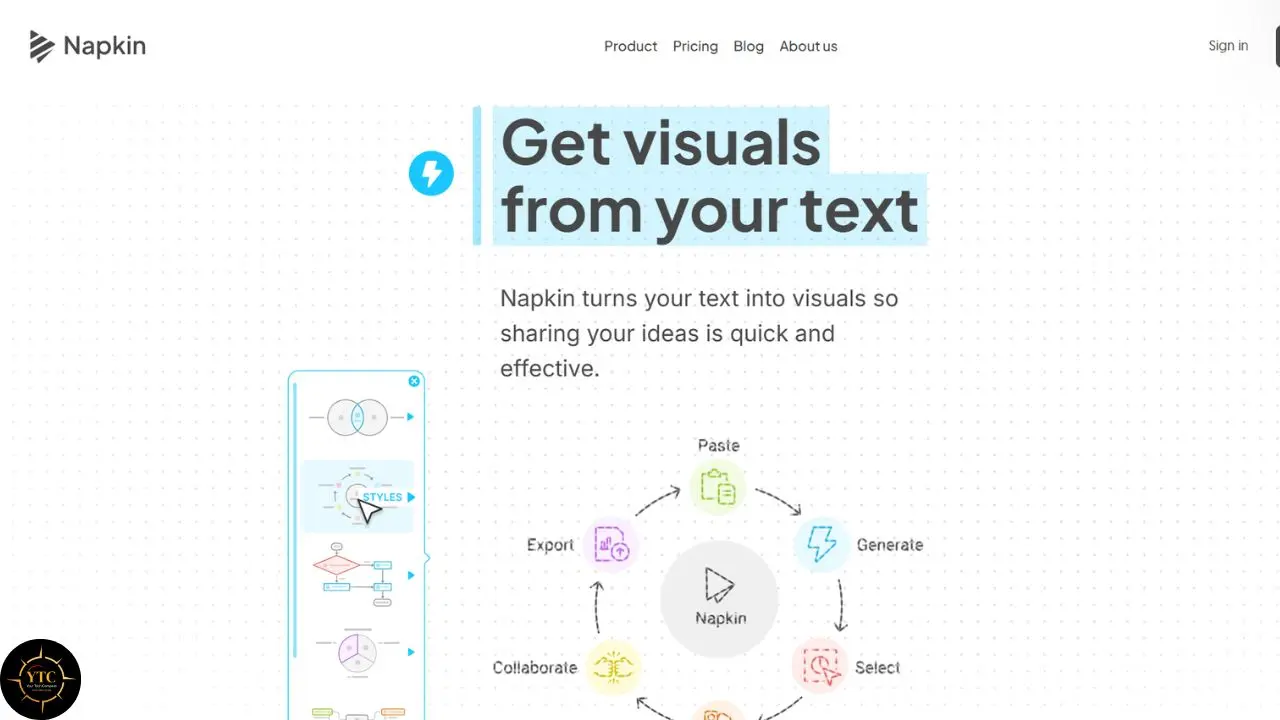
Napkin AI is an AI-powered visual generator that converts text into editable graphics. You paste or import existing text, click a button, and receive a set of visual candidates to choose from, no prompt engineering required. That last part is deliberate design philosophy, not missing functionality, and it matters more than it first appears.
Here is why. Every other generative AI tool has spent two years teaching users to write incantations. Napkin AI moves in the opposite direction: it treats AI as an interpreter of text you’ve already written, not a genie requiring precise wishes. For consultants, teachers, and founders (people with real content and zero interest in learning prompt syntax), that choice removes the steepest part of the learning curve entirely.
The platform includes two products under a single subscription: Visuals, the flagship text-to-diagram generator, and Slides (beta), a newer product for generating presentation pages. Both draw from the same credit pool, which simplifies billing but complicates budgeting, as I will show in the pricing section.
You can also import PPT, DOC, PDF, HTML, and MD files directly in the free tier, pulling visuals from existing documents rather than starting from scratch. For a deeper look at the AI mechanics underneath tools like this (how large language models parse and structure your text before any image gets drawn), our AI Unboxed coverage and our plain-English guide to LangChain walk through the concepts without the jargon. If you want to browse how Napkin AI fits among the other software we test and rate, the Apps and Tools category is the natural next stop.
Standout Features (and Where They Fall Short)
Text-to-Visual Generation: The Flagship
The core loop is disarmingly simple: paste text, click Generate Visual, and browse candidate diagrams. Napkin AI automatically handles layout, hierarchy, and iconography, producing flowcharts, process diagrams, mind maps, and infographics from plain paragraphs. For the first dozen uses, the experience genuinely feels like magic, and that is not marketing speak; it’s the consistent reaction from early users.
Now, the honest limitation belongs squarely on the flagship feature. Documented reviewer sentiment converges on the same complaint: after the novelty fades, you find yourself wanting more control and better diagram templates. The AI decides the visual structure, and your leverage afterward is adjustment, not authorship. If your mental model of a process differs from what the model infers, you are nudging rather than designing. My opinion: for first drafts and internal documents, this trade is a bargain; for signature client work with a distinctive visual identity, expect to finish elsewhere.
The Editor and Customization
Every generated visual opens in an editor where you can change colors, swap elements, and restyle the output. Crucially, editing does not consume credits; only generation does. That is a quietly generous design choice, because it means iterating on a visual is free once you have committed credits to creating it. The trade-off is depth: the editor covers restyling well but offers limited structural reshaping compared to a dedicated diagramming tool.
Slides
The Slides product extends the same generation philosophy to presentation pages, at roughly 100 credits per slide. It is useful for assembling a coherent visual narrative when you already have the content written. It is not, however, a full deck builder in the Gamma sense; think of it as Visuals arranged in sequence rather than a presentation platform with its own logic.
Brand Styles and Custom Fonts
Plus subscribers get 3 saved brand styles; Pro unlocks unlimited styles and custom fonts. For agencies and in-house teams, this is the feature that separates “AI demo” from “production tool” because consistent branding is precisely what templated AI output lacks by default.
Export Options
Free users export PNG and PDF with a watermark. Paid tiers unlock PowerPoint and SVG export, which is where the tool becomes genuinely pipeline-compatible with professional workflows. In practice, the watermark makes the free tier a trial wearing a free tier’s clothing, and the PPT export is the real unlock you are paying for.
Pricing: The Real Cost Math
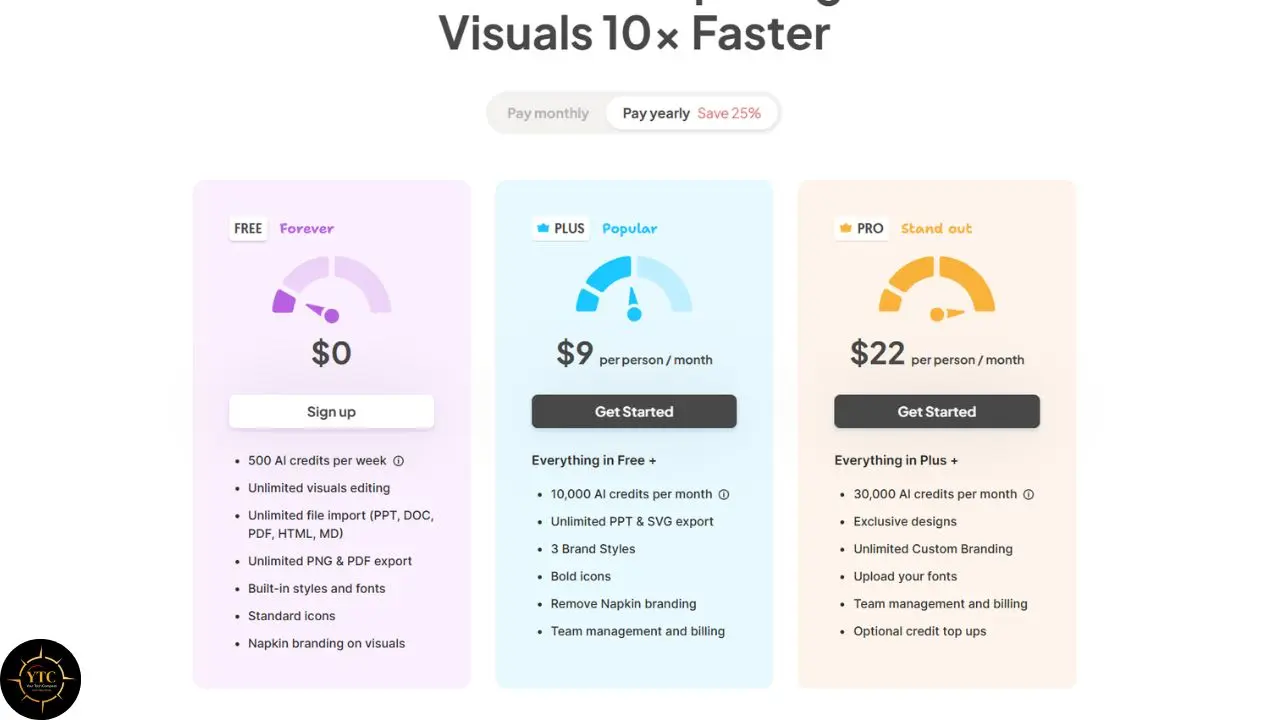
Napkin AI operates in four tiers, as of late August 2026. Free gives you 500 credits per week, watermarked exports, and full access to the core generator. Plus costs $9 per person per month and includes 10,000 credits, watermark-free exports, PPT and SVG exports, and three brand styles.
Pro runs $22 per person per month and includes 30,000 credits and unlimited brand styles, while Enterprise is priced through sales and offers procurement-grade features. Annual billing discounts each paid tier by roughly 25%, bringing Plus down to an effective $6.75 per month.
Now, the math that actually matters, because the credit system has a personality you need to understand. Generation consumes approximately one credit per selected word, and generating a slide costs 100 credits. That means a single dense 500-word strategy document consumes your entire weekly free allowance in one pass. The free tier realistically supports one serious document per week, not unlimited casual use.
The paid math is kinder. At 10,000 monthly credits, Plus handles roughly 10 1,000-word documents per month, which comfortably covers most individual consultants and founders. However, and this is the trap, subscription credits reset monthly and do not roll over, while only separately purchased Pro top-up credits carry forward. My honest advice: size your plan to your realistic monthly usage, not your ambitious monthly usage, because unused credits are simply donated back.
For context, one hour of a freelance designer’s time typically costs $50–$150. Even at the monthly rate, with imperfect utilization, Napkin AI delivers usable first-draft visuals at a fraction of that cost. The comparison is not designer versus AI; it’s $9 against your own dragged-rectangle hours, and that is a math problem most professionals solve quickly.
Legal, Privacy, and Risk Considerations
The central privacy question with Napkin AI is simple: what happens to the documents you paste? Consultants routinely feed it client strategies; founders paste investor updates; educators paste unpublished research. Napkin now publishes a Privacy Policy, a Data Processing Agreement, and help-center articles explaining training use and opt-out, but you should still read the terms before pasting confidential documents.
On intellectual property, generated visuals are yours to use commercially on paid tiers, while the free tier is explicitly limited to non-commercial use and adds a small Napkin watermark to exports. Enterprise procurement (SSO, custom data agreements) exists but is sales-gated, meaning small teams cannot self-serve to achieve compliance.
Napkin AI vs. the Alternatives
The text-to-visual space has split into two philosophies, and Napkin AI anchors one of them. Here is the direct comparison.
Platform | Starting Cost | What It Generates | Creative Control | Team Collaboration | Best For | Weakest At |
Napkin AI | Free (500 credits/week) | Diagrams, charts, infographics, slides from pasted text | Low (AI infers structure) | Limited | Text-rich professionals needing fast visuals | Full decks, structural diagram editing |
Gamma | Free (400 one-time credits) | Complete presentation decks | Medium (AI drafts, you direct) | Yes | Full presentations from prompts | Single bespoke diagrams |
Lucidchart | ~$7.95/mo (billed annually) | Precision technical diagrams | High (full manual control) | Strong | Engineering and systems documentation | Speed from raw text |
Miro | Free tier available | Collaborative whiteboards | High (canvas-based) | Excellent | Workshop facilitation, team brainstorming | Automated visual generation |
Visme | ~$12.25/mo | Infographics and branded content | Medium-high | Yes | Marketing teams with brand kits | Instant text-to-diagram |
The pattern is clear: Napkin AI owns the speed axis and concedes the control axis.
Compared to Gamma right now: Gamma generates entire decks from a prompt, and its free plan’s 400 credits are one-time only. Napkin AI generates individual visuals from existing text, with a renewable weekly free allowance (opposite philosophies, adjacent problems).
Compared to Lucidchart right now: Lucidchart gives you total structural control but demands that you build everything by hand. Napkin AI gives you instant structure you can only modestly reshape. Speed versus precision is the whole trade.
Napkin AI also belongs to a broader wave of tools that dissolve skill barriers, a theme we track closely here. Lovable AI, which we reviewed, does for app building what Napkin does for diagramming: it converts intent into output for people who never learned the underlying craft. Whether that liberation ultimately empowers users or deskills them is an open question that this generation of tools will answer.
Real-World Use Cases

Picture the management consultant with a forty-page findings report due Friday. Feeding each section’s key paragraphs through Napkin AI produces a dozen client-ready diagrams by Wednesday afternoon, with the editor handling color alignment to the firm’s palette. The deliverable’s visual layer (historically the most tedious part) shrinks from days to hours.
Now consider the pre-seed founder assembling an investor update. Instead of taking a screenshot of a spreadsheet, they paste three sentences of traction summary and export a clean growth chart as a slide-ready visual. The tool’s real value here is consistency: every monthly update looks designed because the AI applies the same visual grammar every time.
Educators get a quieter win. A lecturer who pastes lecture notes receives mind maps that become revision handouts, meaningfully cutting prep time each week. And for content creators, the pipeline extends further: a generated infographic becomes the storyboard for short-form video, where a repurposing tool like OpusClip turns static visuals into motion content for social platforms.
Honest Limitations
Beyond the flagship feature’s control ceiling, a few structural gaps only become apparent when you try to run Napkin AI in a real workflow rather than a single demo. The integration ecosystem is the most consistently flagged issue in current coverage. As of mid-2026, Napkin AI’s integration ecosystem is limited; while some sources describe basic Notion/Docs/Slack connectors, deep native workflows and full two-way sync are not broadly documented, so most teams still rely on manual export/import.
For a solo user, that export step is a minor inconvenience. For a team running any kind of automated publishing pipeline, the same manual handoff repeats for every visual, not just the first, and it quietly caps how far Napkin AI can scale within a larger content operation.
Complex source text is the second recurring weak spot. Feed the model dense material with several overlapping relationships, and it tends to flatten that nuance into a simpler structure than what you actually wrote, which is why reviewers describe manually correcting misstructured diagrams after generation rather than accepting the first draft outright. On ambiguous input, you end up picking from whatever the AI offers rather than directing what it generates.
Live or numeric data sits outside the tool’s scope entirely. Napkin AI generates visuals from text, not from spreadsheets or connected data sources, so a diagram meant to reflect current figures requires you to edit the source paragraph and regenerate it, rather than syncing automatically. If your use case involves dashboards or frequently updated metrics, this is a hard boundary, not a rough edge.
Collaboration is a similar story: present, but shallow. Napkin AI supports sharing, commenting, and some collaborative editing on individual elements, yet reviewers managing larger teams still describe it as fine for individual contributors and noticeably thinner than purpose-built collaboration tools like Miro or Lucidchart when several people need to work on the same visual at once.
Two smaller points round this out. Napkin AI is cloud-only, so a stable internet connection is a hard requirement rather than a nice-to-have, and its icon and design library, while workable, is not as extensive as those offered by dedicated design platforms.
My Opinion: None of these gaps undercut what Napkin AI is built to do. They do mean it earns its place as one stage in a larger visual workflow, not the only tool in it, which matters most for teams, not solo users, since solo users rarely feel the integration and collaboration gaps in the first place.
Who Should Use Napkin AI (and Who Shouldn’t)
Use it if you:
- Regularly turn written documents into visuals: reports, lessons, updates, proposals.
- Have no design background and no desire to acquire one.
- Work alone or in a small team where speed beats pixel-perfection.
- Can live within credit limits or comfortably justify the $9 Plus tier.
Skip it if you:
- Need precise technical diagrams where structure is the message.
- Produce full presentation decks as your primary output.
- Handle confidential documents and require clear data-processing terms first.
- Already have design resources; a designer with the right tools will outproduce it on signature work.
The Review Landscape: An Honest Note
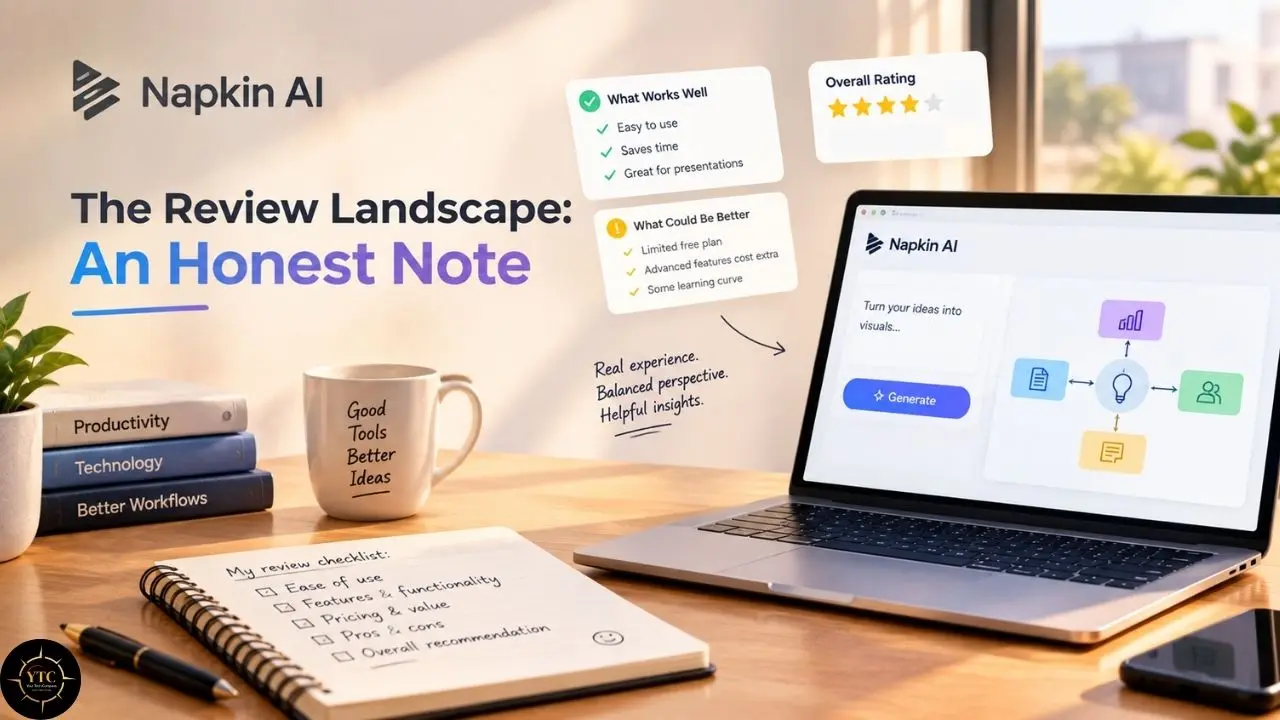
You deserve transparency about the evidence base here. Napkin AI’s coverage follows a pattern common to well-funded AI launches: an initial wave of enthusiastic first-impression reviews, followed by a slower, more ambivalent stream from sustained users. The early coverage celebrates the magic; the sustained coverage asks for more control, better collaboration, and richer templates. Both are accurate, and the gap between them is the most honest summary I can offer of the product.
Context matters too. We have watched this cycle repeat across the AI tool landscape; our reviews of Runway, Higgsfield, and PolyBuzz each show the same arc from spectacle to scrutiny. Napkin AI sits earlier on that curve than most, which means its current weaknesses are known, and its ceiling is still undefined.
Napkin AI in Africa: The Accessibility Check
For African professionals, the free tier is the headline. Five hundred weekly credits with no card requirement mean a consultant in Nairobi, an educator in Accra, or an NGO communicator in Lagos can produce publication-quality visuals at zero cost and zero payment friction. In a market where dollar-denominated subscriptions quietly exclude a large share of knowledge workers, a renewable weekly allowance is genuinely meaningful access.
The paid tiers tell a harder story. At $9 per month, Plus costs less than a streaming subscription in the US, but for many African freelancers, it competes with mobile data budgets and requires an international card that many simply do not have. The annual billing 25% discount does not help if the monthly entry point is already out of reach. In my view, Napkin AI’s Africa strategy is accidental but real: it works best for Africans, exactly where they need it most, free, immediate, and useful.
The bigger picture is worth noting. Our African tech coverage has tracked how the continent’s professionals adopt tools that respect local constraints, and our dedicated AI in Africa section follows the same thread for artificial intelligence specifically. Napkin AI fits that pattern: not designed for Africa, but unusually usable there.
FAQs
Napkin AI is a dedicated text-to-visual generator that produces editable diagrams, charts, and infographics from pasted text, requiring no prompt engineering. ChatGPT can describe or code a diagram, but Napkin AI generates the actual visual with layout, icons, and styling already applied, which you can then edit and export.
Yes, with real limits. The free tier provides 500 credits per week and watermarked PNG/PDF exports. Paid tiers start at $9 per person per month and unlock watermark-free exports, PPT and SVG exports, and expanded credit allowances.
Generation consumes roughly one credit per selected word, and generating a slide costs 100 credits. Editing an existing visual is free. Subscription credits reset monthly and do not roll over; only separately purchased top-up credits on Pro carry forward.
Yes. Paid-tier exports are branding-free and cleared for commercial use. The free tier is for non-commercial use and includes Napkin branding, so it’s best for evaluation and internal drafts.
Gamma is the closest alternative for generating a complete deck from prompts, while Visme suits marketing teams that need branded infographics. For precise technical diagramming, Lucidchart remains the control-oriented choice.
Paid tiers export directly to PowerPoint format, and PNG/PDF exports can be dropped into Google Slides or any presentation tool. Free-tier exports carry a watermark, so professional PowerPoint workflows require at least the Plus plan.
From Napkin Sketches to True North

Napkin AI does one thing and does it faster than anything else credible: it converts text you have already written into visuals you can actually ship. The no-prompt philosophy is its genius, the credit system’s non-rollover policy is its quiet tax, and the creative ceiling is its honest boundary. At 77 out of 100 on our score, it earns a clear recommendation for a specific person (the text-heavy professional who needs visuals without becoming a designer) and a clear pass from anyone whose work lives at the control end of the spectrum.
The practical takeaway is sequencing, not substitution. Use Napkin AI for first drafts, internal documents, and volume work; bring precision tools or human designers for signature deliverables; and let the hours it saves compound into the work only you can do. For team leads evaluating it at scale, start with the free tier on one real document before any rollout; the credit math tells you more in an afternoon than any review can. And for African professionals reading this, the free tier is not a demo; it is the product, and it is worth your Thursday afternoon.
Your best ideas deserve better than the back of a napkin. Chart them with confidence at YourTechCompass.com.