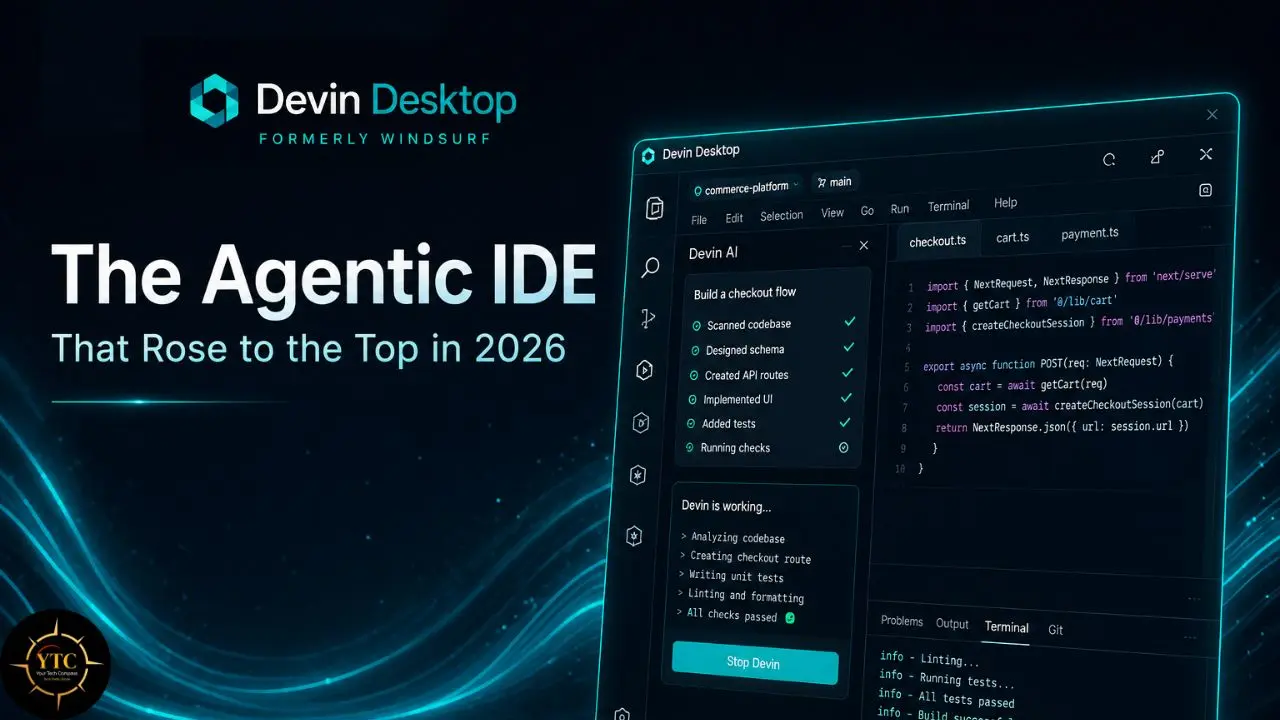
I want to be upfront about something before diving into this review: the story of what this tool is in 2026 is significantly more interesting and complicated than a straightforward product walkthrough would suggest. Most people searching for “Codeium” today are looking for the free AI coding assistant that launched in 2022 as a no-cost alternative to GitHub Copilot. That product still exists in spirit, but the company and the product have undergone two major transformations since then. Codeium rebranded to Windsurf in late 2024, shifting from an autocomplete plugin to a full agentic IDE. Then, in July 2025, Cognition AI (the company behind Devin, the autonomous coding agent) acquired Windsurf for approximately $250 million, one of the largest AI dev-tools acquisitions to date. In June 2026, Cognition rebranded Windsurf to Devin Desktop, fully integrating the Windsurf IDE environment with Devin’s autonomous coding capabilities. This review covers where the product stands today across all these changes, and whether the tool that started as a free Copilot alternative has genuinely earned its place at the top of the AI coding tool rankings.
Because the honest verdict is that it does, at least for a significant portion of developers. Windsurf reached the top of at least one major AI dev-tool ranking earlier in 2026, though later rankings showed the position shifting as the market continued to evolve. That ranking wasn’t just about branding or marketing; it reflected a product that evolved from “the free one” into a genuinely capable agentic IDE built around deeper codebase context and multi-step workflows. This review covers exactly what changed, what currently works, what the real limitations are, and which developers should be seriously evaluating Devin Desktop (formerly Windsurf) right now.
A note before we begin: every YTC score is earned, never negotiated. If you want to understand exactly how we evaluate apps & tools and how we handle affiliate relationships, our Review Methodology lays it all out.
What Is Devin Desktop (Formerly Windsurf, Originally Codeium)?
Devin Desktop, currently the product’s official name following Cognition’s June 2026 rebrand, began life as Codeium, an AI code completion tool that launched as a free alternative to GitHub Copilot. The team later rebranded it as Windsurf in late 2024 and expanded it into a full-featured AI IDE built on a VS Code foundation.
After Cognition acquired Windsurf and repositioned it around Devin, the product now ships as Devin Desktop. That pivot marked the moment the product moved beyond being another Copilot-style extension and into a more ambitious IDE-centered workflow built around agentic coding and project-wide context.
The Company Behind the Product
Codeium was founded in 2021 by Varun Mohan and Douglas Chen. The company originally began as Exafunction, a GPU infrastructure company, before pivoting into AI coding tools. It later raised a $65 million Series B led by Kleiner Perkins, with General Catalyst participating, and expanded from a coding assistant into a broader IDE strategy.
The biggest corporate shift came in 2025. OpenAI reportedly pursued an acquisition of Windsurf; the deal did not close, and parts of the team later moved to Google. Cognition then acquired Windsurf and brought the product under its Devin umbrella, creating a new layer of roadmap uncertainty and a new product direction.
That acquisition context matters for any honest evaluation. Windsurf’s future became tied to Cognition’s vision of autonomous software engineering, which is either the most exciting development in AI coding tools or a source of roadmap uncertainty, depending on your risk tolerance.
The product identity question has since been answered more clearly: Cognition rebranded Windsurf to Devin Desktop in June 2026. Existing users received the change as an over-the-air update, and the product continued under the Devin Desktop brand with its core editor experience preserved
Devin Desktop Key Features
Cascade: The Reason to Pay Attention
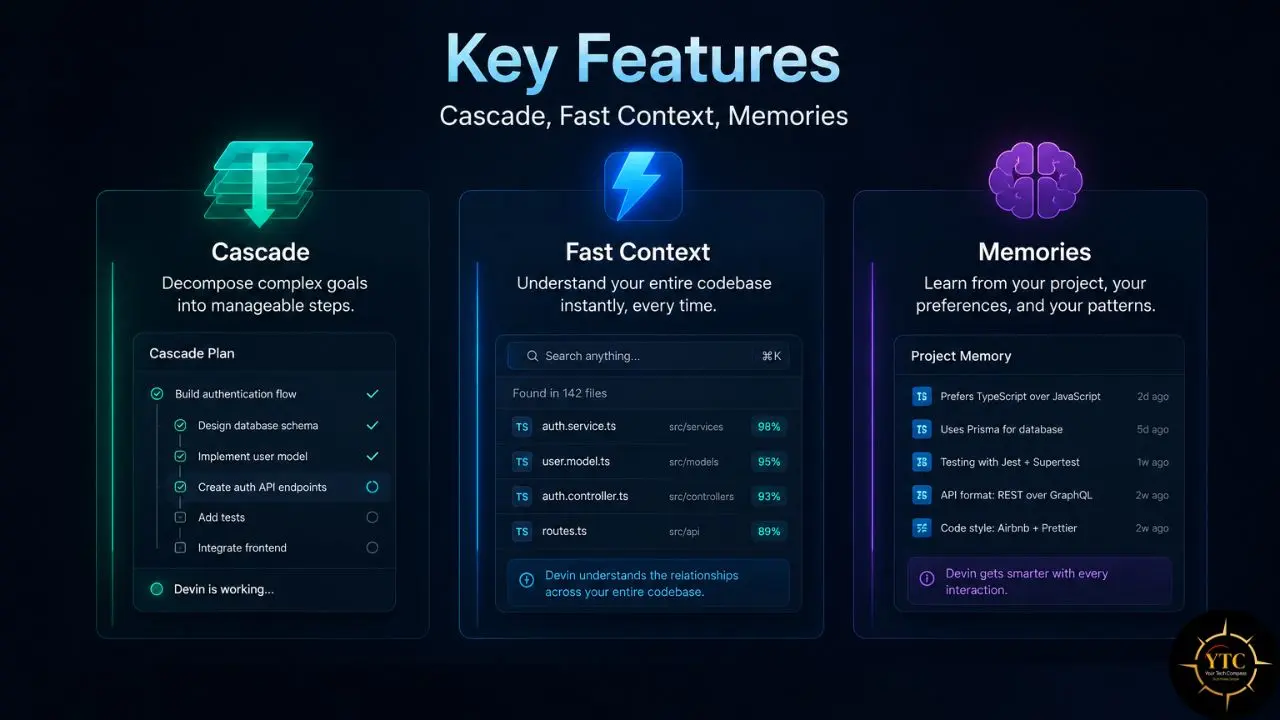
Cascade is the centerpiece. It tracks your current work, uses codebase context, and can execute multi-step tasks across multiple files. Unlike basic chat assistants, it can plan before acting, propose a strategy, and then carry out coordinated edits. It also integrates with linting and other checks, which reduces back-and-forth during implementation.
In concrete terms, here’s what Cascade does that a typical chat assistant doesn’t. You describe a task, for instance, “refactor the authentication module to use JWT refresh tokens,” and instead of returning a code block you have to paste manually, Cascade can build a plan, identify the relevant files, make the edits, and iterate based on feedback from tests or linters.
You’re approving or rejecting changes rather than managing copy-paste operations. The mental model is closer to pair programming than to asking questions.
Cascade operates in multiple modes: Code mode for making changes, Plan mode for preparing an implementation plan, and Ask mode for questions and exploration. The distinction matters because Code mode is the agentic implementation mode, while Ask mode is read-only, and Plan mode bridges planning and execution.
The Current Cascade Status
As of early July 2026, Cascade is being phased out and replaced by Devin Local as the default local agent inside the Devin Desktop environment. Devin Local carries forward the same basic goals (deep codebase context, multi-step execution, and iterative refinement) while adding a Rust rewrite and support for subagents.
The transition is handled automatically for existing users through the Devin Desktop update. Older references to “Cascade” should generally be read as references to the legacy Windsurf local agent, while the current product uses Devin Local for the supported local-agent workflow.
Fast Context: Zero-Config Codebase Awareness
One of the most practical differences between Devin Desktop and a typical AI coding extension lies in how it retrieves codebase context. Fast Context is a specialized subagent that quickly finds relevant files and code sections in your codebase and automatically activates when Cascade needs to search the project. You do not have to manually tag files or add context as you often do in Cursor.
This is a genuinely meaningful operational difference. In Cursor, you often manually add files to the context panel or use @ references to expose relevant code to the model. In Devin Desktop, context gathering is more automatic, so you spend less time curating files and more time reviewing changes.
Memories: Persistent Learning Across Sessions
Cascade can retain project context across sessions through auto-generated memories and user-defined rules, so when you reopen the IDE, it may still reflect conventions, API patterns, and environment preferences from your codebase. In practice, that can help it remember recurring choices such as testing patterns or preferred component styles, though the exact behavior depends on the workspace and how the rules are configured.
This persistent context is one of the features that distinguish Devin Desktop from one-shot code-generation tools. It is best thought of as durable workspace memory rather than perfect long-term recall, and stale context may need to be reviewed or updated after major refactors.
Tab / Supercomplete: The Autocomplete Layer
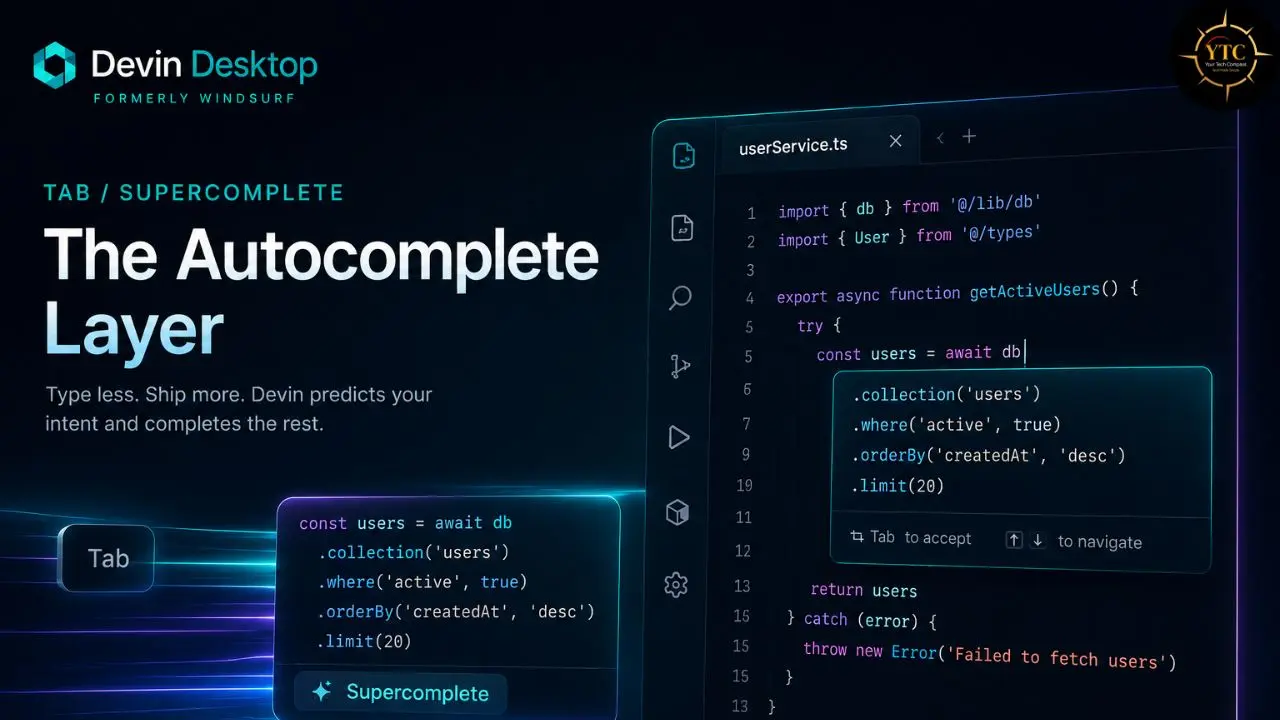
Devin Desktop’s Tab feature is strong. It includes both traditional autocomplete and Supercomplete, which goes beyond simple fill-in-the-middle suggestions to make more intent-aware, multi-line code changes.
If you’ve been renaming a parameter across several files, Supercomplete may surface the next related edit and suggest the same change in the right place. The completions are designed to be fast and contextually aware, so they can reduce repetitive editing when they’re accurate.
Critically, Tab completions are unlimited on the Free plan and on paid tiers, according to the pricing page. That makes Tab a meaningful part of the product even for free users, independent of agent usage.
SWE Models: The Proprietary Speed Advantage
SWE-1.6 launched on April 6, 2026, and Cognition said it improved SWE-Bench Pro performance by more than 10% over SWE-1.5 while also reducing looping and increasing parallel tool use. On the fast tier, it runs at up to 950 tok/s, which Cognition says makes multi-file editing feel much more responsive.
The model strategy is smart: SWE-1.6 provides users with a fast, agentic default for routine coding tasks, while higher-cost or higher-priority model usage can be reserved for harder problems that require deeper reasoning.
Devin Integration: The Cloud Agent Layer
Devin Cloud Agents are a major reason Devin Desktop now has a different pitch from Cursor. Devin Desktop is designed to manage both local and cloud agents from a single interface, so a workflow can begin in the editor and then transition to a long-running cloud session when needed.
Devin runs in its own cloud environment with browser, terminal, and GUI access, and it is built to execute end-to-end tasks autonomously rather than act like a chat assistant that only suggests code. When the work is done, you review the output in the editor or the agent manager. Taken together, this makes the Cognition acquisition strategically coherent in my view: the local editor handles fast context, planning, and review, while cloud Devin handles longer-running autonomous execution.
Additional Noteworthy Features
- Tab to Jump predicts your next cursor position and offers to jump there. It can be surprisingly useful once you trust it.
- Arena Mode runs two models side by side on the same prompt, allowing you to compare their outputs.
- Spaces organize agent sessions, pull requests, files, and context around a single task. When you’re juggling multiple features or bugs, Spaces let you switch between jobs without rebuilding context each time.
- Previews let you view your web app inside Devin Desktop or in the browser, and you can send elements and errors back to Cascade for rapid iteration.
Supported IDEs and Platform Coverage
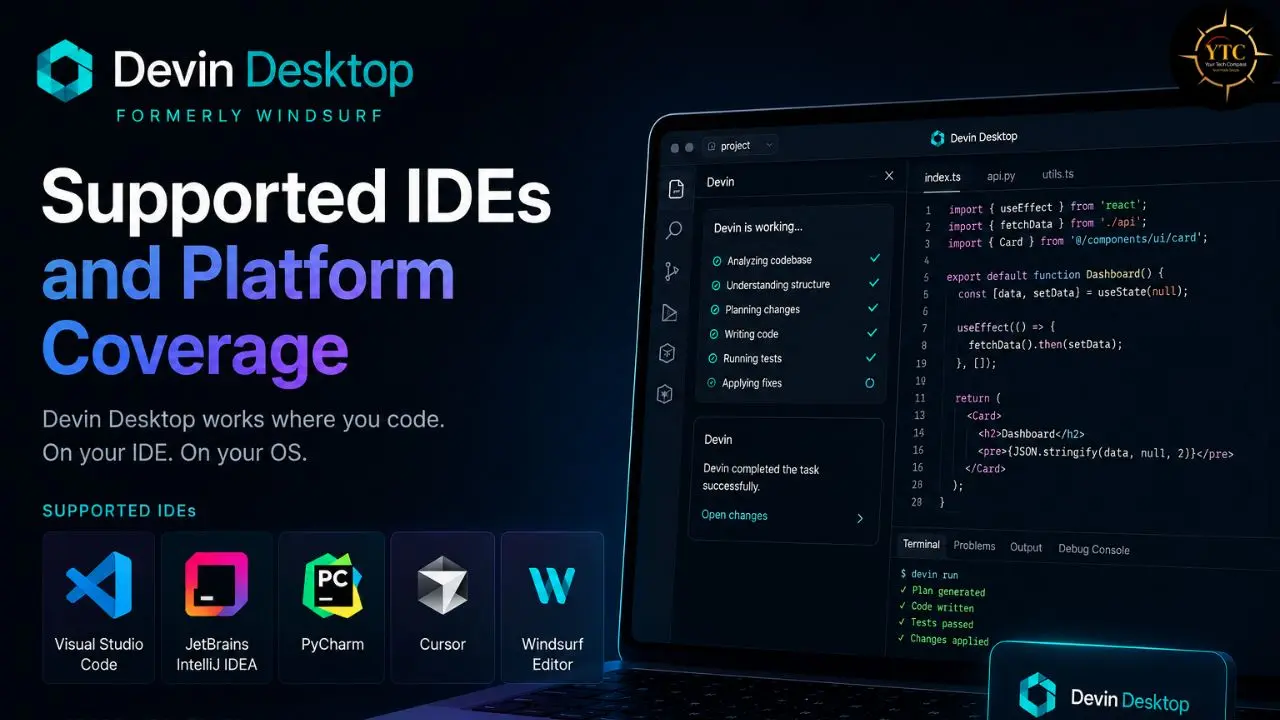
Devin Desktop’s core experience lives in the standalone desktop app, the successor to the Windsurf editor line, and it is available on macOS, Windows, and Linux. Because it is built on a VS Code foundation, it supports VS Code-style extensions, settings, keybindings, and themes.
Beyond the desktop app, JetBrains support is available through a separate plugin, but the full agentic experience lives in Devin Desktop rather than in the plugin surface.
Language Support
Devin Desktop supports 70+ programming languages, including mainstream options such as Python, JavaScript, TypeScript, Go, Rust, Java, and C++, as well as a range of infrastructure and specialized languages. For teams working across polyglot codebases or specialized domains, that breadth can be a real practical advantage.
Devin Desktop Pricing: The 2026 Structure
The pricing structure was revamped in 2026, moving away from a confusing credit system to simpler usage-based tiers. Here’s the current structure:
Plan | Price | Key Features |
Free | $0 | Unlimited Tab completions, limited agent quota, SWE-1.6 access |
Pro | $20/month | Expanded quota, Claude Sonnet + GPT-class models, priority inference |
Max | $200/month | Maximum quota for heavy agents and power users |
Teams | $80/month base + $40/seat | SOC 2, admin controls, team features |
Enterprise | Custom | Private model hosting, SSO/SAML, SLA |
The move away from credits was the right call. The old system made monthly costs harder to predict. Now, usage refreshes regularly, and most developers will not hit their Pro-tier limits in normal use.
The Genuinely Honest Assessment of the Free Tier
Free tier users get unlimited Tab completions and a limited agent quota. Even free-tier users get meaningful daily value, and Pro users can reserve their quota for higher-value agentic sessions rather than routine completions.
The unlimited autocomplete on the free tier is a real differentiator compared to GitHub Copilot’s more restricted free offering. For context on how the underlying frontier models in premium tiers compare, our GPT-5.5 vs Claude Opus 4.8 comparison covers the models unlocked by the Pro and Max tiers for complex reasoning tasks.
Devin Desktop vs GitHub Copilot
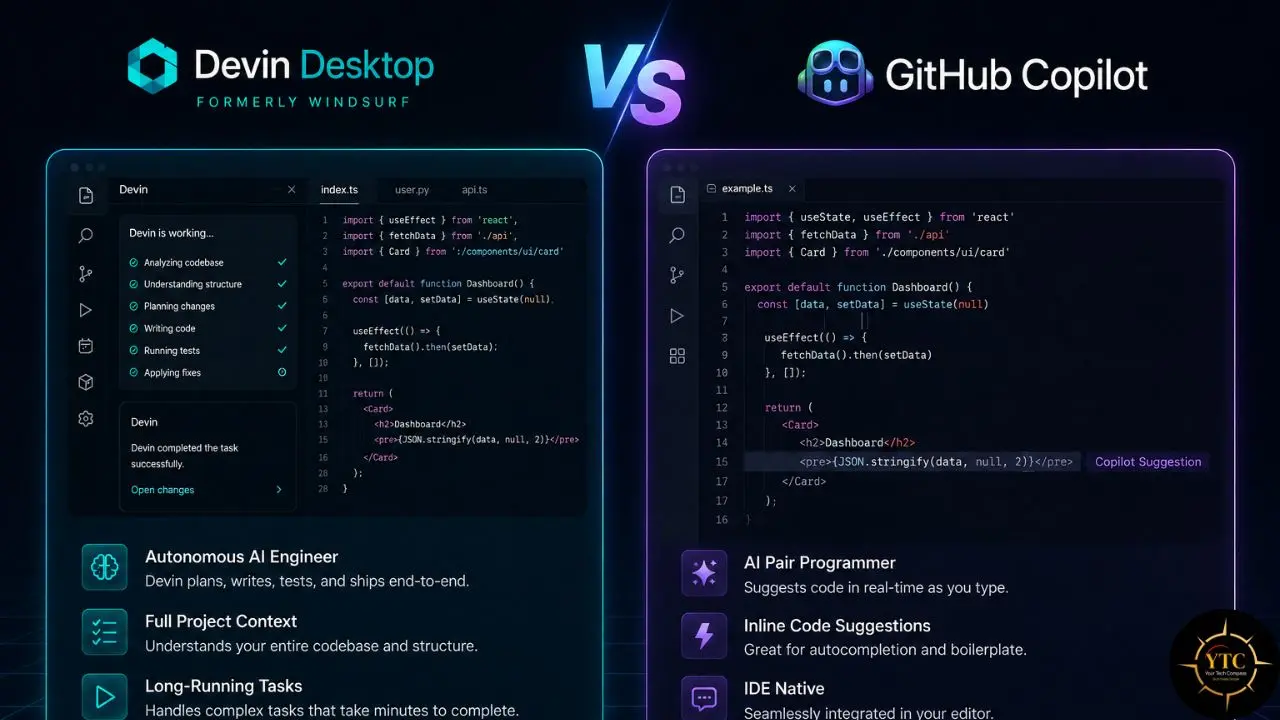
The comparison most developers are searching for ” Codeium ” implicitly asks. Here’s the honest, current head-to-head:
Feature | Devin Desktop Free | Devin Desktop Pro | GitHub Copilot Free | GitHub Copilot Pro |
Autocomplete | ✅Unlimited Tab completions | ✅Unlimited Tab completions | ⚠️Limited free autocomplete | ✅Unlimited |
AI Chat | ⚠️Limited quota | Expanded quota | ⚠️Limited/free-tier chat features vary | ✅Unlimited |
Agentic Coding | ⚠️Limited agent quota | Expanded agent quota | Copilot Agent available with limits | Copilot Agent |
Codebase Context | Fast Context auto-retrieval | Expanded context and agent usage | Codebase-aware, but more explicit context management | Codebase-aware |
Multi-Model Access | Claude Sonnet and GPT-class models | ⚠️Limited | GPT and Claude options | |
IDE Support | VS Code-based desktop app + JetBrains support | VS Code-based desktop app + JetBrains support | VS Code + JetBrains | VS Code + JetBrains |
GitHub Integration | No native GitHub workflow focus | No native GitHub workflow focus | Strong GitHub-native integration | Strong GitHub-native integration |
Data Handling | Zero-retention claims should be stated carefully | Zero-retention claims should be stated carefully | ⚠️Subject to GitHub terms | ⚠️Subject to GitHub terms |
Speed Model | SWE-1.6 available | ❌No equivalent proprietary speed model | ❌No equivalent proprietary speed model | |
Price | Free | $20/month | ⚠️Free (limited) | $10/month |
Where Devin Desktop Leads
Automatic codebase context without manual file tagging; the SWE-1.6 proprietary model’s speed advantage; a more generous free-tier autocomplete; deep agentic coding with Devin Local and Devin Cloud integration; and zero data retention across all tiers, including the free tier.
Where GitHub Copilot Leads
GitHub ecosystem integration (pull request summaries, code review, GitHub Actions) is something Devin Desktop simply doesn’t offer. Copilot Pro at $10/month is also half the price of Devin Desktop Pro, which matters if your primary use case is autocomplete and chat rather than deep agentic workflows.
For a complete breakdown of what GitHub Copilot currently offers across model selection, pricing tiers, and IDE integrations, our GitHub Copilot explained guide covers everything.
My Honest Verdict on This Comparison
For individual developers who want agentic multi-file coding capabilities at any price tier, Devin Desktop’s free tier is a stronger fit than Copilot’s free tier. However, for teams already invested in GitHub workflows and seeking PR-level AI assistance, Copilot’s ecosystem integration is a real advantage that Devin Desktop does not fully replicate.
Devin Desktop vs Cursor
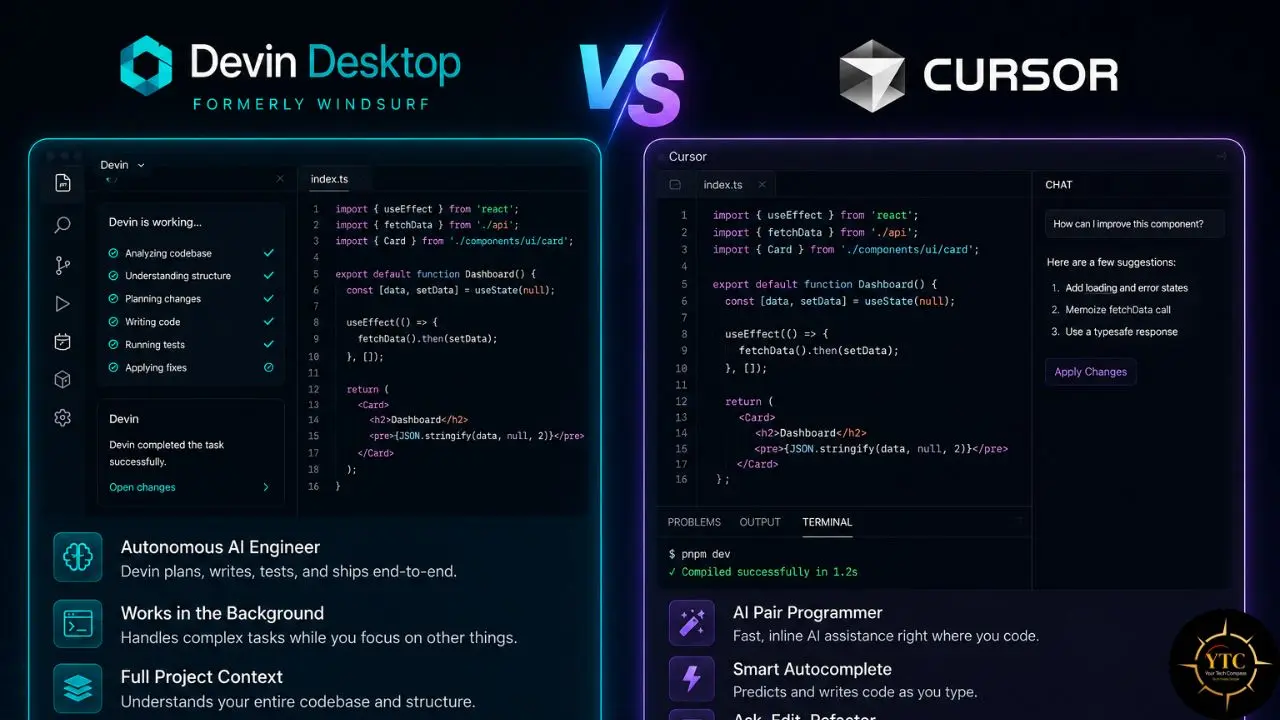
This is the more interesting current comparison, because Cursor is Devin Desktop’s direct competitor at the IDE level; both are AI-first coding editors targeting the same developer audience.
Key Differences
Devin Desktop Pro and Cursor Pro are both priced around $20/month, but they emphasize different strengths. Devin Desktop leans more heavily into deep codebase context and cloud-agent workflows, while Cursor tends to offer a broader feature set around IDE assistance and agent tooling.
On the business side, Cursor appears to be a larger and more established product, though the real decision usually comes down to workflow fit rather than company size. Both are strong choices; the main differentiator is whether you prefer Devin Desktop’s deeper context and cloud-agent integration or Cursor’s broader feature set.
The Specific Comparison in Coding Performance
Devin Desktop is a genuinely different product from the old Codeium and even early Windsurf. SWE-1.6 reinforces the speed story, while Codemaps, the Agent Command Center, and Spaces help turn the IDE into a coordination layer for multiple agents running in parallel.
Where Does Cursor Still Win?
Cursor still has a strong edge for working inside very large existing codebases and for highly precise edits. Its community is also larger and more mature, meaning it has more tutorials, examples, and shared workflows for edge cases than Devin Desktop currently does.
For a detailed breakdown of Cursor’s specific capabilities, our Cursor AI review covers them in full.
Real-World Developer Experience
Let me give you the honest picture of what using Devin Desktop actually feels like across its different modes.
Autocomplete Speed and Relevance
SWE-1.6’s speed is fast enough that Tab completions feel responsive during normal typing, which matters a lot for a feature people use constantly. The completions are context-aware enough to be useful for routine edits and small refactors.
A common limitation in genuinely complex multi-line scenarios is that the first suggestion isn’t always the most accurate. Cursor’s Composer sometimes edges out Cascade on the hardest completion tasks.
Agentic Coding in Practice
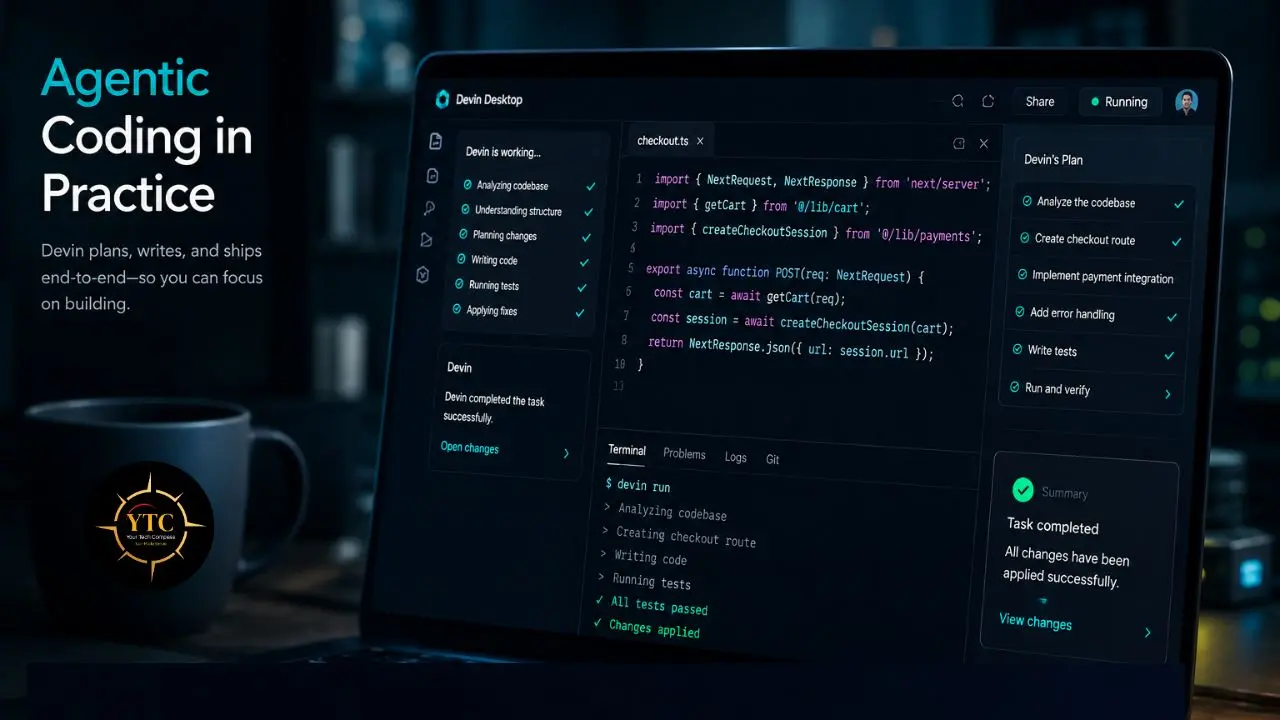
For beginners, this is transformative. Instead of getting a wall of code in a chat panel and having to figure out where to paste it, you watch the agent make changes in real time and approve or reject each step. The mental model is closer to pair programming than to copy-pasting from ChatGPT.
For experienced developers, the value is at the intersection of codebase understanding and execution. Devin Desktop can be especially strong on cross-file refactoring tasks where deep context matters more than manual file-by-file prompting.
The Quota Question
The old system made monthly costs difficult to predict. The current model uses daily and weekly refresh cycles, and most developers are unlikely to exhaust their Pro tier quota in normal use. That said, those refresh cycles can still interrupt intensive sprints mid-session, which can be frustrating for developers who do concentrated bursts of agentic work rather than steady daily usage.
Stability
Occasional hiccups, such as lagging autocomplete suggestions, stalled agent sessions, and rare crashes during large-file operations, can add friction. In my experience, Devin Desktop still feels a bit less stable than Cursor, especially on larger projects with more complex dependency graphs.
For developers working specifically on AI coding workflows, our guide on using Claude AI for coding covers how Claude-powered coding approaches compare to IDE-native agents like Cascade, providing useful context for understanding where an IDE agent and a powerful standalone model complement each other rather than compete. In addition, our broader AI Unboxed section tracks all significant developments in AI coding tools as they evolve. And for developers across Africa evaluating which AI coding tools are accessible and cost-effective at different price points, our AI in Africa category covers adoption and infrastructure considerations specific to African development contexts.
Privacy and Security
Teams that need SOC 2 compliance and stronger data-handling commitments will find that Devin Desktop has an enterprise-oriented security posture. Cognition lists SOC 2 Type II among its compliance commitments, and earlier product materials also emphasized zero data retention for paid team plans.
For organizations with stricter requirements, the Enterprise tier is the place to verify data-handling and deployment options directly with Cognition’s current documentation and terms. SOC 2 Type II is a meaningful signal for enterprise buyers.
The caveat worth naming honestly: standard-tier usage may still involve processing code on Cognition’s systems, so organizations that cannot send code to external services need to review the current deployment options carefully.
Cognition acquisition also means compliance-sensitive buyers should rely on the latest policy documents rather than older pre-acquisition materials, since data-handling commitments can change under new ownership.
Devin AI vs The Broader AI Coding Landscape
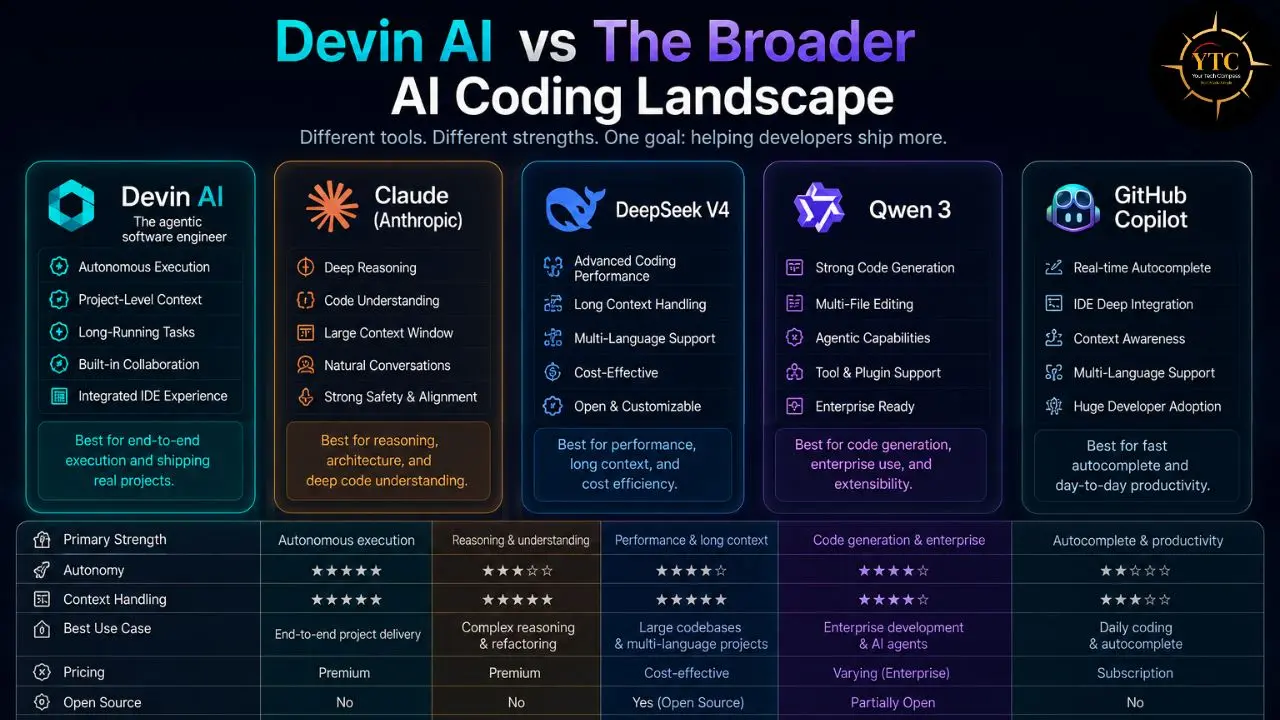
It’s worth briefly placing Devin Desktop in the context of the full competitive landscape, because the decision isn’t always between Devin Desktop and Copilot or Devin Desktop and Cursor:
Vs Claude Code
Claude Code remains one of the strongest options for terminal-first, CLI-driven autonomous coding workflows where the model operates in the terminal rather than inside an IDE. If you prefer terminal-based development over GUI IDE interaction, Claude Code’s architecture is better matched to that preference than Devin Desktop’s IDE-centric approach.
Our Claude Cowork review covers Anthropic’s agentic ecosystem in depth, including how Claude Code fits alongside IDE agents. In addition, our Claude Opus 4.7 explained guide covers the underlying model powering that toolchain.
Vs DeepSeek V4
DeepSeek V4 and other frontier open-weight models available through the Azure AI model catalog (covered in our DeepSeek vs ChatGPT comparison) represent the self-hosted alternative; this is relevant for teams with data sovereignty requirements that the private enterprise tier addresses, but who are also evaluating open-weight alternatives. Our AI inference cost optimization guide covers architectural strategies (vector databases, caching, routing) to consider when teams evaluate whether IDE agents or API-based architectures better serve their specific production AI coding needs.
Vs Qwen 3 and Other Open-Weight Alternatives
Qwen 3 and other open-weight alternatives (covered in our Qwen 3 review) matter specifically for cost-sensitive teams, where Windsurf Pro’s $20/month or the quota constraints of Claude-class models make per-token open-weight alternatives an appealing option for routine coding assistance that doesn’t require frontier-model quality.
Who Should Use Devin Desktop?
Use…
- Devin Desktop Free if: You want meaningful AI coding assistance at zero cost, with unlimited Tab completions and a limited agent quota. This is especially useful for students, independent developers, and anyone evaluating agentic coding before making a payment.
- Devin Desktop Pro if: The free agent quota is not enough, you want access to stronger models for harder reasoning tasks, or you need faster, more consistent performance during heavier sessions.
- Devin Desktop Max ($200/month) if: You run heavy multi-agent workflows and regularly hit Pro-tier limits.
- Devin Desktop Teams/Enterprise if: Your team needs SOC 2 alignment, admin controls, SSO/SAML, and stronger enterprise data-handling options.
Who Shouldn’t Use Devin Desktop?

Seriously consider alternatives if:
- You’re already deeply integrated into GitHub and need PR review, code review, and GitHub Actions integration; Copilot serves this better than Devin Desktop.
- You prefer terminal-first development over IDE-based interaction; Claude Code is architecturally better matched.
- Product roadmap stability under Cognition’s ownership is a major concern for your organization; Cursor may feel like the more predictable option.
FAQs
Devin Desktop, formerly Windsurf and originally Codeium, is now owned by Cognition. The Free plan remains genuinely free and includes unlimited Tab completions, a light quota for agent usage, and limited model availability. There is no trial period or credit card requirement on the Free plan. Devin Desktop is the current standalone product for the full agentic experience, while older Codeium/Windsurf branding refers to the product’s earlier history.
Devin Desktop leads in agentic coding depth, with more automatic codebase context and stronger multi-file workflow support, while Copilot leads in GitHub ecosystem integration, including pull request workflows and GitHub Actions. Copilot Pro is also cheaper in the individual paid tier, making it a better fit for developers who mainly want autocomplete and chat. For developers who want deeper, agentic multi-file coding, Devin Desktop is the stronger choice at a higher price.
Cascade was Windsurf’s agentic coding system: an AI assistant designed to work with broad codebase context, plan multi-step changes, edit across multiple files, run commands, and iterate based on feedback from tests or other checks. As of July 2026, Cascade reached end-of-life and was replaced by Devin Local as the default local agent within Devin Desktop. Devin Local is the successor workflow, continuing the local-agent experience in line with Cognition’s current product direction.
Devin Desktop’s main standalone experience is in the desktop app, available on macOS, Windows, and Linux. It supports a broad set of VS Code-style workflows, and many users can carry over extensions, settings, keybindings, and themes depending on their setup. Beyond the desktop app, plugin support is also available for JetBrains and other IDEs, though the standalone app is where the full agentic experience lives. Devin Desktop and its plugins support 70+ programming languages across the platform.
Devin Desktop is reasonable for proprietary code if your organization is comfortable with Cognition’s current enterprise security terms. Cognition states that it does not train on customer data or code by default, and for enterprise-dedicated deployments, customer data remains within the customer’s tenant. Cognition also states that it has SOC 2 Type II compliance. The important caveat is that teams with stricter requirements should verify the current data-handling and deployment terms directly with Cognition, especially if they require stronger isolation than standard cloud processing provides.
Codeium was the original product: primarily a free AI autocomplete extension. Windsurf was the later agentic IDE built around Cascade and a VS Code-based editor. Devin Desktop is the current product, launched in June 2026 after Cognition acquired Windsurf and rebranded the editor as Devin. Each step reflects a real product evolution in capabilities, not just a rename.
Conclusion
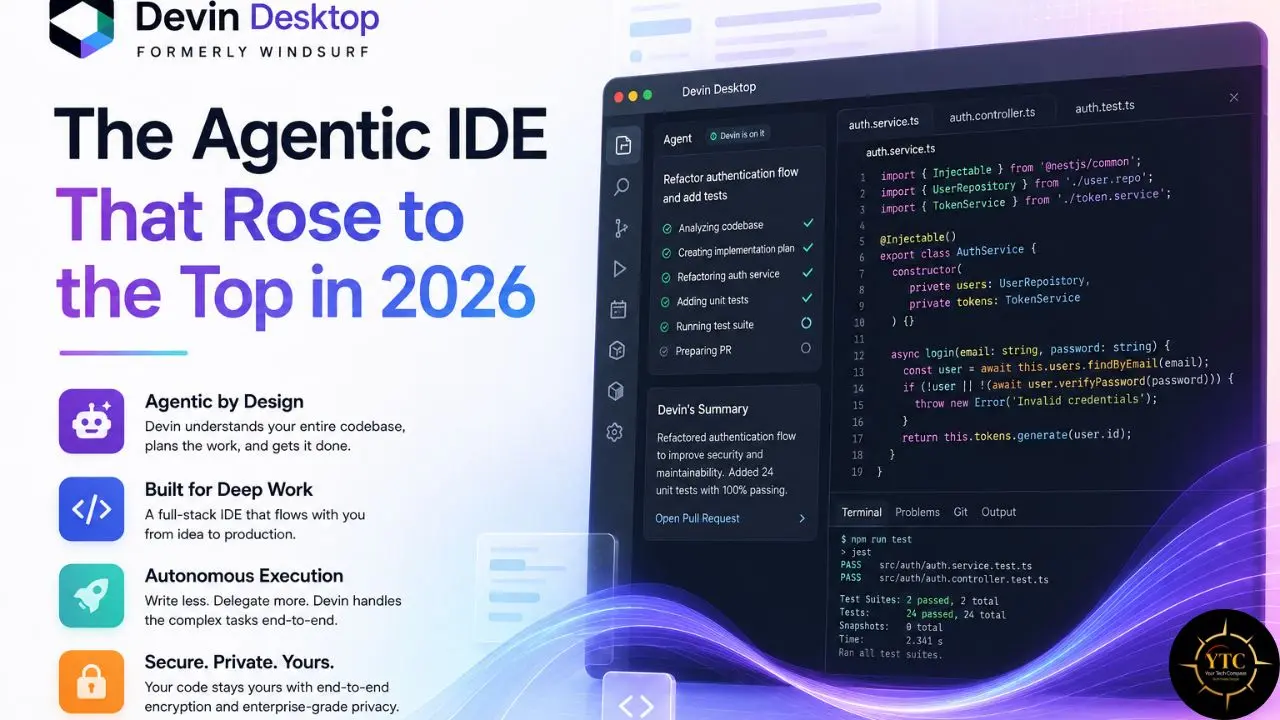
Devin Desktop (formerly Windsurf, originally Codeium) has undergone one of the most notable product transformations in recent AI tooling. It started as a free alternative to Copilot, then evolved into Windsurf, and later became Devin Desktop under Cognition. By 2026, the product is no longer just competing with GitHub Copilot on price; it is competing with Cursor on features while also bringing local agentic workflows together with cloud-based autonomous execution.
The caveats are real. Cognition’s ownership and repeated branding shifts introduce uncertainty in the roadmap, and the quota system can still disrupt focused workflows. Cursor remains stronger for some massive legacy codebases and has a larger community footprint, while Copilot still wins on GitHub-native workflows like PR review and Actions. For developers seeking a strong free tier and deep agentic coding capabilities, Devin Desktop is one of the most compelling options on the market right now.
The AI coding tool landscape is evolving faster than any single review can keep up with. Visit YourTechCompass.com for ongoing coverage of every significant update to Windsurf, Cursor, GitHub Copilot, and the full AI developer toolchain.